G
G
E
E
T
T
T
T
I
I
N
N
G
G
S
S
T
T
A
A
R
R
T
T
E
E
D
D
21
Safety Handling Components Aid Appendix
G
G
E
E
T
T
T
T
I
I
N
N
G
G
S
S
T
T
A
A
R
R
T
T
E
E
D
D
Before you get started using your notebook, first take a few mo-
ments to read the important section on Safety.
This Notebook comes with software fully pre-installed. You do
not have to install any of the CDs supplied. However, with many
programs (e.g., telephone CDs or encyclopaedias) it is necessary
to insert the corresponding CD to access the data that is stored on
it. The software will prompt you to do this when necessary.
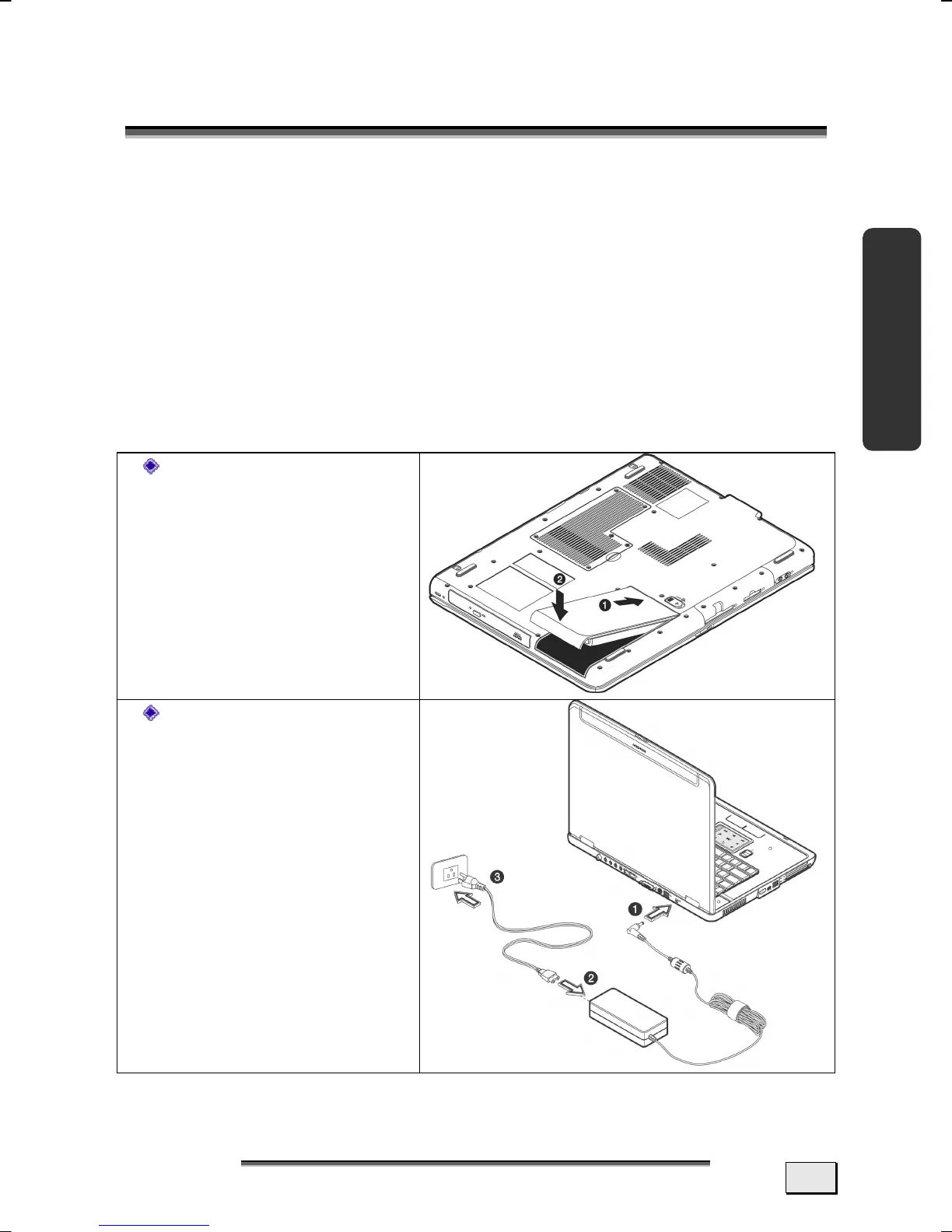
HOW TO START:
Step 1
Before starting the
Notebook please in-
sert the battery.
Connect the sup-
plied power adapter
to the notebook at
the notebook power
socket
(36). Connect
the power adapter
via a power cable to
a free AC power
outlet. The adapter
provides the note-
book with power
and also charges the
battery.



 To Next Page