D
D
A
A
T
T
A
A
E
E
N
N
T
T
R
R
Y
Y
47
Safety Handling Components Aid Appendix
USING THE MULTIMEDIA FUNCTIONS
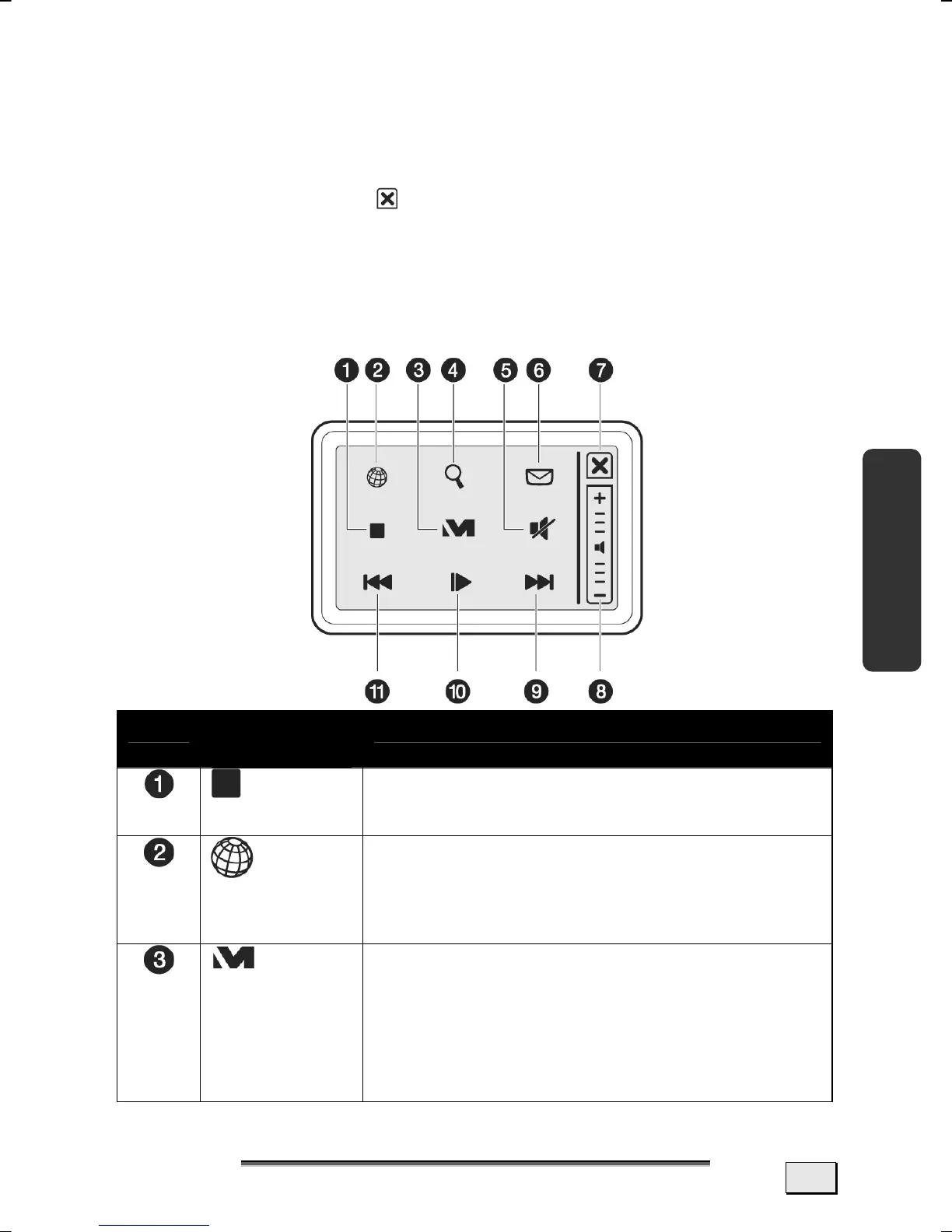
The multifunction touchpad is in normal mode at every system
start.
The Multimedia Functions must be activated through the cross in
the upper right corner (
, t), in order to be able to use those
provided. The selected fields will be illuminated as soon as you
have activated the Multimedia Functions.
The corresponding functions will be called up or commands will be
carried out at a single click on the symbols.
An overview of the functions and commands follows.
Re. Function /
Command
Description
Stop*
You will stop the replay of the Media
Player, if you click on this Command.
Internet
Explorer
You will call up Internet Explorer with
this Field. The touchpad will switch
back to the normal mode after this
Field has been operated.
Medion
You will start the Windows Media
Player, to replay multimedia files with
this Field. You will be able to minimize
or maximize the Window with this
Field, if the Media Player has already
been opened.



 To Next Page