M
M
A
A
I
I
N
N
C
C
O
O
M
M
P
P
O
O
N
N
E
E
N
N
T
T
S
S
48
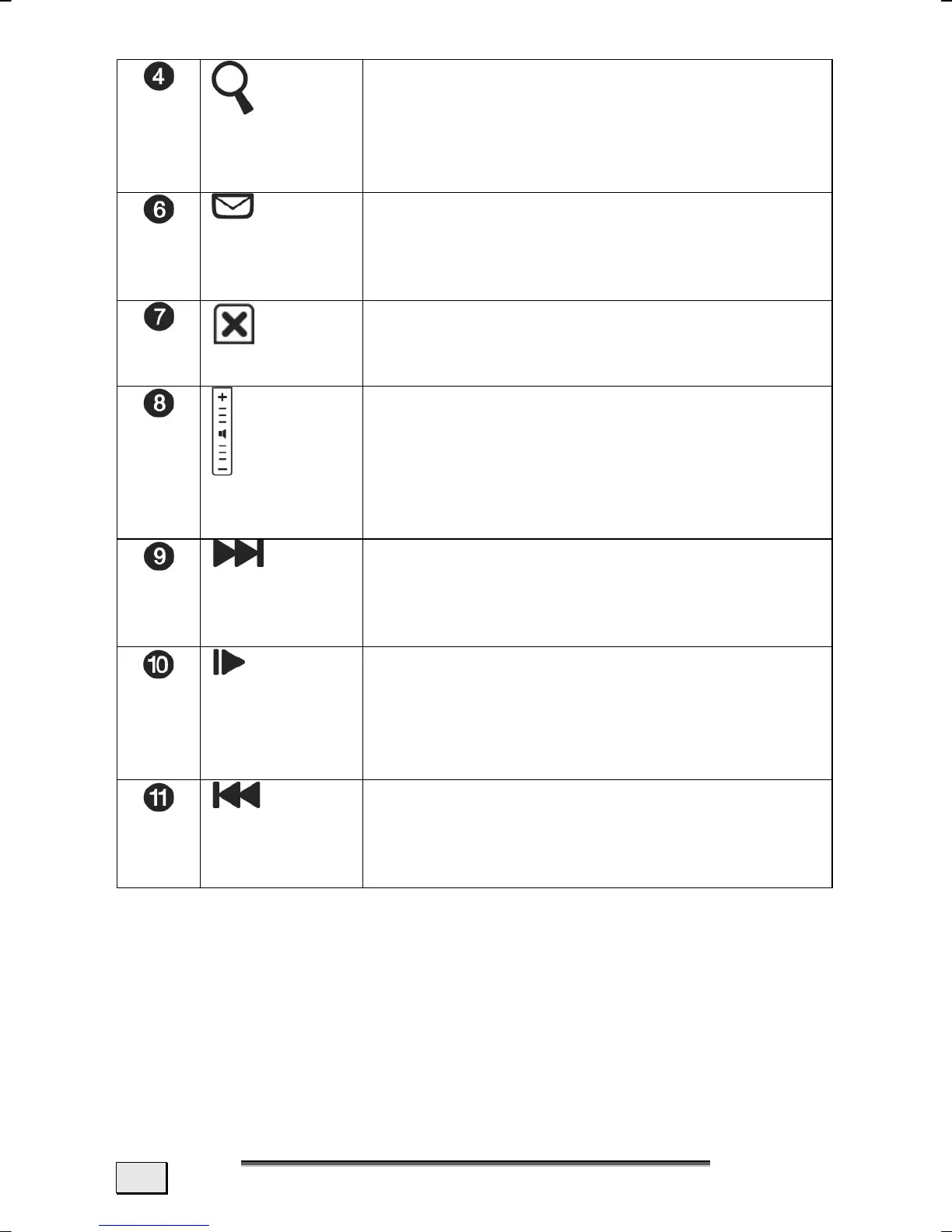
Search
You will open the Search function un-
der Windows with this Field. The
touchpad will switch back to the nor-
mal mode after this Field has been
operated.
E-Mail
You will call up your Outlook email
program with this Field. The touchpad
will switch back to the normal mode
after this Field has been operated.
Mode
You will switch between the Normal
and the Multimedia Modes of the
touchpad through this Field.
Volume
control*
You will set the volume if you move
your finger up and down on this Field.
An upward movement increases the
volume; a downward movement re-
duces it.
Nächster
Titel*
Click on this Field to reach the next
title in Media Player. The replay of the
titles will be terminated if you have
already reached the end of a playlist.
Play/Pause*
Start the replaying of the files in Me-
dia Player with one click in this field.
Another click will stop the replay and
set it to Pause. The replay will be con-
tinued by means of an additional click.
Vorheriger
Titel*
Click on this Field to reach the previ-
ous title in Media Player. If you have
already reached the beginning of a
Playlist the replay of the title will stop.
* These Commands can only be carried out in conjunction with
the Windows
®
Media Player.



 To Next Page