V
V
I
I
E
E
W
W
S
S
O
O
F
F
T
T
H
H
E
E
N
N
O
O
T
T
E
E
B
B
O
O
O
O
K
K
19
Safety Handling Components Aid Appendix
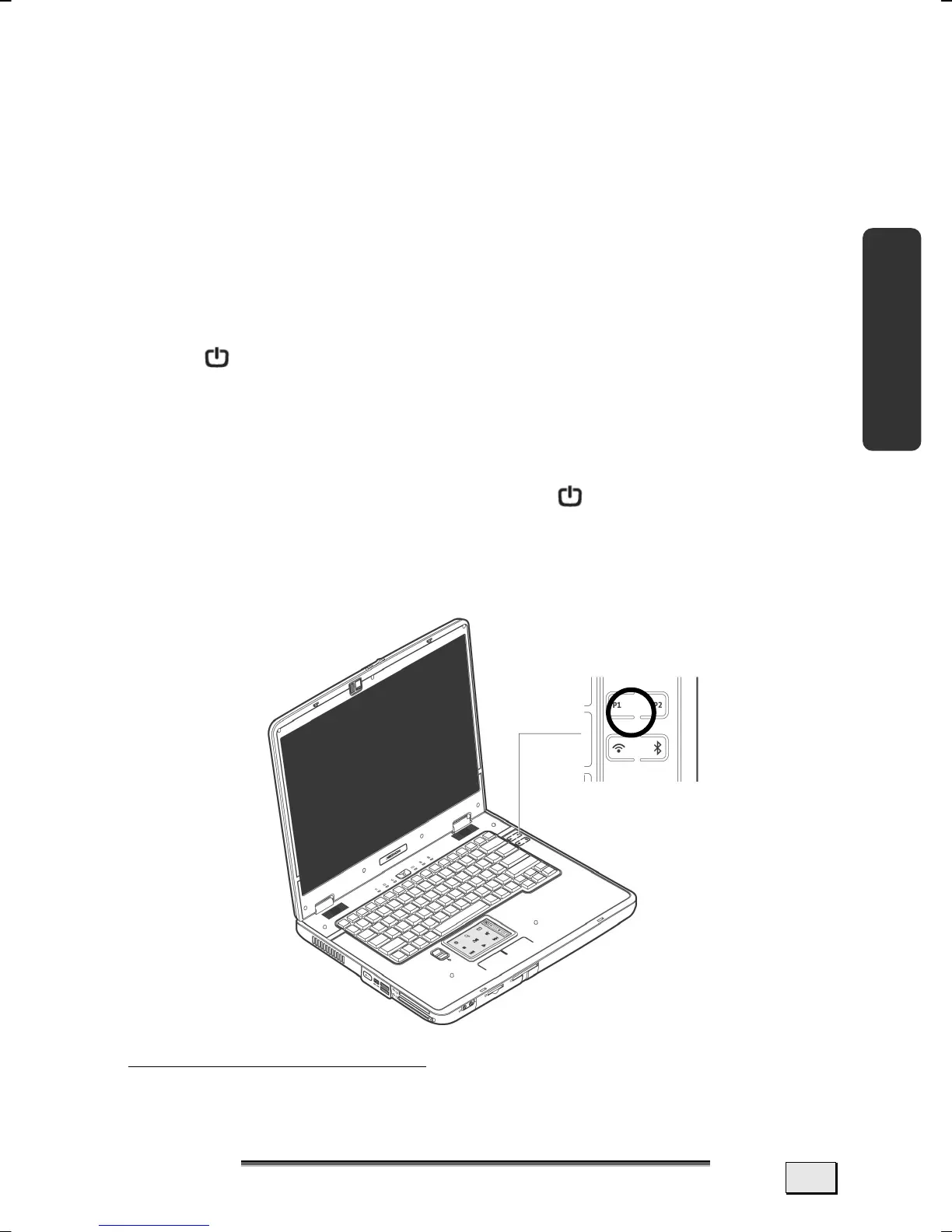
SPECIAL FUNCTION OF THE HOTKEY P1
SPECIAL FUNCTION OF THE MULTIMEDIA KEYS
This Notebook is supplied with an additional multimedia function
that will enable you to play photo slideshows, video DVDs, audio
CDs or MP3 files by pressing a key, without having to start the
Windows
®
operating system. Read how you can use this ‘Linux
Power Cinema’ program in the following section.
∗
SWITCH POWER CINEMA ON AND OFF
You will switch the Notebook on an off with the help of the On/Off
Switch
(3). The Windows operating system will be started or
shut down again at the same time.
Please proceed as follows to operate the Linux Power Cinema ap-
plication:
1. You will start the Linux Power Cinema application with the
hotkey P1 and the On/Off Switch
(3) at the same time
when the Notebook is switched off. The user interface,
which you will be able to operate with the aid of the re-
mote of the multimedia keys, will appear after a short
time.
∗
The TV tuner and the card reader cards will not be supported here.



 To Next Page