M
M
A
A
I
I
N
N
C
C
O
O
M
M
P
P
O
O
N
N
E
E
N
N
T
T
S
S
30
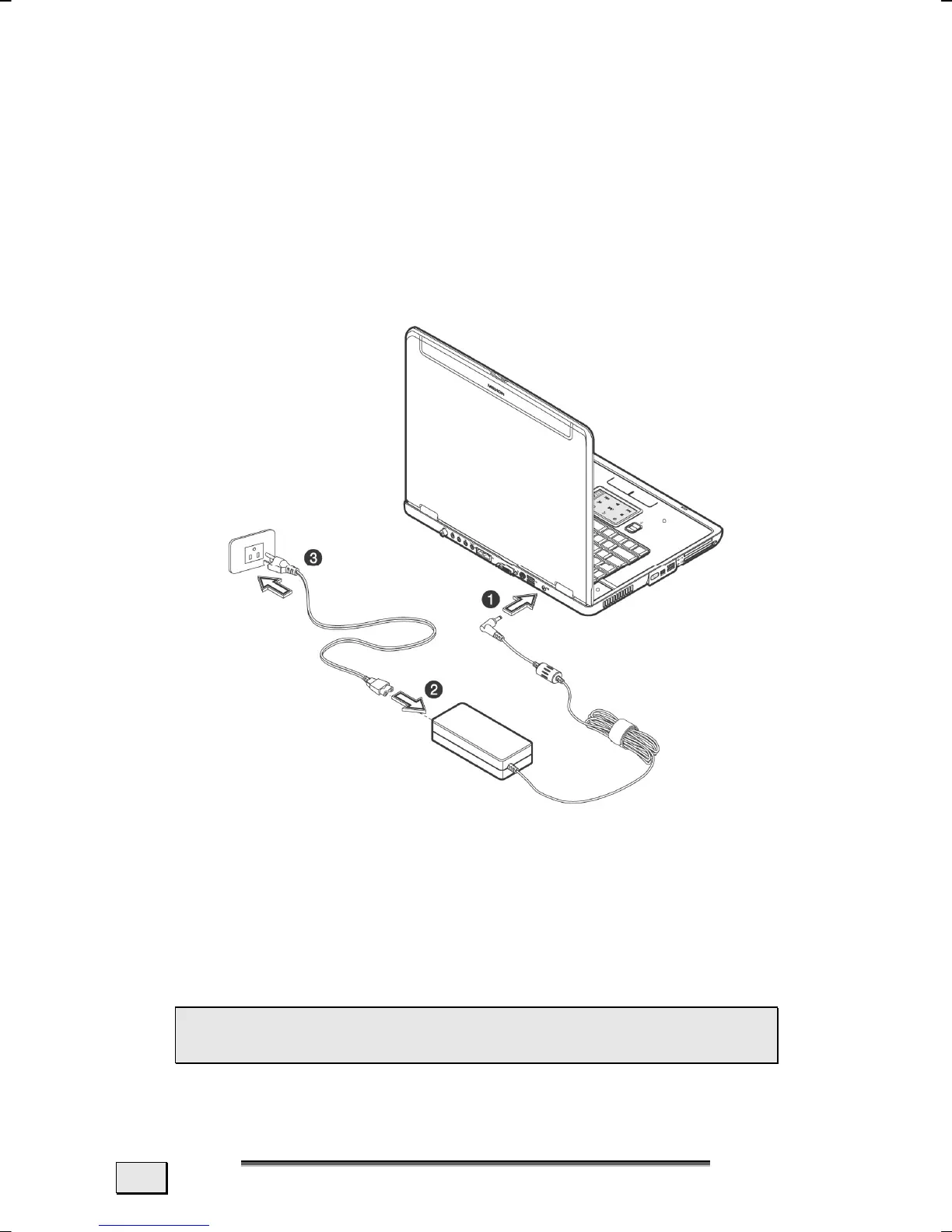
POWER ADAPTER
Your Notebook is supplied with a universal AC power adapter,
which automatically adjusts to the available power source. The
following levels are supported: AC 100-240V~/ 50-60 Hz.
Please follow the power supply safety instructions found on
page 6.
The power adapter is connected via a power cord to an AC outlet.
The DC power lead from the power adapter is connected to the rear
side of the Notebook
(36).
The adapter provides the notebook with power and also charges
the battery. The power supply indicators of the notebook
provide details on the operating state. The battery is also being
charged when you are working on your notebook with the power
adapter. The power adapter is still live if the notebook is not con-
nected with it. You should therefore unplug the power adapter
from the outlet if it is not connected to the notebook.
 WARNING! Use only the power adapter and power
cord supplied with your notebook.



 To Next Page