D
D
A
A
T
T
A
A
E
E
N
N
T
T
R
R
Y
Y
45
Safety Handling Components Aid Appendix
+
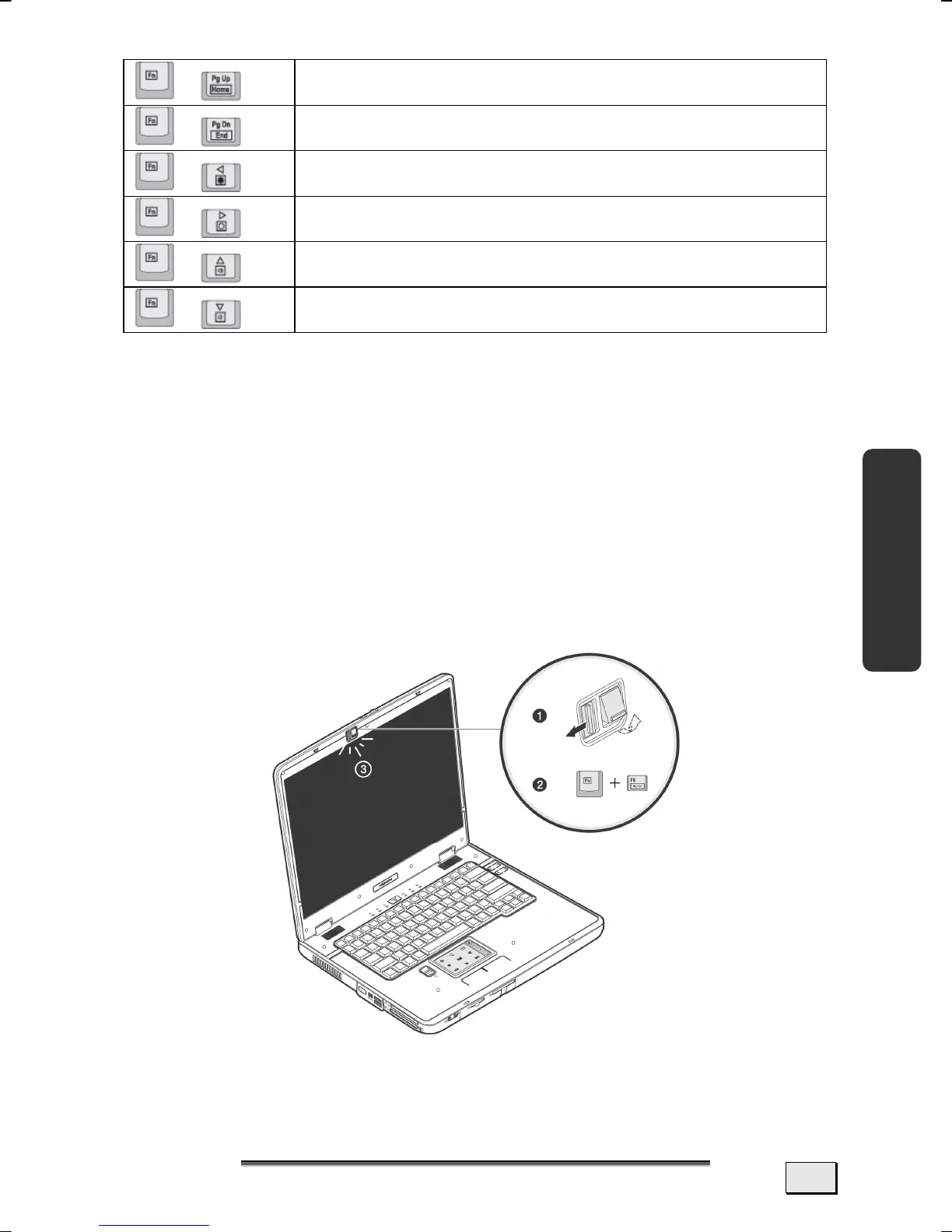
Executes function HOME.
+
Executes function END.
+
Reduces screen brightness.
+
Enhances screen brightness.
+
Increases the volume.
+
Decreases the volume.
LED KEYBOARD LIGHT
The keyboard illumination installed assists data entry in less well
lit environments.
The brightness of the display will be sufficient in most cases. The
keyboard illumination can be activated if you have reduced it, in
order to extend the life of the battery or if secret date are on the
display, for example.
Activate the LED keyboard illumination by initially pushing the
bar next to Illumination to the left.
Press the Fn+F6 shortcut, in order to switch the keyboard illumi-
nation on or off.



 To Next Page