V
V
I
I
E
E
W
W
S
S
&
&
F
F
I
I
R
R
S
S
T
T
S
S
E
E
T
T
U
U
P
P
22
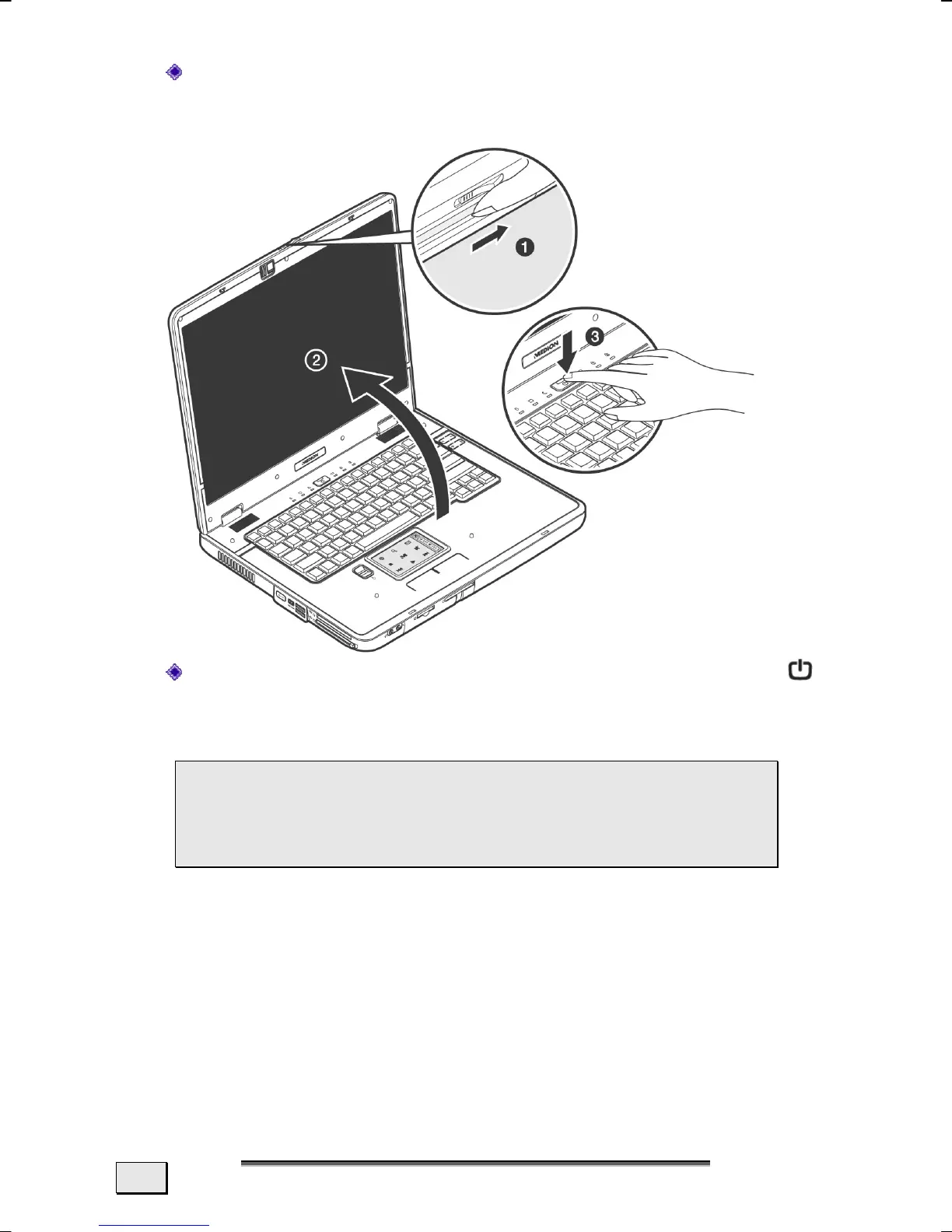
Open the display by pushing the latch-trip (16) to the right
with your thumb and then open the display up to the re-
quired position with your thumbs and forefingers.
Switch the Notebook on by operating the On/Off switch
(3)
. The Notebook will start and then run through various
phases.
 Make sure there is no bootable CD (e.g., the Recov-
ery CD) in the CD-ROM drive. Such disks will pre-
vent the operating system from loading off the hard
drive.
The operating system is loaded from the hard disk. During the
initial set-up, the loading process takes slightly longer than normal
to register the operating system and the individual components
completely. Your operating system is finished loading when a wel-
come screen is shown on your display.



 To Next Page