M
M
A
A
I
I
N
N
C
C
O
O
M
M
P
P
O
O
N
N
E
E
N
N
T
T
S
S
42
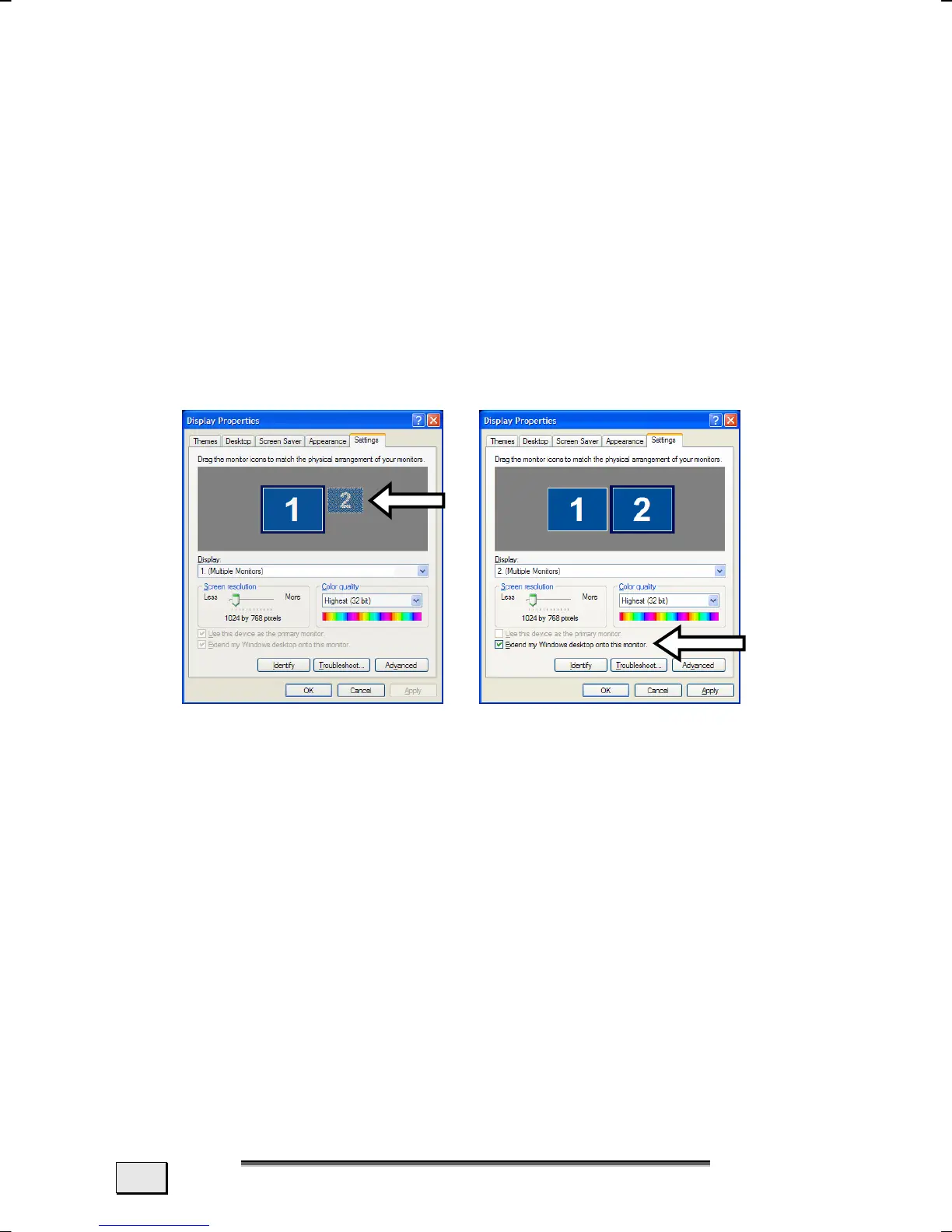
2. Extend your Desktop
This option does not support the key combination <Fn>
+ <F3>.
Right click anywhere on your desktop and select “Prop-
erties” to start the "Display Properties" program.
• Select the "Settings" tab and left click on the second
display n.
• Check the option “extend my Windows desktop
onto this monitor” o and press “ok”.
• To deactivate the extension uncheck the option “ex-
tend my Windows desktop onto this monitor”.
You can change the resolution and colour depth for either display
in this screen.
n
o



 To Next Page