M
M
A
A
I
I
N
N
C
C
O
O
M
M
P
P
O
O
N
N
E
E
N
N
T
T
S
S
52
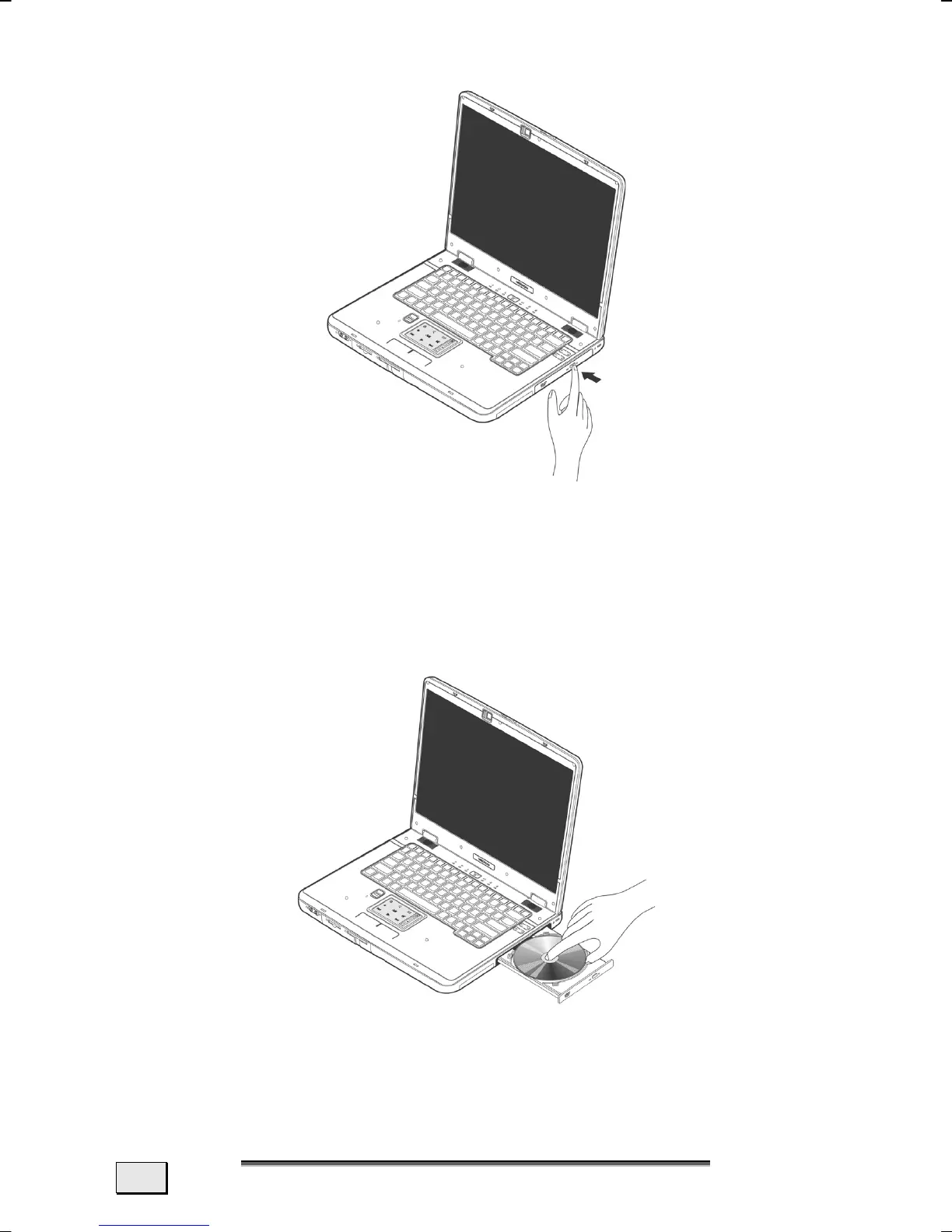
1. Press the eject button (25) at the optical drive to open the tray.
2. Pull the tray out completely with care.
3. Remove the disk from its case, without touching the unprinted
side if possible.
4. Place the disc on the tray so that it lays flat with the label fac-
ing upward and gently push the tray in to close it. The disk
will now lie flat on the tray and will engage onto the disk
holder audibly.
5. Test that the disk is able to turn freely and then push the tray
back into the optical drive carefully.



 To Next Page