T
T
V
V
C
C
A
A
R
R
D
D
W
W
I
I
T
T
H
H
R
R
E
E
M
M
O
O
T
T
E
E
C
C
O
O
N
N
T
T
R
R
O
O
L
L
77
Safety Handling Components Aid Appendix
 Information: The functions described here are
standard functions.
These Buttons can differ according to the operating
mode (TV, video, photo, etc.).
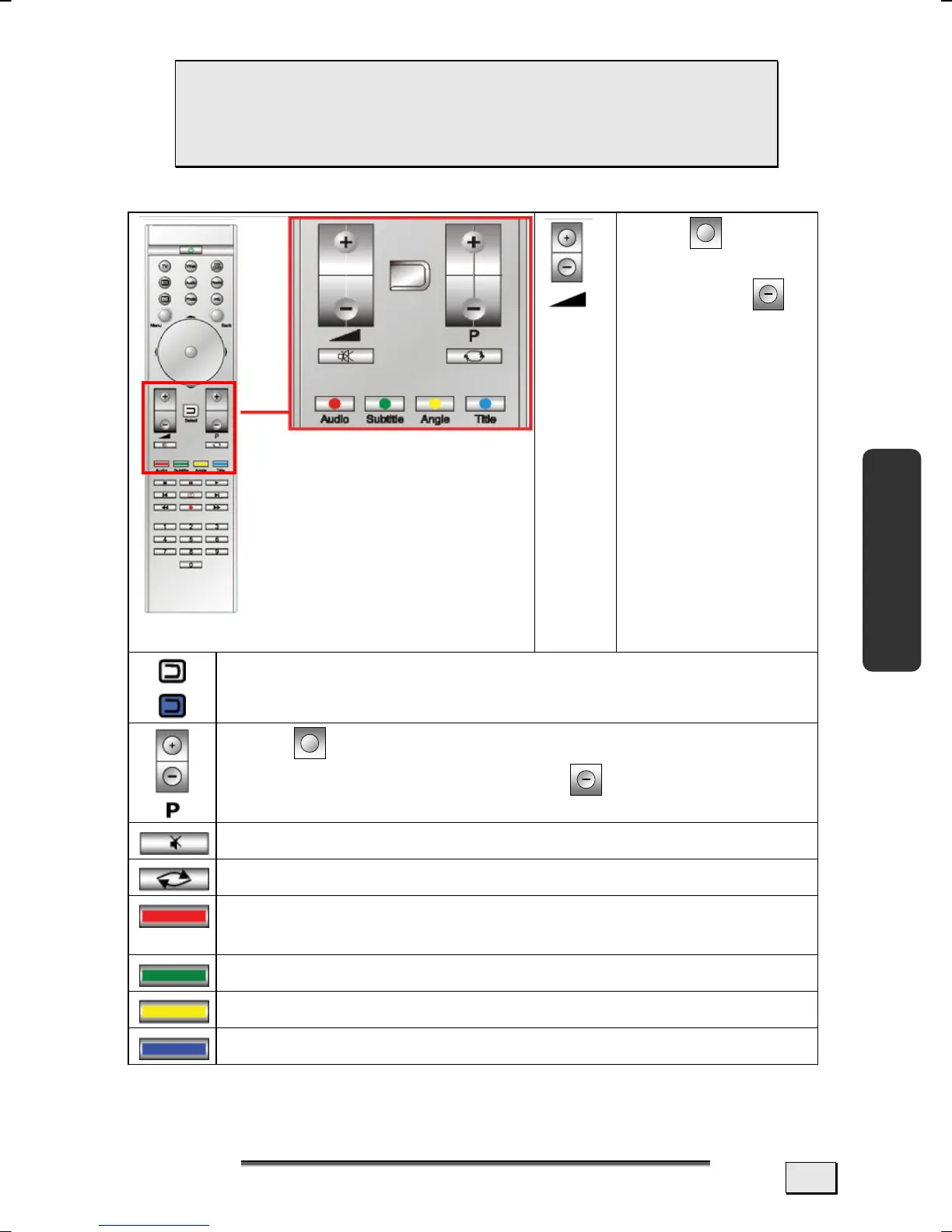
Press to in-
crease the vol-
ume; press
to lower the vol-
ume.
The D-Button lights up if a Button on the remote is
operated. It serves to select certain functions.
Press to select the next channel (TV, radio). You
select the previous channel with .
Mute Switch (Switches the sound output off).
Selects the TV channel used last.
Special function Button (e.g.: Selection of the audio
track)
Special function Button (e.g.: Subtitle selection)
Special function Button (e.g.: Camera selection)
Special function Button (e.g.: Chapter selection)
+
+



 To Next Page