56 Operating Instructions - CPC6050
Modular Pressure Controller
CPC6050
6.4.6.1 Preset Steps
The user can have up to 12 dierent points along the range of the device under test (DUT). The Preset
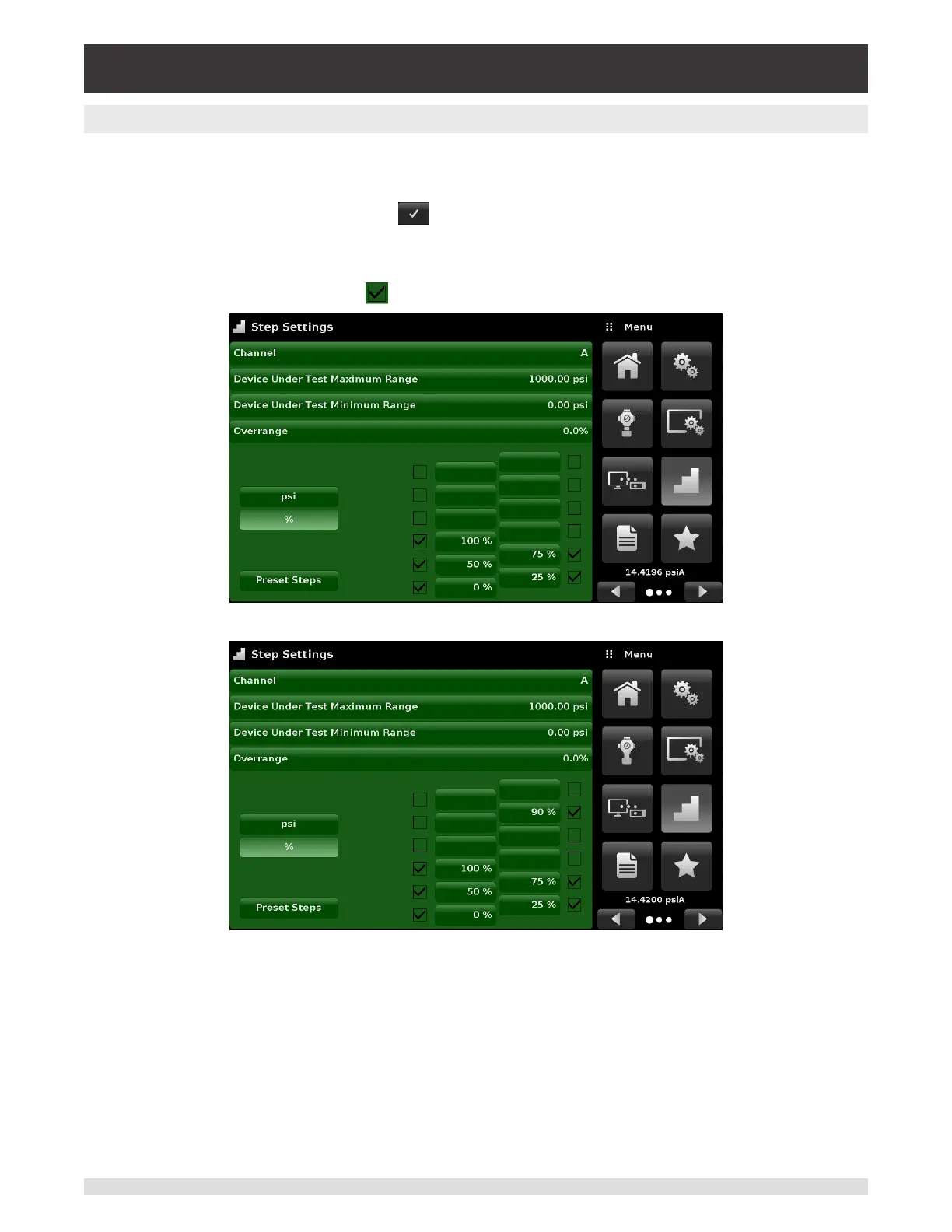
Steps button allows the user to enter the number of points and then automatically divides the range in
equivalent percentages. For example if the user needs 5 distinct points along the DUT range then enter
5 in the numeric keypad and press Enter [ ] button. CPC6050 will create setpoints at 0%, 25%, 50%,
75% and 100% of the DUT range (Figure 6.4.6.1 - A). The user also has the option of changing these
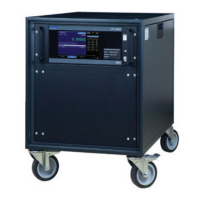
percentage values or adding aditional values as needed by clicking on the individual Percentage button
on the Step Settings app. The user can enter any percentage between 0 and 100. The desired value can
then be chosen by checking the box [ ] beside the Percentage button.
Figure 6.4.6.1-A – 5 Preset Steps
Figure 6.4.6.1-B – Percentage Value Added - 90%


 To Next Page