Operating Instructions - CPC6050 97
Modular Pressure Controller
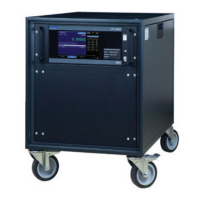
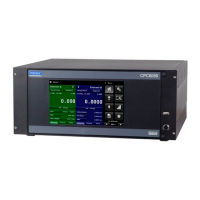
CPC6050
7.10 GE PACE (SCPI) Emulation Command Set
The CPC6050 will accept and respond to the SCPI remote commands of GE PACE 5000/6000 remote
commands using the option SCPI_GE. Section 11, Technical Assistance explains the process of en-
abling the SCPI GE command set. Table 7.10.1 shows a complete list of supported commands.
7.10.1 SCPI GE Supported Commands and Queries
Table 7.10.1 SCPI GE Supported Commands and Queries
Command Response/Function
CALCulate
[:LIMit]
:LOWer<n> Set the minimum control limit *
:LOWer? Set the minimum control limit *
:UPPer<n> Set the maximum control limit *
:UPPer? Set the maximum control limit *
CALibration
[:PRESsure][R]
:POINt? Returns the number of calibration points used in
the active sensor’s linearity correction. Calibra-
tion functionality must be enabled by sending the
calibration password. See SYST:PASS:CEN
:ZERO
:AUTO Start autozero process
:AUTO? Returns 1 if autozero process is running, 0 other-
wise
VALVe ON | OFF | 1 | 0 ON or 1 puts in vent mode, OFF or 0 puts in mea-
sure mode
:VALVe? Returns 1 if in vent mode, 0 otherwise
INPut
:LOGic? Returns a single digit number that is a mask
of the digital input states, i.e. a number of 7 in
binary is 111 which indicates all digital inputs are
on. Then current pressure reading.
Ex// INP:LOG?
:INP:LOG 7, 14.50021
:STATe? Returns a single digit number that is a mask
of the digital input states, i.e. a number of 7 in
binary is 111 which indicates all digital inputs are
on.
Ex// INP:LOG:STAT?
:INP:LOG :STAT 0


 To Next Page