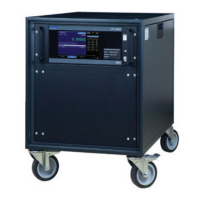
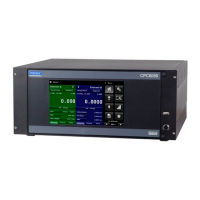
74 Operating Instructions - CPC6050
Modular Pressure Controller
CPC6050
7.7.3 Output Formats
Pressure readings are returned in exponential notation in a format according to the OUTFORM command
as follows. Outform applies to both pressure channels.
Output formats
1. <sp> pressure value <cr><lf>
2. <sp> pressure, units, mode <cr><lf>
3. <sp> pressure, pressure rate <cr><lf>
4. <sp> pressure, minimum peak, maximum peak<cr><lf>
5. <sp> pressure, active sensor (P or S) active turndown (1-2)<cr><lf>
6. <sp> pressure, control point, “stable” or “slewing”<cr><lf>
7. <sp> pressure, “no barometer” or baro reading<cr><lf
7.7.4 CPC6050 Commands and Queries
Table 7.7.4 lists all of the current CPC6050 commands and queries.
i
Notice
Channelspeciccommandsaresenttoonlytheactivechannel.
See ‘CHAN’ command.
Optional emulation modes are available in which a CPC6050 can emulate remote functions of dierent
brands of pressure gauges. Please contact Mensor for more details.
Table 7.7.4 - CPC6050 Commands and Queries
Command Data Response/Function
? See Section 7.10 Returns data per the current output
format
A? <sp>+n.nnnnnE+nn<cr><lf> Returns the A channel pressure read-
ing in current units
AR? <sp>+n.nnnnnE+nn<cr><lf> Returns the A channel rate reading in
current units
ARS? <sp>{YES or NO}<cr><lf> Returns the A channel rate stable ag
AS? <sp>{YES or NO}<cr><lf> Returns the A channel pressure
stable ag
Acquire? 15 char string.
Ex:
Acquire? Test_stand_1
Returns:
<sp>(YES or NO), CCC…
CCC<cr><lf>
This command is used when multiple
computers would like to control the
instrument.
Yes if acquisition is successful.
No if instrument is being controlled
with another computer.
CCC...= name of controlling computer
(see Release? and Unlock)
Address 1-31 Sets the GPIB Address
Address? <sp>nn<cr><lf> Returns the GPIB Address
Alarm_Limit Value inside primary transducer range
in current units.
Sets the threshold for triggering the
alarm, set to 10% over max. range to
“disable” alarm


 To Next Page