20
Procedures
1
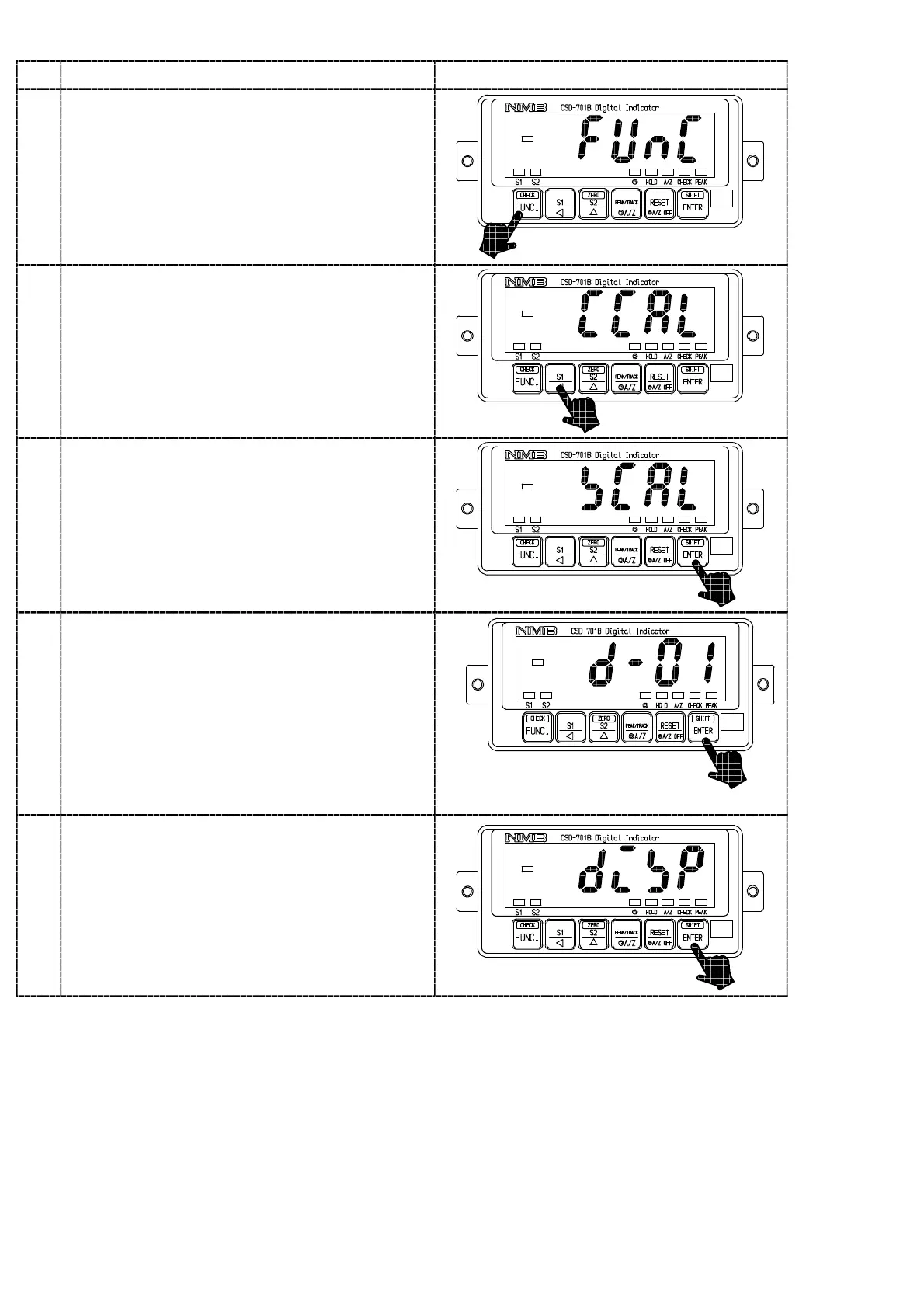
Press the key for approx. one second.
The load display will show “FUNC”.
2
Press the key once.
The load display will show “CCAL”.
3
Press the key.
“CCAL” mode can be entered, then the load
display will show “SCAL”.
4
Press the key.
The load display shows “D−01” and it will flash
on and off.
When the calibration has completed already, the
set value of minimum scale registered at that
time will be displayed.
Set the minimum scale with the right keys.
Setting value for the minimum scale will be 4
(four) as follows:
1, 2, 5, 10
key :Set value inclement key
5
Press the key.
The load display will show “DISP”.



 To Next Page