28
Procedures
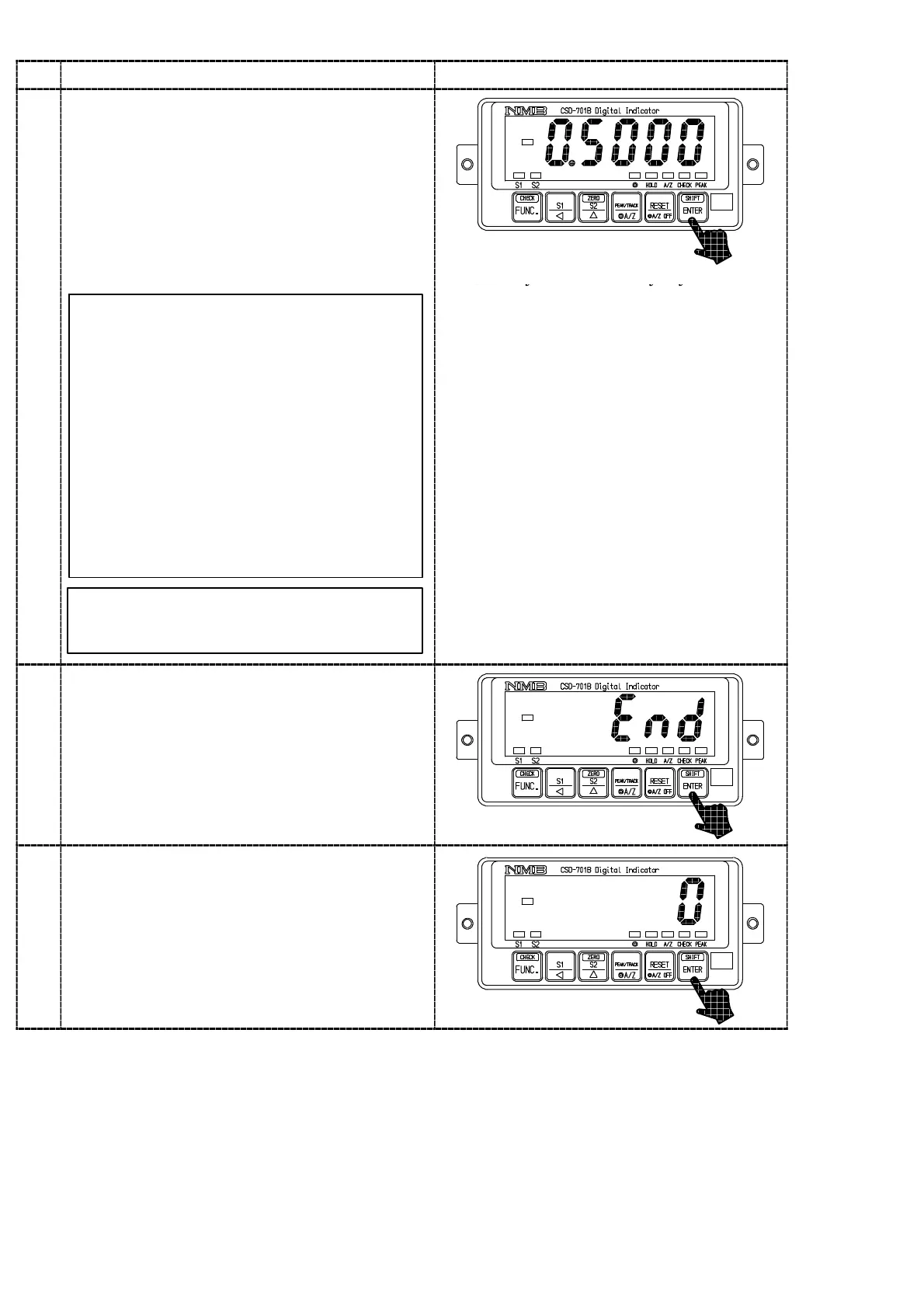
Press the key.
The load display will show “0.5000” and the digit
at 10
0
will flash on and off.
In case that calibration has completed already,
the registered output value of load cell at that
time will be displayed.
The output value of the load cell which
corresponds to the maximum indicated value set
according to the procedure 8 is set with the right
keys.
key :Set value carry key
10
The set value to be set here should be
0.4 mV/V or more than the set value in the
step 8.
Though the number of digits has not
prepared in the Inspection data for load cell
as many as the digits in the right figure,
extra digits are necessary for the
compensation for the internal standard
point of the instrument.
In case of actual setting, insert “0” into the
extra digits.
As for the value of extra digits, when tare
compensation and fine adjustment on load
are applied, it will be written as a
compensated value automatically.
key :Set value inclement key
key :Set value initialization key
It can be increased continuously by the
continuity press of the key.
11
Press the key.
The load display will show the “END”.
12
Press the key.
After “ACAL” mode is over, the load display will
show the present load.



 To Next Page