74
Procedures
1
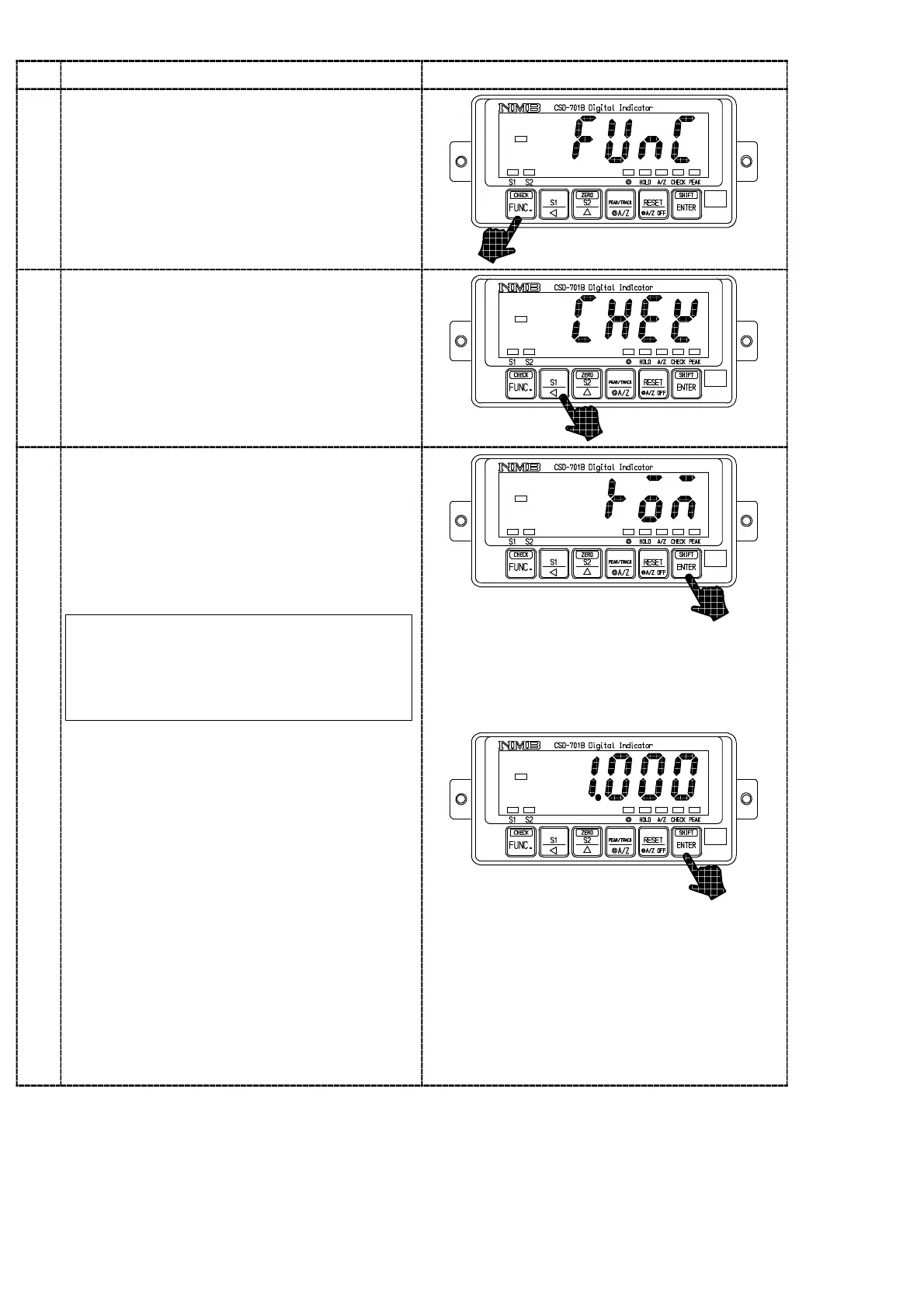
Press the key for one second.
The load display will show “FUNC”.
2
Press the key 7 times.
The load display will change as “FUNC”
→“CCAL”→“ACAL”→“LCAL”→“ZERO”
→“SPAN”→“TARE”→“CHEK”.
・Chec
of th
ROM version
Press the
key.
The Check mode can be entered, and the
display on the load display section will show
“ROM”. By pressing the
key again, the
ROM version will be shown on the load display
section.
In the Check mode, when the display on
the load display section will be the one in
the below, the display can be changed by
the
key operation.
3
「ROM」
↓
「OP」
↓
「BV」
↓
「IN」
↓
「S−OUT」
↓
「A−OUT」
↓
「BCD」
↓
「END」
↓
「ROM」
↓
key:↓



 To Next Page