75
Procedures
4
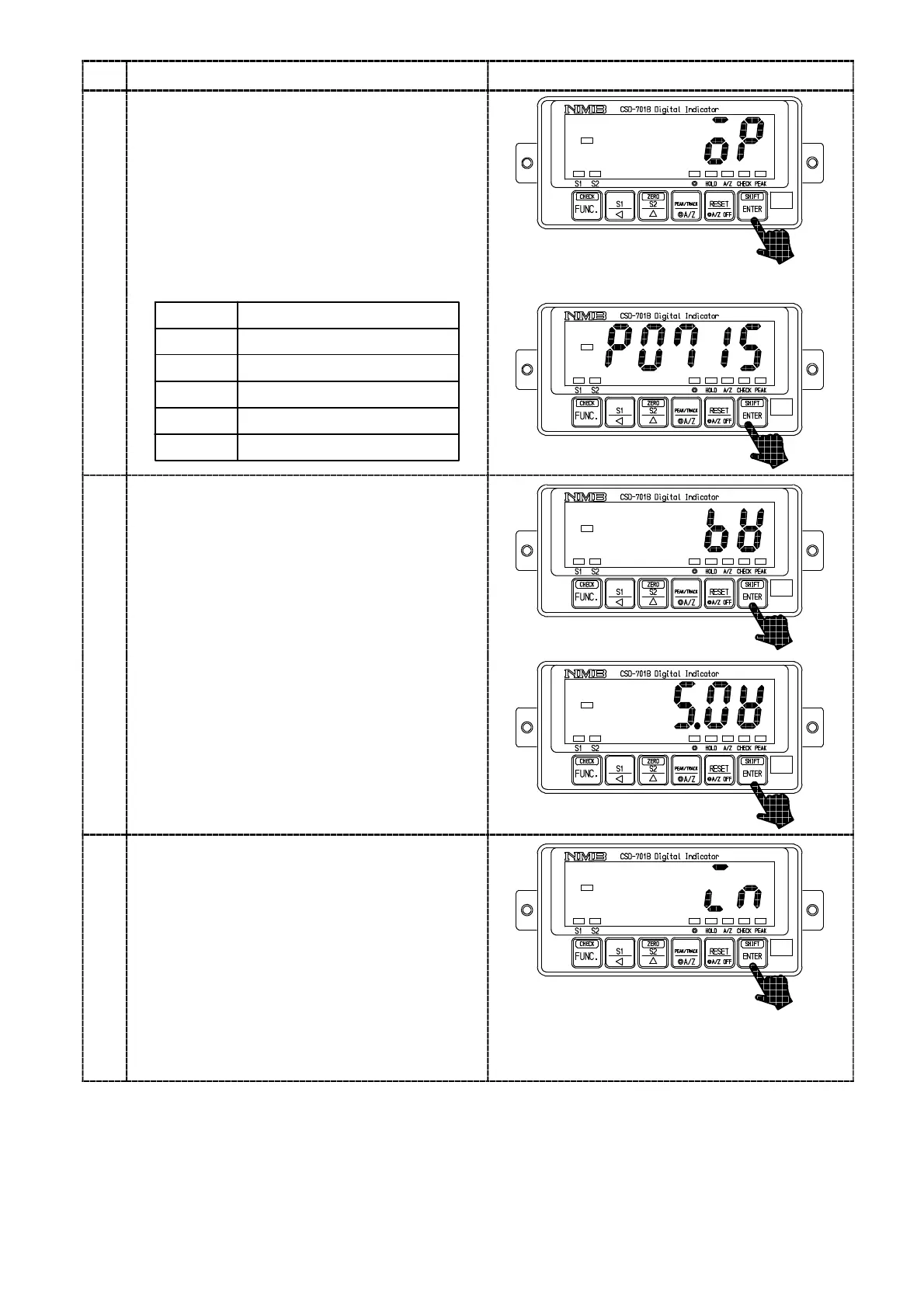
・Check of the options
Press the
key.
The load display will show “OP”.
Check on bridge power supply voltage
By pressing the
key again, the load
display will show the optional number of the
option installed at present on the load display.
When no option is installed, the “P−−−−”
will be appeared.
15
07
Display
74
Installed options
Current output
BCD output
RS−232C interface
76 RS−422 interface
77 Serial interface
・Check of the bridge power supply voltage
Press the
key.
The load display will show “BV”.
By pressing the
key again, the bridge
power supply voltage selected at present will
be seen on the load display section.
6
・Check on the external control input
Press the
key.
The load display will show “IN”.
By pressing the
key again, the load
display section will change into the “IN”
flashing display.
At the same time, the ON/OFF condition of
external control input signal can be monitored
on the Status display LED.
A/Z display :ZERO input
HOLD display :HOLD input
PEAK display :PEAK/TRACK input
◎ display :RESET input



 To Next Page