76
Procedures
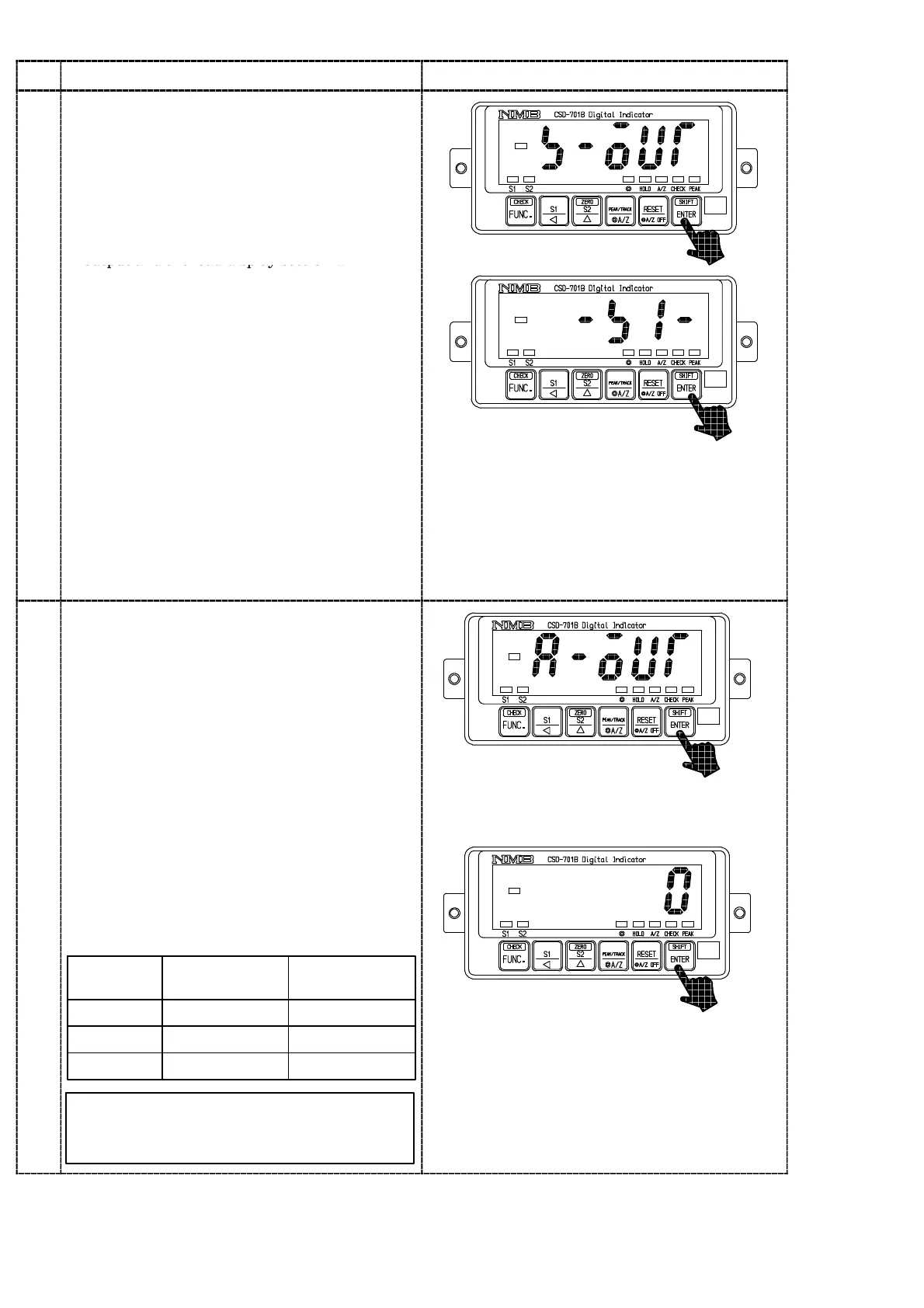
・Check on the contact output
Press the
key.
The load display will show “S−OUT”.
By pressing the
key again, the load
display will flash “−S0−”.
At the same time, by the operations of right
keys, each judgement display for each contact
output and the load display section will
7
change as below:
「S1」
↓↑
「S2」
key :Each contact output is sequentially
turned on from a left chart below.
key :Each contact output is sequentially
turned on from the left chart under
up.
S1 display:S1 output
S2 display:S2 output
・Check on the analog output
Press the
key.
The load display will show “A−OUT”.
By pressing the
key again, display will
show “LOW” and also flashes on and off.
At this moment the analog output will output
the value equal to the “LOW” value shown in
the below table.
Every time
key is pressed, the display will
change as the arrow marks indicate, and also
8
ana
og ou
pu
w
c
ange as s
own
n
below table.
「LOW」
↓↑
「MID」
↓↑
「HIGH」
Display
Standard
(Voltage output)
Option
(Current output)
MID
HIGH
LOW
2.5 V
5V
0V
12 mA
20 mA
4mA
The output values here reflect the values
adjusted in the paragraph 7−15−2, and
7−15−3.
key :The analog output is sequentially
switched from a left chart below.
key :The analog output is sequentially
switched from a left chart under up.



 To Next Page