77
Procedures
9
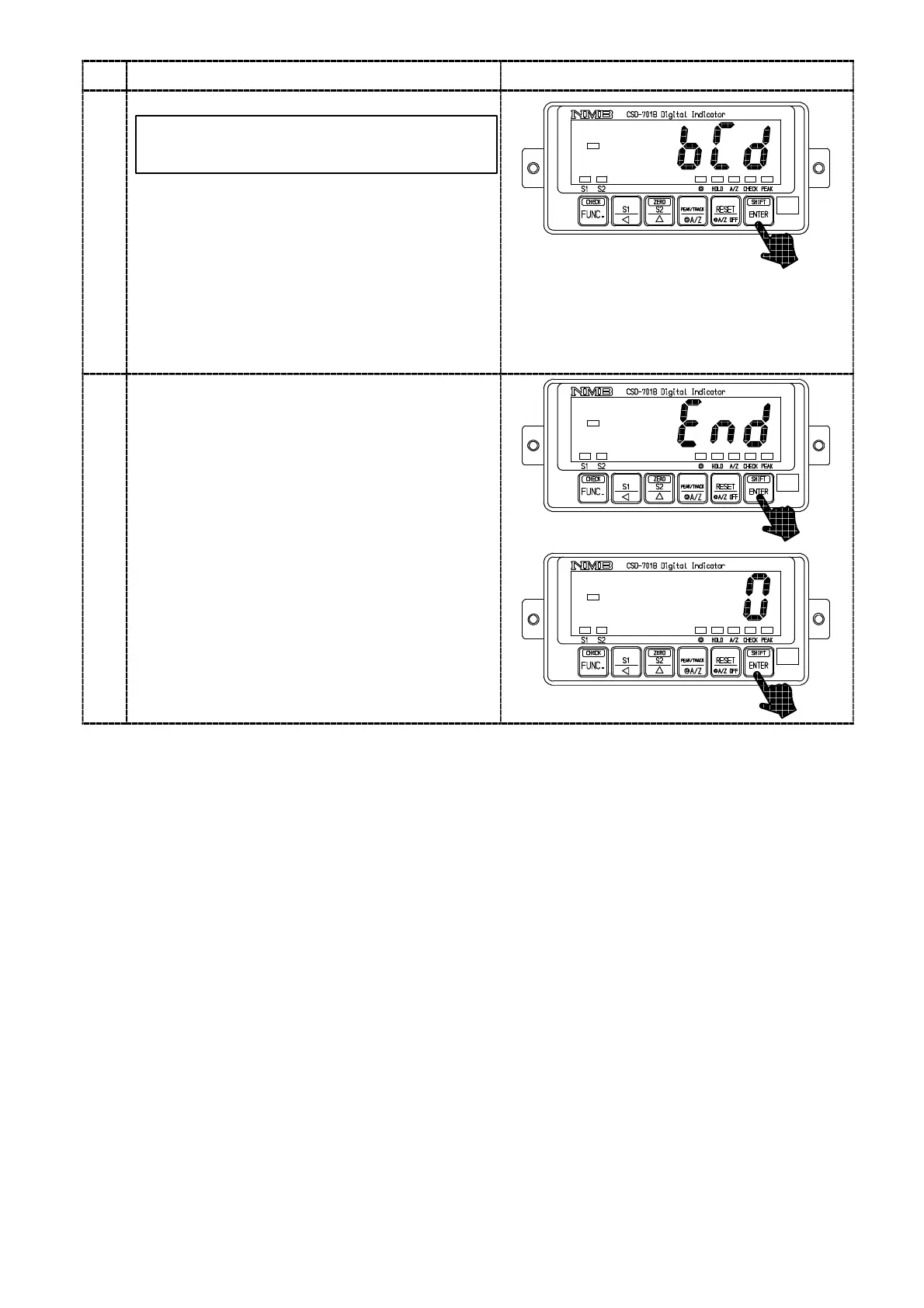
Press the key.
The load display will show “BCD”.
By pressing the
key again, the display will
show “00000” and the digit of 10
0
flashes on and
off.
At this moment, the same value as the display
will output from the BCD output. When changing
the display with the right keys, the BCD output
will change corresponding to it.
・Check of the BCD output
In case that the BCD output isn’t installed,
shift to the step 10.
key :Set value carry key
key :Set value inclement key
Press the key.
The load display will show “END”.
By pressing the
key again, it will over the
Check mode and returns to the Measurement
mode to show the load value.
10



 To Next Page