2. Product presentation
MiR250 Hook Integrator Manual (en) 12/2023 - v.3.0 ©Copyright 2021–2023: Mobile Industrial Robots A/S. 15
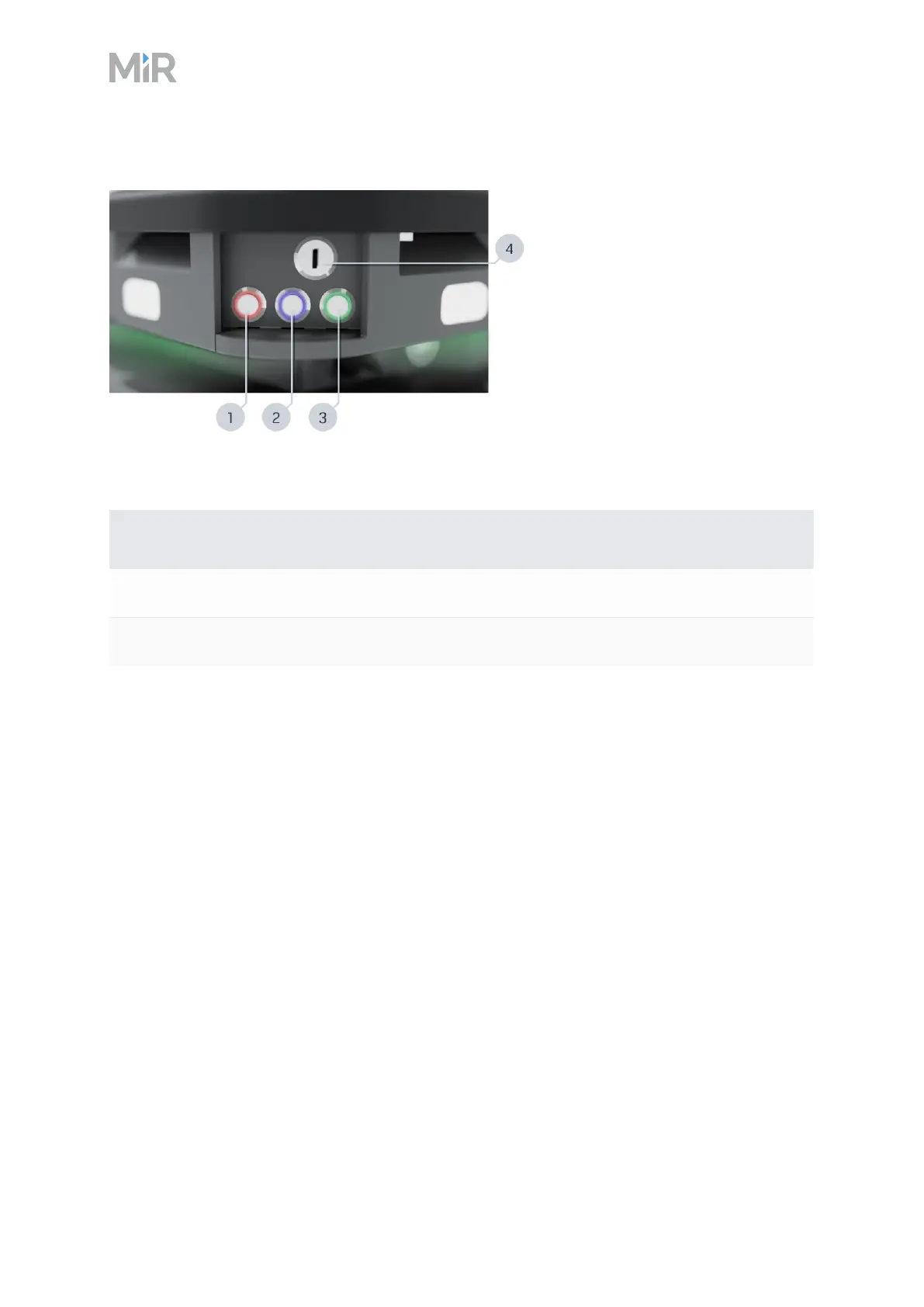
Figure 2.2 The MiR250 Hook control panel
Pos. Description Pos. Description
1 Manual stop button 2 Resume button
3 Power button 4 Operating mode key
Table 2.2 Identification of items on the control panel in Figure 2.2
Manual stop button
Pressing this button stops the robot. After pressing this button, you must press the Resume
button to let the robot continue operating.
Color indication:
l
Red: It is possible to engage the Manual stop.
Resume button
Pressing this button:
l
Clears the Emergency or Protective stop state.
l
Lets the robot continue operating after the Manual stop button was pressed or after the
operating mode changes.
l
Lets the robot start operating after powering up.



 To Next Page