10-37SPECIAL FEATURES
1
2
3
4
5
6
7
8
9
10
11
12
13
A
SPECIAL FEATURES
Sending a document using a subaddress and password
Entering sub-addresses and passwords enables F-code security box transmissions
and F-code bulletin box transmissions to be performed.
NOTE:
First check the sub-address and password for each function registered on the
remote machine.
1
Set the document (See page 1-25).
2
Press [FAX] to display the Fax standby mode.
3
Press [Others], [Next], [F-Code Tx].
NOTE:
You can assign [F-Code Tx] to the soft key. See “Soft keys” on page 10-2.
4
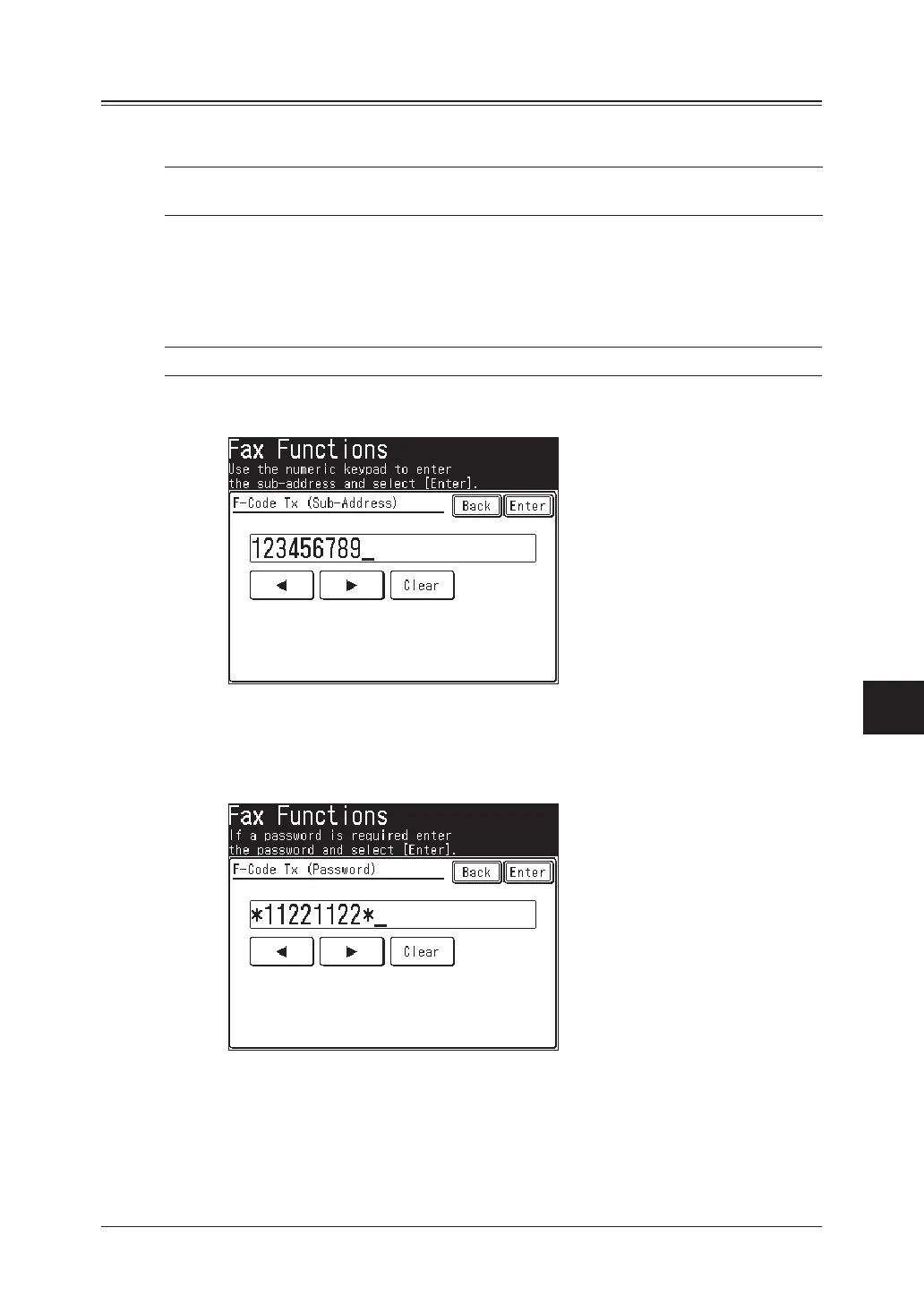
Use the numeric keys to enter the sub-address of the remote machine and then
press [Enter].
5
Use the numeric keys to enter the password, and then press [Enter].
• Up to 20 digits, consisting of numerals, * and/or # can be used for passwords.
• If a password is not required, press [Enter] without entering anything and
proceed to step 6.
6
Press [Enter] to return to the standby mode.
7
Specify the destination and begin the fax transmission.
The numeric keys, address book and group dialing can be used.



 To Next Page
 Loading...






