11-7RESTRICTING USE OF THE MACHINE
1
2
3
4
5
6
7
8
9
10
11
12
13
AI
RESTRICTING USE OF THE MACHINE
PIN masking
To prevent unauthorized long-distance calls, some PBX (private branch exchanger)
systems require a PIN (personal identification number) entry when dialing a num
-
ber.
Your machine’s PIN masking feature helps you keep that PIN number private. With
PIN masking activated, you can dial a number plus a PIN, but the PIN will not
appear in the journal, error message printout, delayed command list or TCR (trans
-
mit confirmation report). The PIN may contain up to eight characters including the
* or # symbols. You can enter them from the numeric keys.
There are three possible PIN masking settings:
• Off — Deactivates PIN masking. Any PIN you enter will appear on the display
and/or printouts which show the number you dial.
• Mode 1 — Each remote fax machine has a PIN access code per department.
• Mode 2 — Each fax user has a PIN access code per department.
NOTE: If you select either Mode 1 or Mode 2 and will be using the batch transmission
feature, you must store the PIN access code within the appropriate batch box.
Activating the PIN mask
NOTE: To use this feature, passcode protection must be active. (See page 11-2.)
1
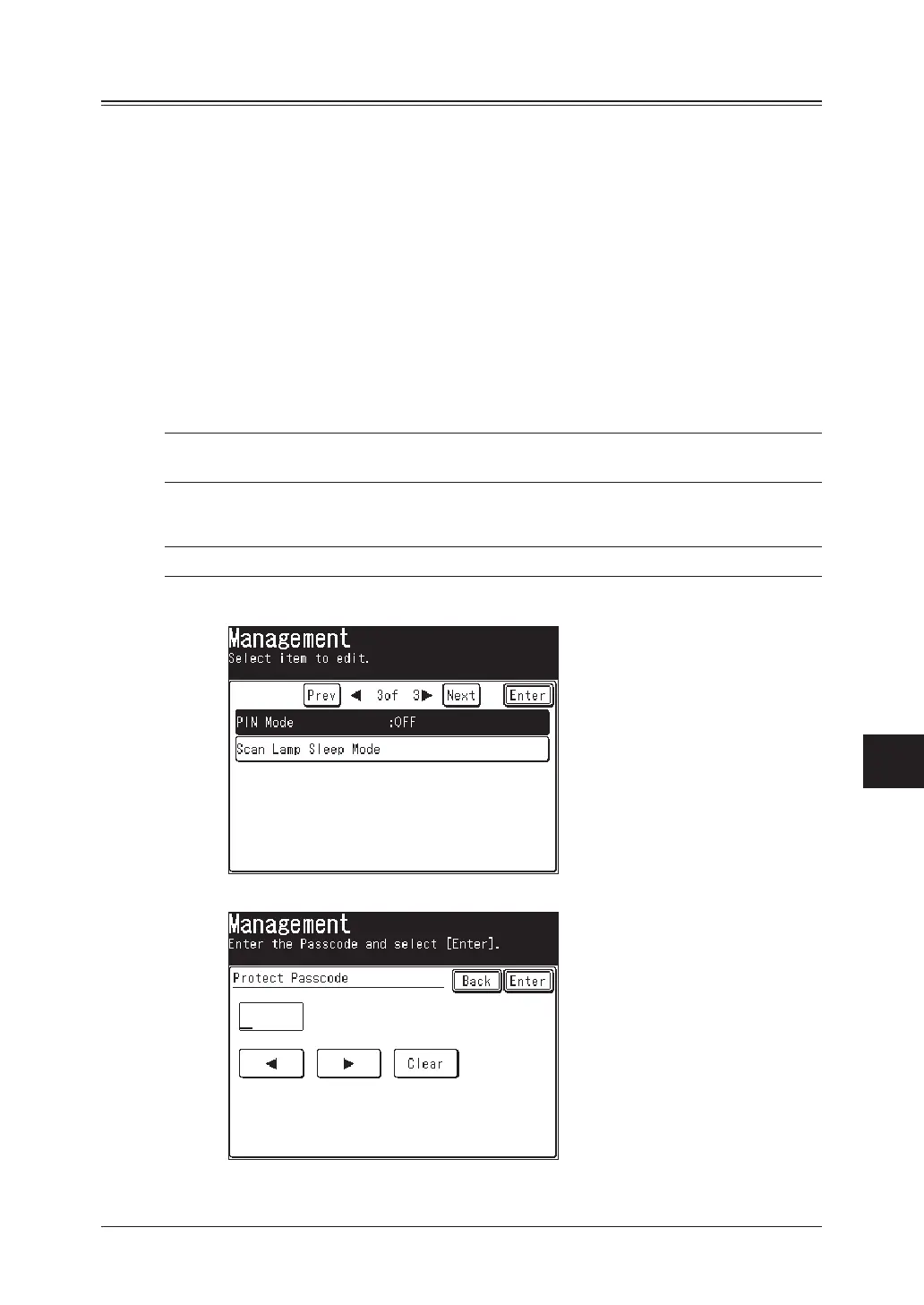
Press [Setting], [Management], [Prev], [PIN Mode].
2
Use the numeric keys to enter the protect passcode, and then press [Enter].



 To Next Page
 Loading...






