3 Before using VJ-1624/1624W OPERATION MANUAL
3-14
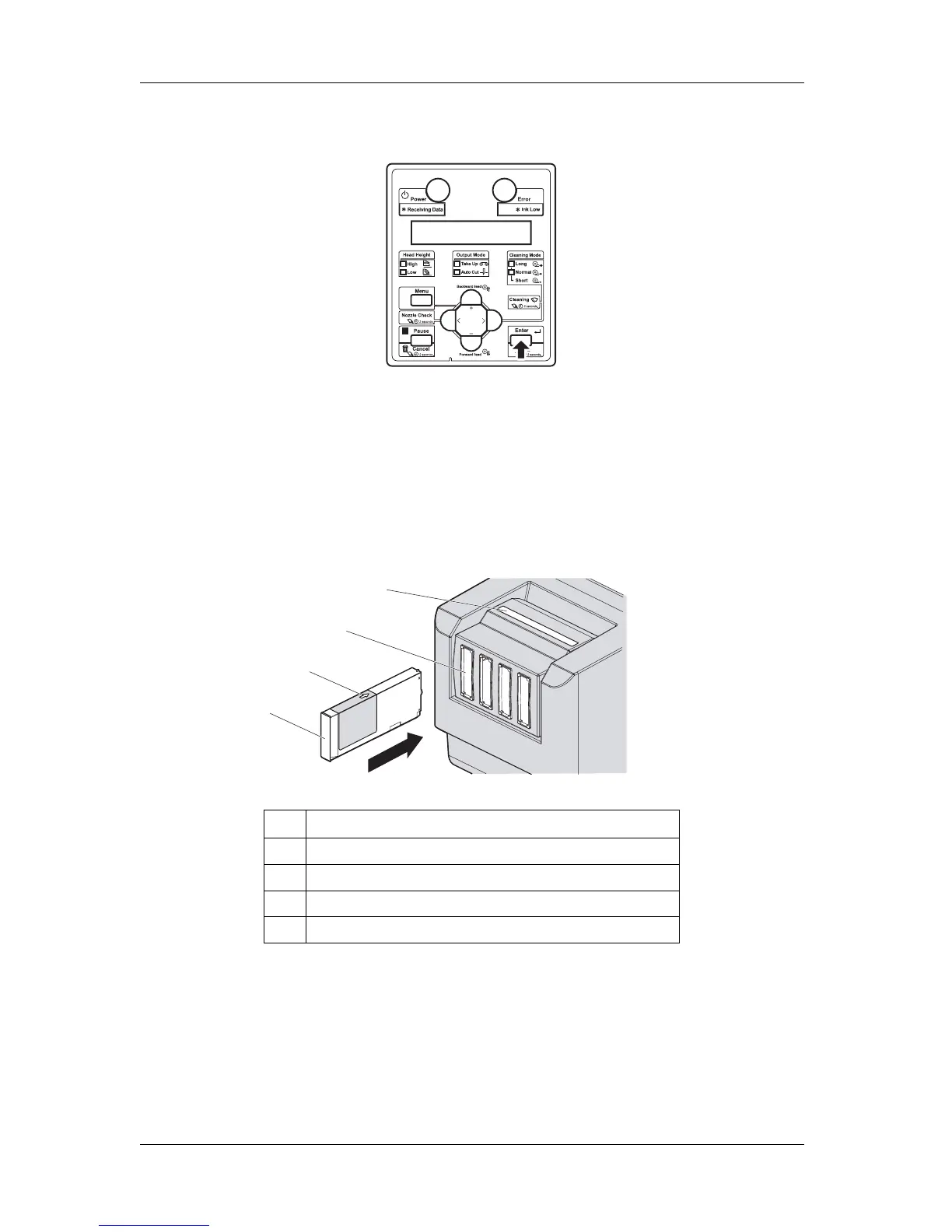
6. Press the [Enter] key on Operation panel.
• "Insert InkCartridges" is displayed on Operation panel.
7. Install Ink cartridges (K, C, M, Y) in Ink cartridge slots on the back of the printer.
• Shake Ink cartridges 2 to 3 times lightly before installing them into Ink cartridge slots.
• Make sure that Ink cartridges are inserted into the correct Slots.
Match the ink color label with the ink color before inserting Ink pack.
• Keep the arrow of Ink cartridge facing up and insert it into the printer.
No. Name
1 Ink cartridge
2 Arrow
3 Ink cartridge slots
4 Ink color labels
1
2
4
3















 To Next Page