4.14 Output to printer
FRA5087
4.14 Output to printer
The LCD screen data can be sent to the printer.
4.14.1 Mounting printing paper
Follow the following procedure to mount printing paper, when you use the FRA5087 for the first
time since purchasing the instrument or when you want to change printing paper.
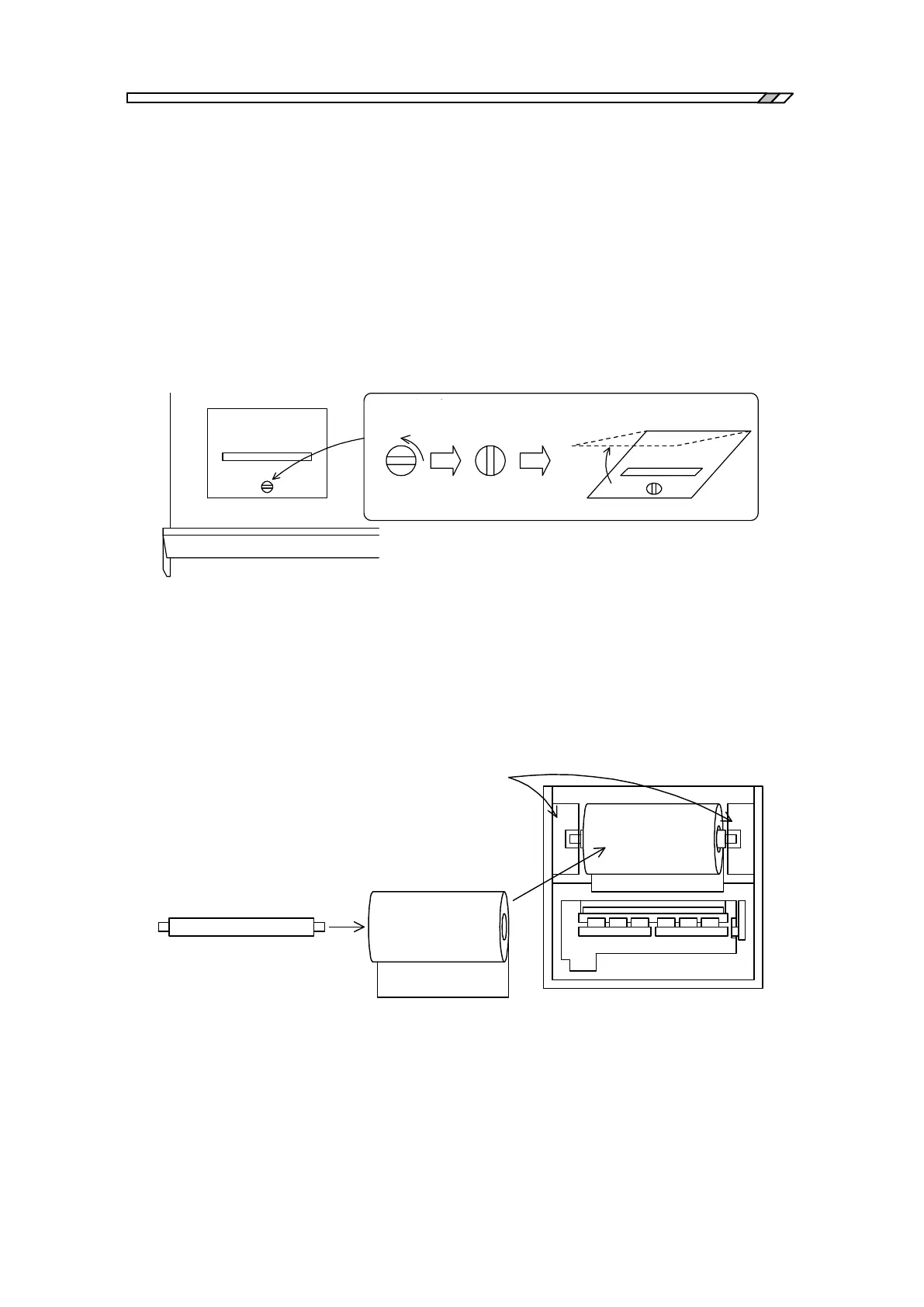
a) Open the cover
Open the printer on the top of the FRA5087. Use a coin or similar tool to turn and release
stoppers, then open the cover.
R CÈ Ç Å
X g b p ð ñ ·
³ Ê p l
Ó ½ ð ¿ ã °é
Fig. 4-21 Open the cover
b) Load printer paper
Load the paper as shown in Fig. 4-22. Pass the roller through the paper roll and set the roller
with paper onto the holders. Insert fully to where the holder clicks into place and is supported
by the holders.
²
v ^ p
z _
³ Ê p l ¤
Fig. 4-22 Load printer paper



 To Next Page