3.5 Examples of basic operations
FRA5087
2) Setting FRA5087
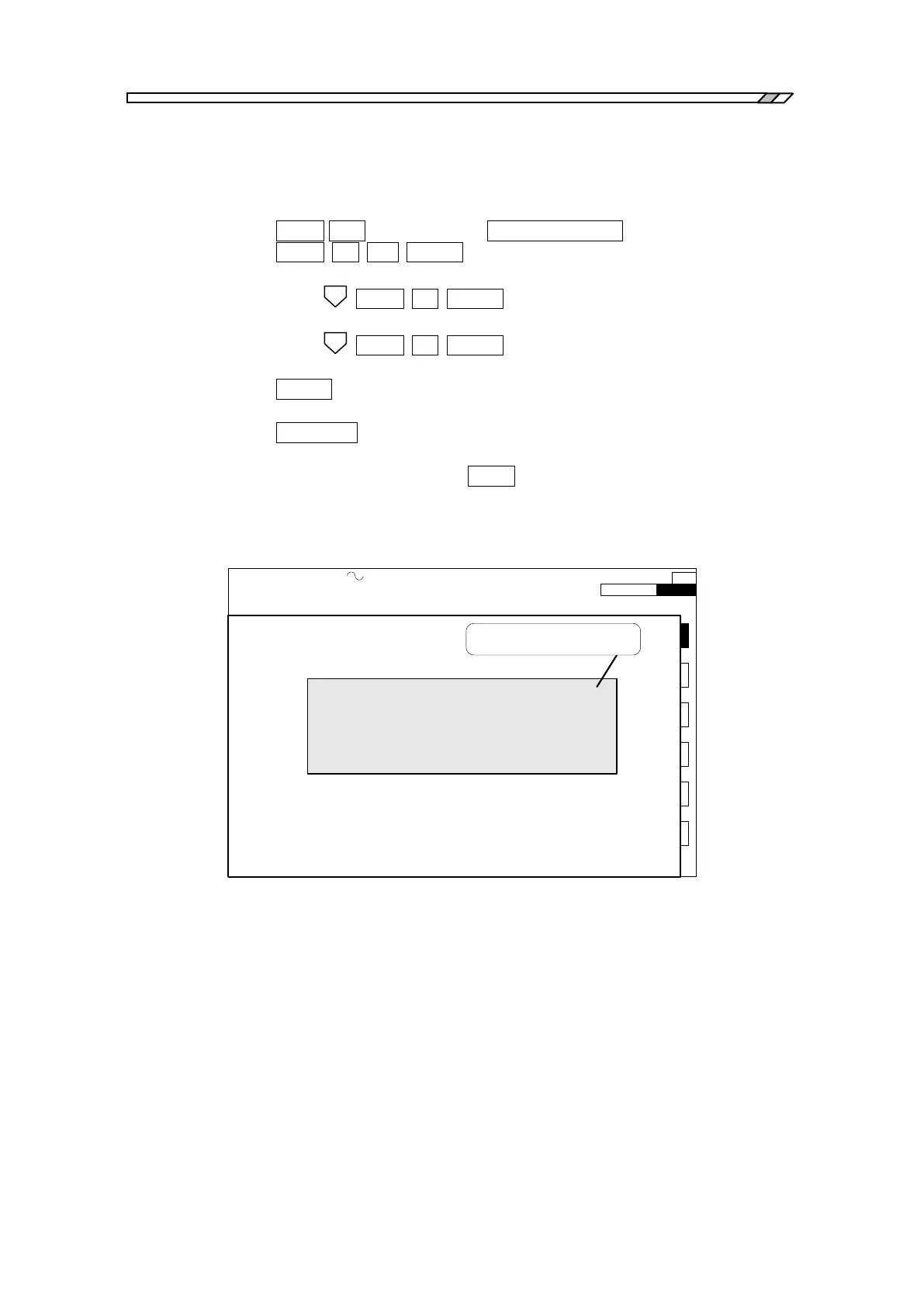
Press the following keys in the following order:
・Setting measurement frequency (at 1.0 MHz):
OPEN OSC (menu selection key) CURSOR TO TOP (function key)
OPEN 1 M ENTER
・Setting AC amplitude (at 5 Vpeak)
ITEM OPEN 5 ENTER
・Setting DC bias (at +1 V)
ITEM OPEN 1 ENTER
・Deleting menu
CLEAR
・Setting oscillator output “on”
AC/DC ON
3) SINGLE measurement … Press the MEAS key to perform measurement.
At the end of measurement, the resulting data are shown at the center of the LCD, as
indicated in Fig. 3-13.
OSC: 1.0000000000MHz 5.00 Vpeak DC 1.00 V INTEG: 10cycle HMNC: 1
SWP: 100steps/sweep CPRSN:OFF SLSWP:OFF ANAL:CH2/CH1 EQL:OFF
SWEEP STOP
1
2
3
4
5
6
*f: 1.0000000000MHz
*R: -80.140 dB
*θ : +4.80 deg
SINGLE measurement
result/data
Fig. 3-13 SINGLE measurement result



 To Next Page