4.9 Amplitude compression
FRA5087
Use the menu [Measure][AMPLITUDE COMPRESSION] to set the amplitude compression.
The menu compression setting items are indicated in Table 4-4.
Table 4-4 Amplitude compression setting items
To be set at “ON” when you want amplitude compression.
To be used to set the channel (CH1 or CH2) for level monitoring.
To be used set the reference level to be measured in the [REF
CHANNEL].
To be used to set the oscillator maximum output voltage.
To be used to set the permissible difference between the [REF
LEVEL] set value and the measured data.
To be used to set the maximum repeatable number of
measurement.
To be used set the voltage correction factor.
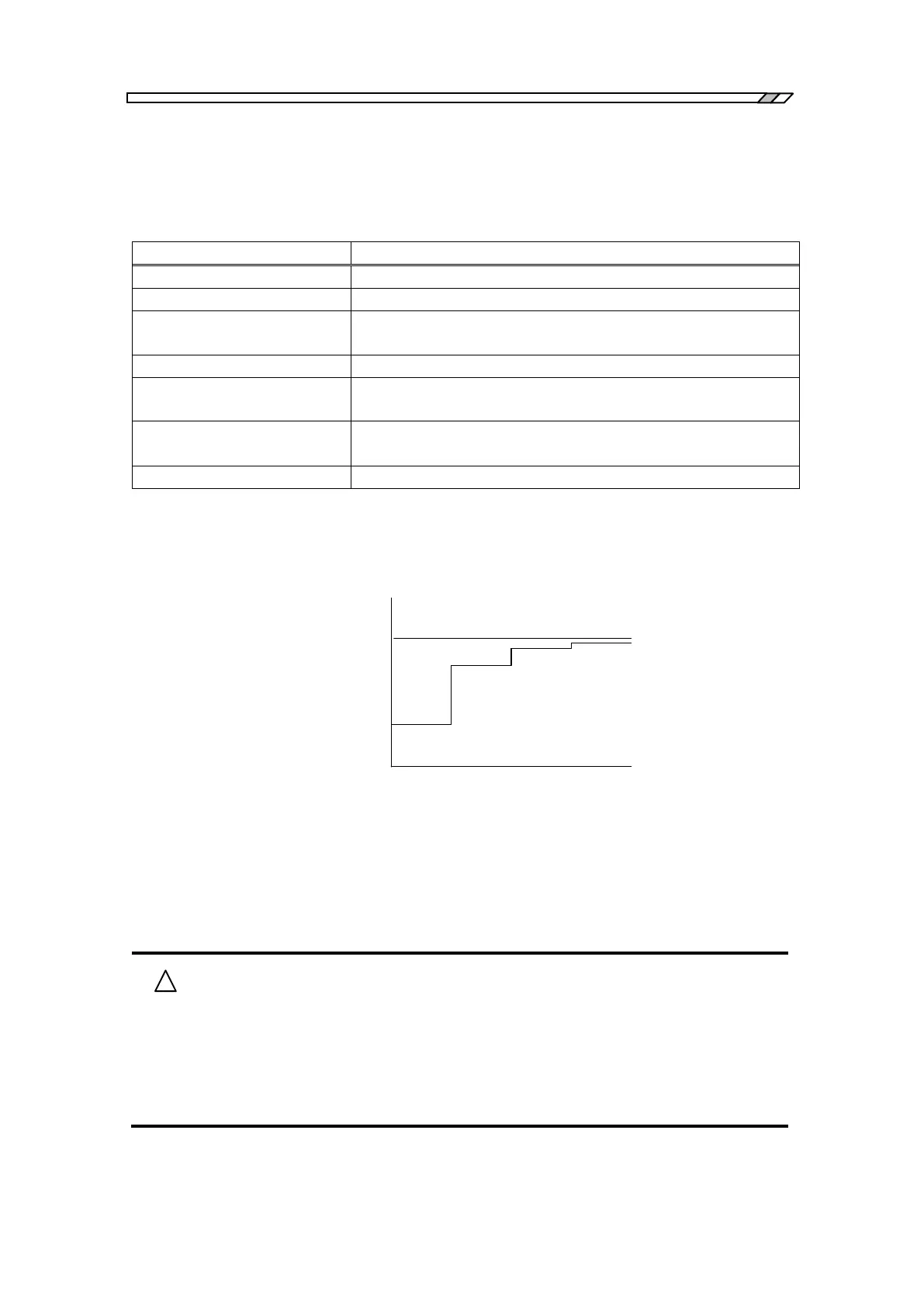
An example of amplitude compression is shown below where the voltage correction factor
[CORRECTION FACTOR] has been set at 70 %. It is also assumed that the current oscillator
setting voltage is 1 V and the reference level [REF LEVEL] of the oscillator is 2 V.
0 1 2 3
1
2
1V
V
0
1.7V
V
1
1.91V
V
2
1.973V
V
3
Number of measurements n
Oscillator
output voltage
Output reference voltage V
G
=2V
V
n
=(V
G
-V
n-1
)×0.7+V
n-1
Fig. 4-17 Example of output correction (70 %)
Note that the oscillator output voltage is different from the amplitude set in the menu
[OSC][AMPLITUDE], even if you have disabled the amplitude compression function by setting
the [FUNCTION] at “off”.
Error message 15 may appear during amplitude compression. This is not a
malfunction.
See 7.1 error message.
Review [ERROR], [RETRY TIMES] and [CORRECTION FACTOR]
settings. Again conduct measurement.



 To Next Page