3.5 Examples of basic operations
FRA5087
Selecting items: Press the ITEM
key to select items. The items will be set at the
time of the selection.
Entering units and items: Press the ITEM
key to select a unit and then press the
1 ~ 9 . and/or unit key to enter numerical values.
Press the ENTER key to fix them.
When you are entering character strings and numerical values, you can delete the most recently
entered character and put the cursor back by one (1) character through pressing the ENTRY BS
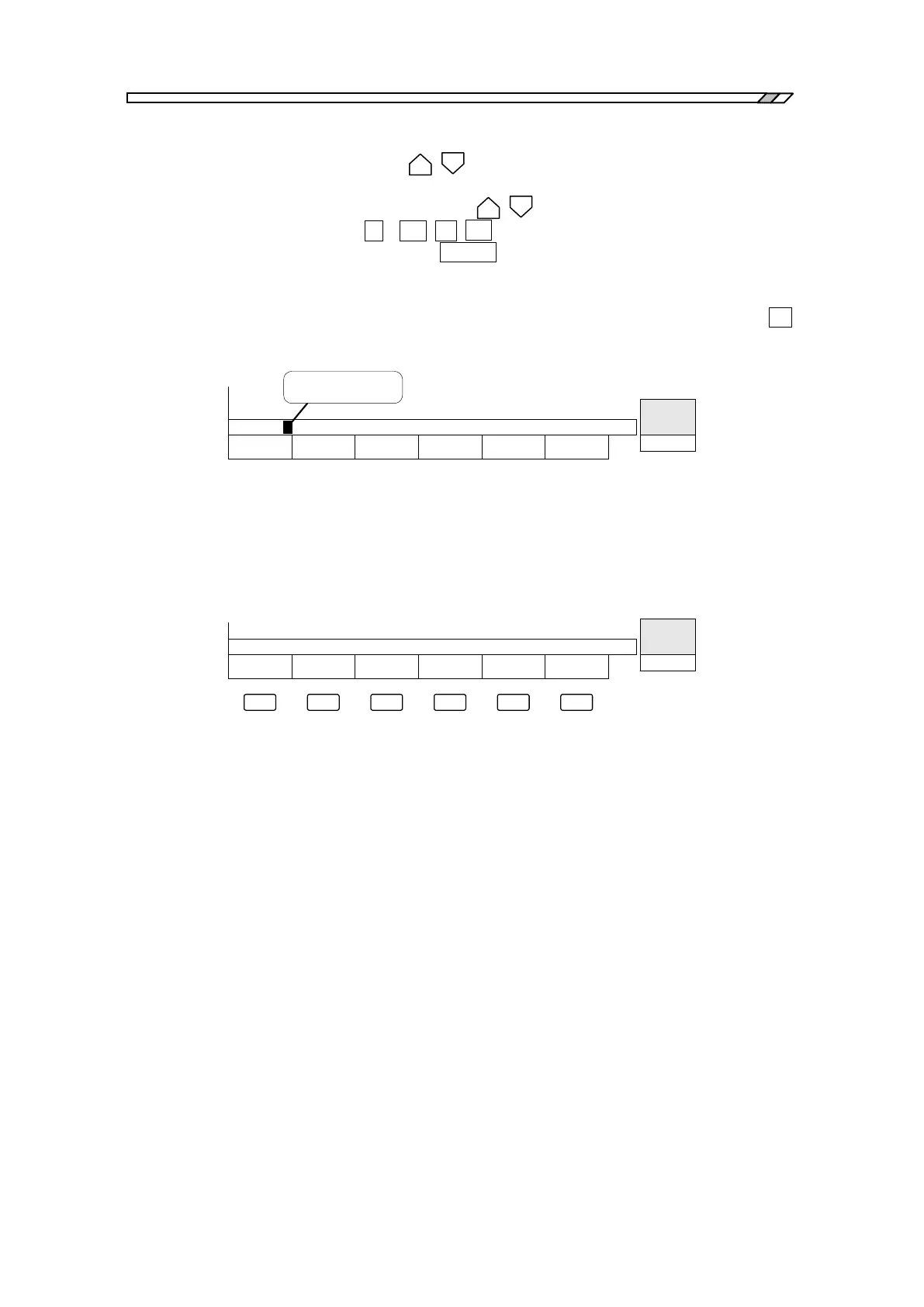
(Back Space) key. The cursor flashes black at the entry location as indicated in Fig. 3-9.
CURSOR
TO TOP
Au to Seq
1/1 12:00
=1.234k
Blinking cursor
Fig. 3-9 Display during entering figures
When a menu window is displayed on the screen, a series of functions corresponding to the
displayed menu is displayed in the function display portion at the bottom of the LCD screen.
Press a key you want under the function display portion to display the wanted function. (See
“Fig.3-10 Function Display”.)
ΔMKR
RANGE
DISPLAY
RANGE
MKR FREQ
Au to Seq
1/1 12:00
=
Fig. 3-10 Function Display



 To Next Page