4.7 Equalization
FRA5087
4.7 Equalization
The error compensation capabilities of the FRA5087 involve not only the calibration function for
self error compensation, but also the equalization function that cancels measurement error
components arising from sensors, cables, etc.
4.7.1 Operation of equalization
Equalization is done through the two following steps: a) measurement of error components in the
measurement system, and b) compensation for errors to correct data involving the DUT (device
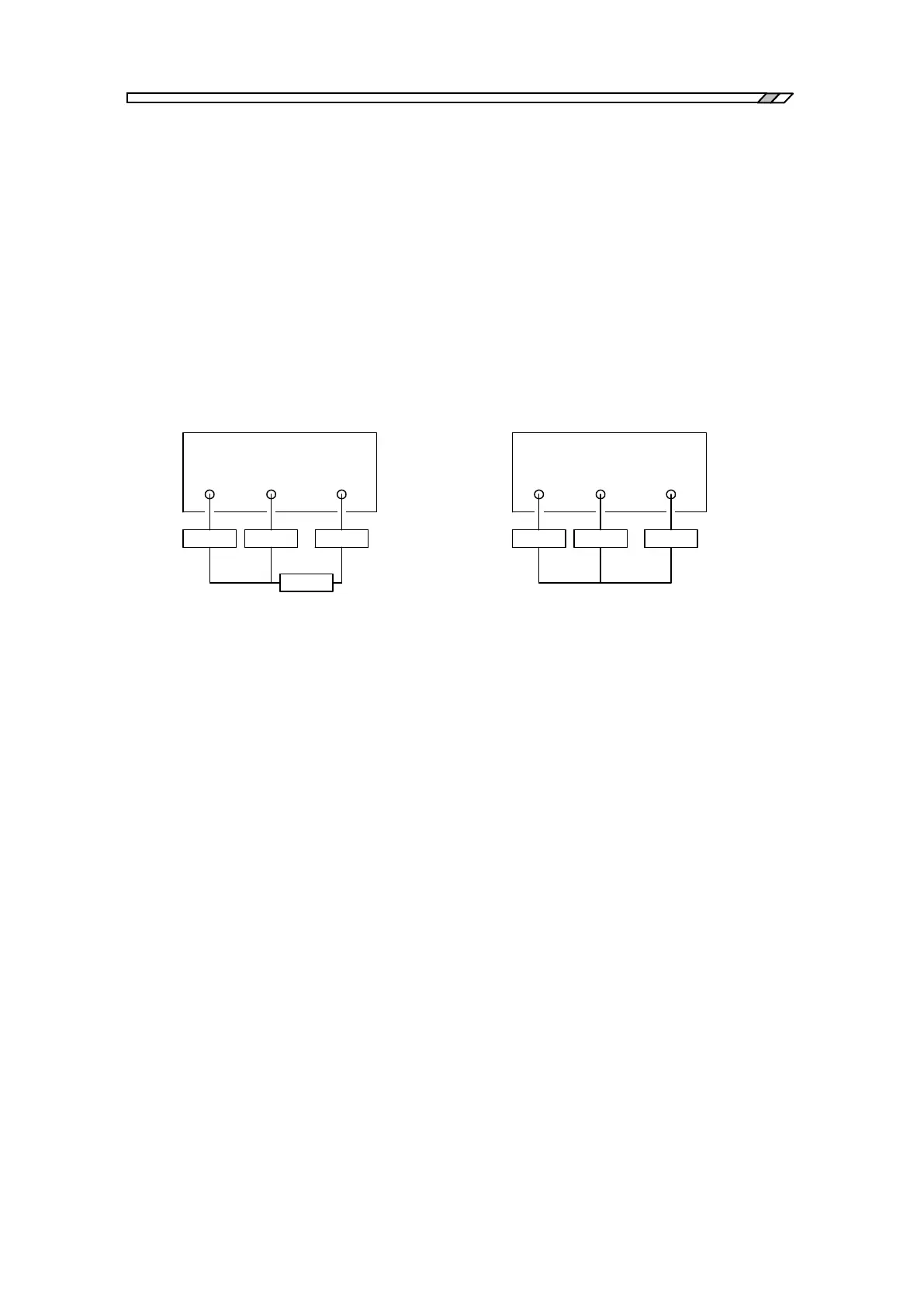
under test)(i.e., equalization). Fig. 4-13 indicates an example of equalizing.
This example assumes that you want to have the correct characteristics of Fdut through canceling
errors caused/brought by “Amp”, “Probe1” and “Probe2”.
a) Measurement connection involving DUT b) Connection for measuring measurement
system errors
Fig. 4-13 Measurement/DUT system
a) Measurement and storage/recording of measurement system errors
1) Connect as shown in Fig. 4-13b to cancel only the desired measurement system.
2) Set the menu [Measure] [BASIC FUNCTION] [EQUALIZING] at [OFF].
3) Set all items and parameters in identical settings to those at the time of measurement of
Fdut.
4) Store/record the measured frequency characteristics (i.e., measurement system errors) to the
EQL memory. Press the function key [EQL STORAGE] in the menu
[Memory][STORAGE] to do this.
b) Equalization
After measuring and recording the error component, connect the equipment, including the
device under test (dut) as indicated in Fig. 4-13a.
1) Set the menu [Measure][BASIC FUNCTION][EQUALIZING] at [ON] to enable the
equalization function.
2) Perform measurement by the measurement system involving the Fdut. The measurement
outcome is the characteristics of Fdut only, with the measurement system errors canceled.
3) Set the [EQUALIZING] at [OFF] to terminate equalizing operation, in the same menu as
described in 1) above.
OSC CH1 CH2
FRA5087
Amp Probe1 Probe2
FRA5087
OSC CH1 CH2
Amp Probe1 Probe2
Fdut



 To Next Page