5.1 Convenient Settings
5-4 WF1946B
Squarewave pulse width setting (
ENTRY
→
WIDTH
)
Operation to set the squarewave pulse width is described. The setting changes the width of the pulse
(portion indicated by arrows
).
Select squarewave ( variable duty).
Operation:
① Press the
ENTRY
key, then the
WIDTH
key to produce the following display.
W 0.000500000 s
A0.1000Vp-p O+0.0000V /OPEN
② Set the width with the keypad or
MODIFY
dial.
Other:
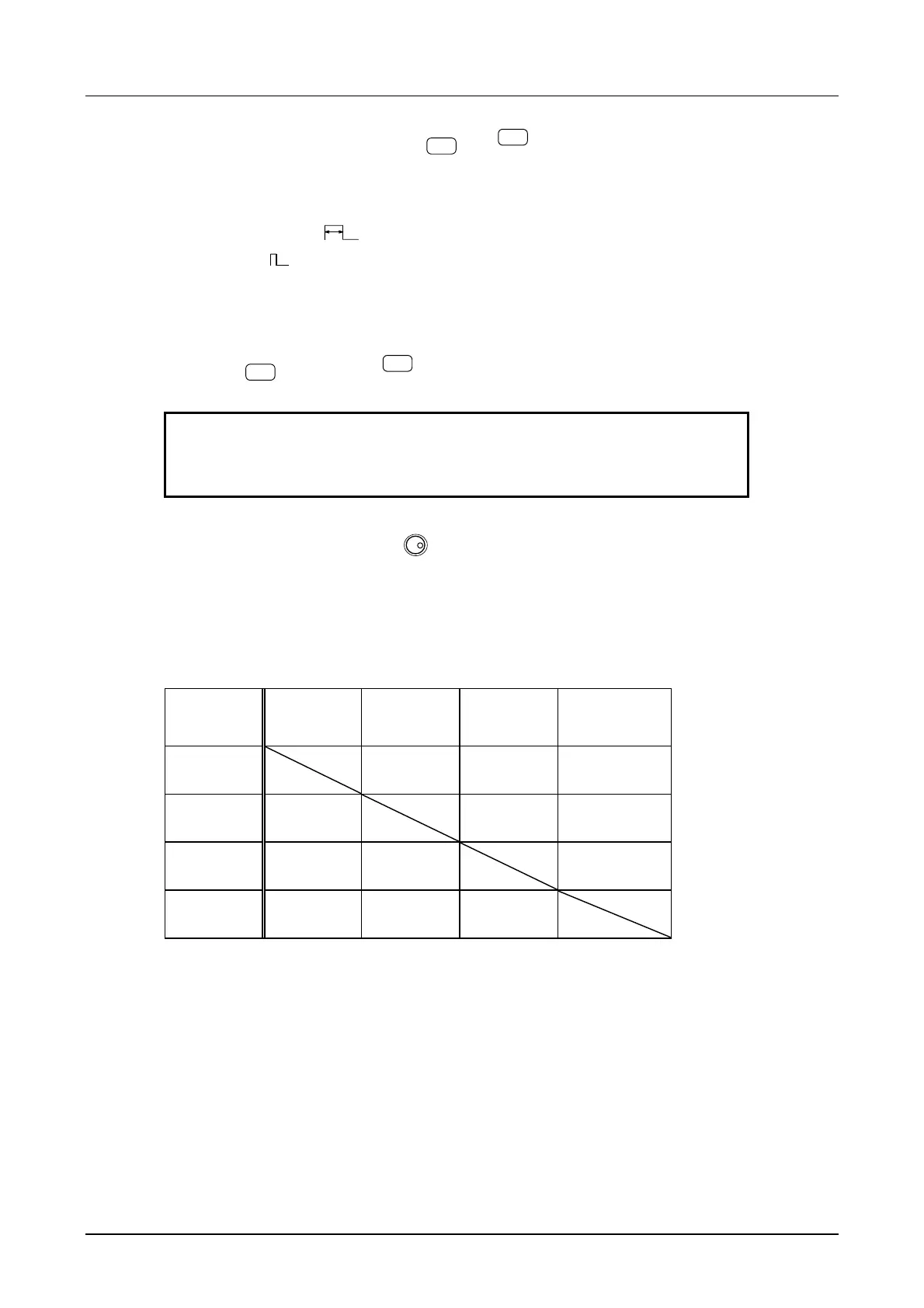
• The table indicates the effects on other parameters when the frequency, period, width or duty is
changed.
Change
↓
Frequency
(FREQ)
Period
(PERIOD)
Pulse width
(WIDTH)
Duty
(DUTY)
Frequency
(FREQ)
Changed Changed Unchanged
Period
(PERIOD)
Changed Unchanged Changed
Pulse width
(WIDTH)
Unchanged Unchanged Changed
Duty
(DUTY)
Unchanged Unchanged Changed
• Due to the oscillation period and duty relationship, the pulse can be lost when the actual pulse width is
less than 25 ns. An error message is displayed at this type of setting.
Also, jitter increases when the pulse width is less than 100 ns. A warning message is displayed at
this type of setting.



 To Next Page