4.2 Sweep
WF1946B 4-23
Sweep (Mode: Continuous) (
MODE
→
SWEEP
→ MODE : CONT)
In a Sweep (Mode: Continuous), oscillation occurs by varying parameters such as the amplitude and
amplitude continuously between the start and stop settings.
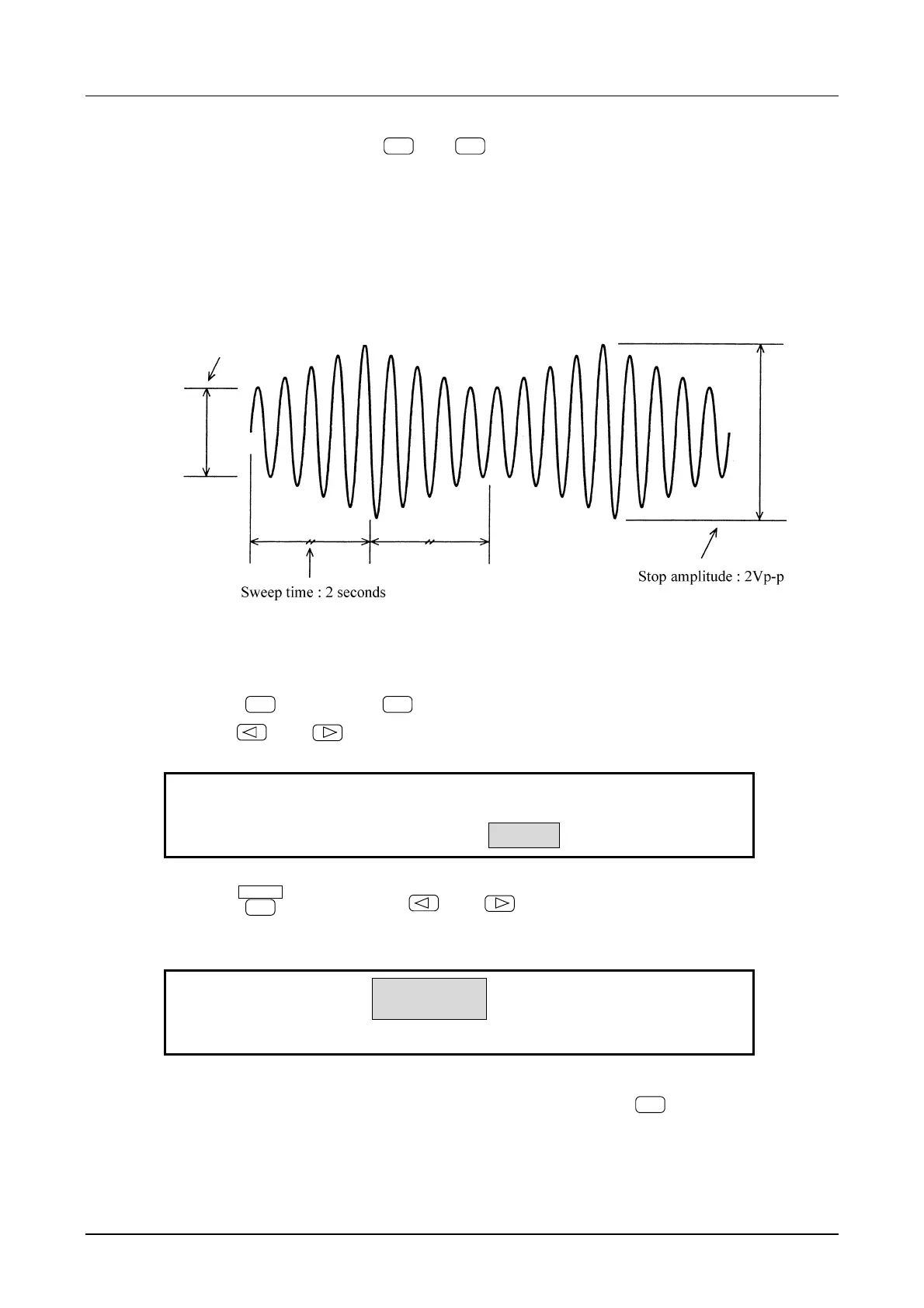
Operation to produce waveform output with frequency varying linearly and continuously is described.
The waveform shown below is a sinewave with an arbitrarily defined amplitude and DC offset.
Start amplitude: 1Vp-p
Operation:
(1) Set sweep MODE to continuous (CONT)
① Press the
MODE
key, then the
SWEEP
key.
② Use the
and
keys to produce the following display (MODE flashes).
SINGLE
CONT GATED
F-SWP:TYPE SOURCE MODE
4
③ Press the
ENTER
key, then use the
and
keys to produce the following display
(CONT flashes).
SINGLE
CONT
GATED
F-SWP:TYPE MODE FUNCTION START
4
④ This completes setting the sweep mode to continuous. Press the
EXIT
key once to release the
setting mode.



 To Next Page