2.2 Power source and grounding
WF1946B 2-5
Check the power source voltage indication on the rear panel above the power source inlet. The WF1946B
operates from the following commercial power source.
Power supply voltage range: AC100V/115V/230V±10%
Power supply frequency range: 50/60 Hz ±2 Hz
Power consumption: Max. 100 VA
Overvoltage category: II
Connect to the power source according to the following procedure:
1. Set the WF1946B power switch to off.
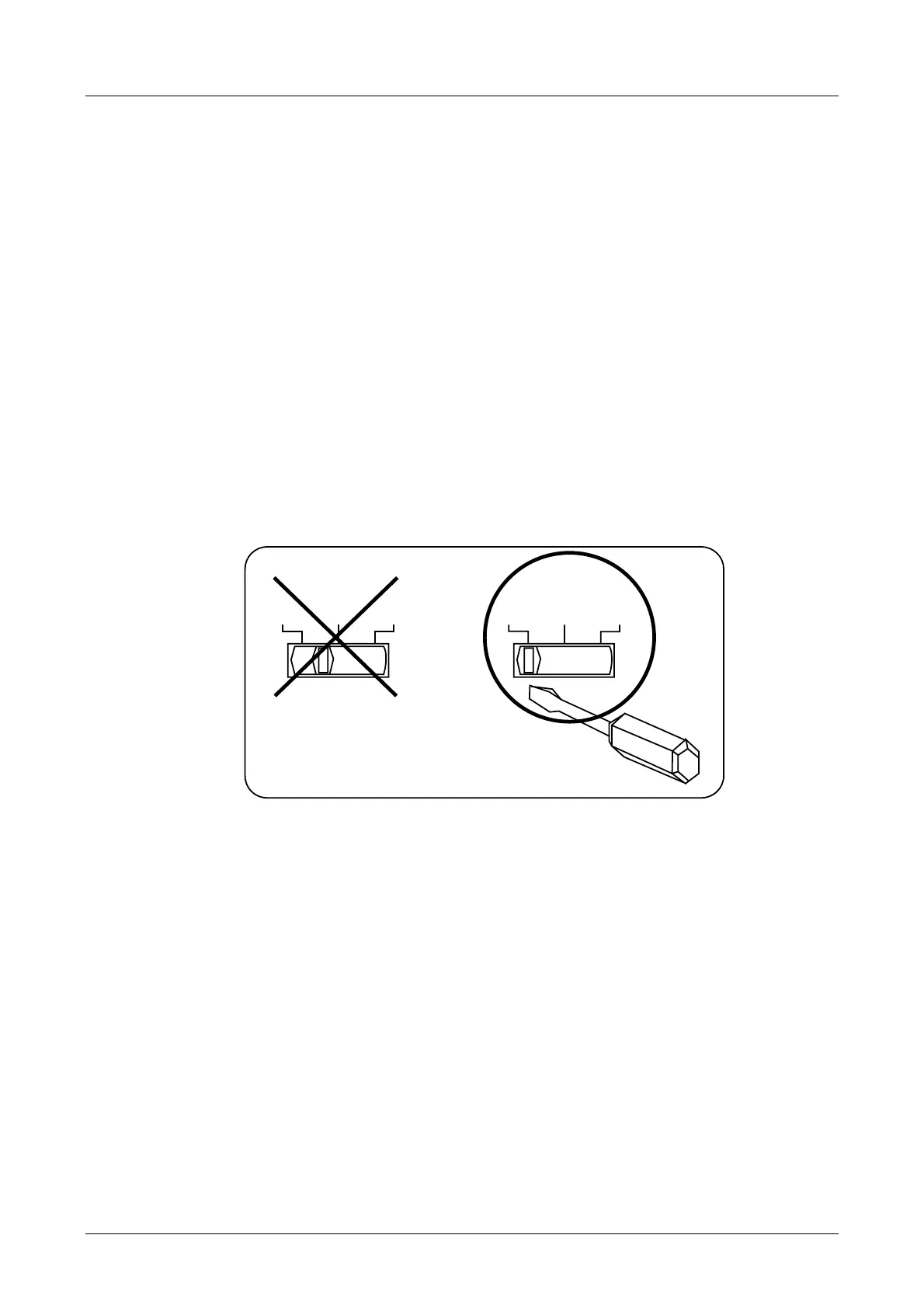
2. Adjust the source voltage change-over switch at the back of the unit to the source voltage to be used.
3. Insert the power cable into the power inlet on the back of the unit.
4. Insert the power cable plug into a 3-terminal wall socket.
With a screwdriver, move the slide control of the source voltage change-over switch to the line indicating
the source voltage to be used. Do not set the slide control between lines.
VOLTAGE SELECTOR
100V 115V 230V
VOLTAGE SELECTOR
100V 115V 230V
Before using the WF1946B with a source voltage that differs from the factory setting, be sure to contact
the sales representative of NF Corporation.
Make sure that the power switch is off before connecting the power cable. Also, after switching power
off, wait at least five seconds before switching the power on again.
Confirm the power switch is off before connecting the power cable.
Also, after switching power off, wait at least 5 seconds before again switching power on.



 To Next Page