4.1 Burst oscillation
4-4 WF1946B
② Press the
ENTER
key.
Turn the
MODIFY
dial to produce the following display (ON flashes).
ON 0.00 %
BURST:TYPE MARK SPACE STOP―LEVEL
③ Press the
key, then set the stop level with the keypad or
MODIFY
dial.
In this example, the setting is 25 %.
The stop level is the percentage with respect to the maximum positive (+100 %) and negative
(-100 %) amplitude.
④ After setting, press the
EXIT
key to release the setting mode.
This completes burst oscillation (type: burst) setting.
Other:
• If the frequency exceeds 5 MHz, mark cycles and space cycles may be unpredictable.
If the cycles are undefined, the start phase may be shifted by half a cycle even though the frequency is
set to less than 5 MHz. If such a shift occurs, set the continuous oscillation and then the burst
oscillation.
• Stop level off: Oscillation stops at the phase (set by
ENTRY
→
PHASE
) setting (mark cycles more
than 1.0 and mark + space cycles are integers).
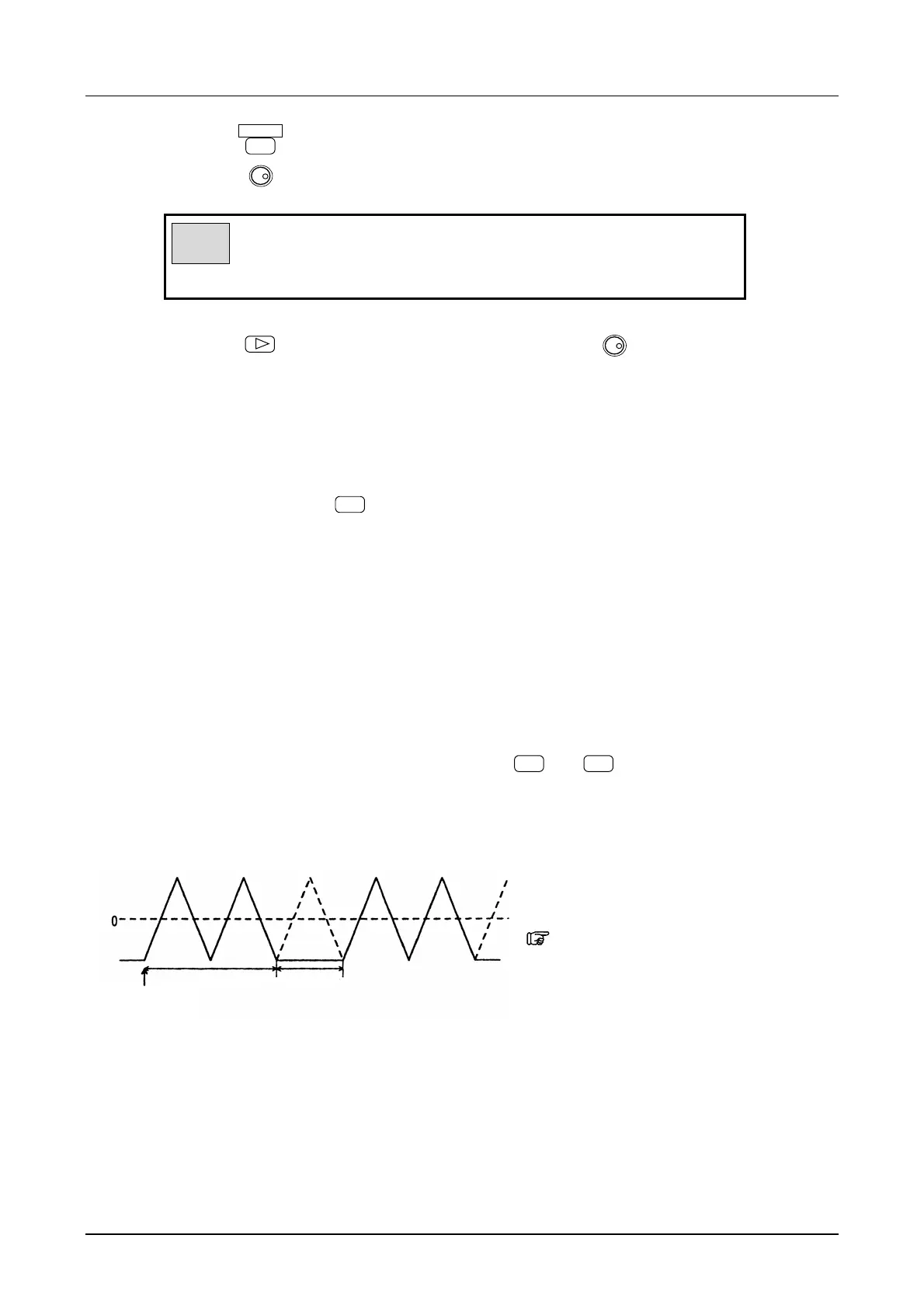
Waveform example of oscillation start phase:-90°, mark waves:2, space waves:1
* Also, by setting an amplitude (Vp-p) 1/2
DC offset or the low level to 0 V, a
unipolar waveform can be obtained.
“5.1 Convenient Settings (■Amplitude
and DC offset setting by high and low level)”,
cf.
• Burst oscillation setting items (BURST menu)
TYPE: BURST
MARK (oscillation cycle) [cycle]
SPACE (cycle when oscillation stops) [cycle]
STOP-LEVEL [OFF, ON[%]]
PHASE (phase when oscillation starts) [deg] * ENTRY menu
Oscillate 2 waves Stop 1 wave
Oscillation star
Start phase: -90°



 To Next Page