4.3 Sorting the Part (Comparator)
4-11 ZM2371/ZM2372
Setting the upper/lower limit value of comparator
To sort the parts, set the upper/lower limit values of primary/secondary parameters.
Select the LIMIT with the comparator setting menu, and the comparator upper/lower
limit value setting menu (shown below) is displayed.
Examples of primary parameters (C):
When the comparison format is either ABS or DEV while the cursor is at either
upper or lower limit:
Enable/
Bin disable Lower limit value Upper limit value
<BIN1 ON Lo:+1.23456µF Hi:+1.23456µF> Current setting
±(0.0000p to 999999M) Range of settable values
Examples of secondary parameters (D):
When the cursor is at either lower or upper limit:
Enable/
disable Lower limit value Upper limit value
< Sec OFF Lo:+10.0000µ Hi:+100.000m > Current setting
±(0.0000p to 999999M) Range of settable values
Move the cursor to the point of parameter you need to set (mentioned later) and set the
value.
The unit depends on each parameter.
Perform the EXIT
operation to return to one-previous menu.
Sorting DUTs into bins by the measured values of primary parameter
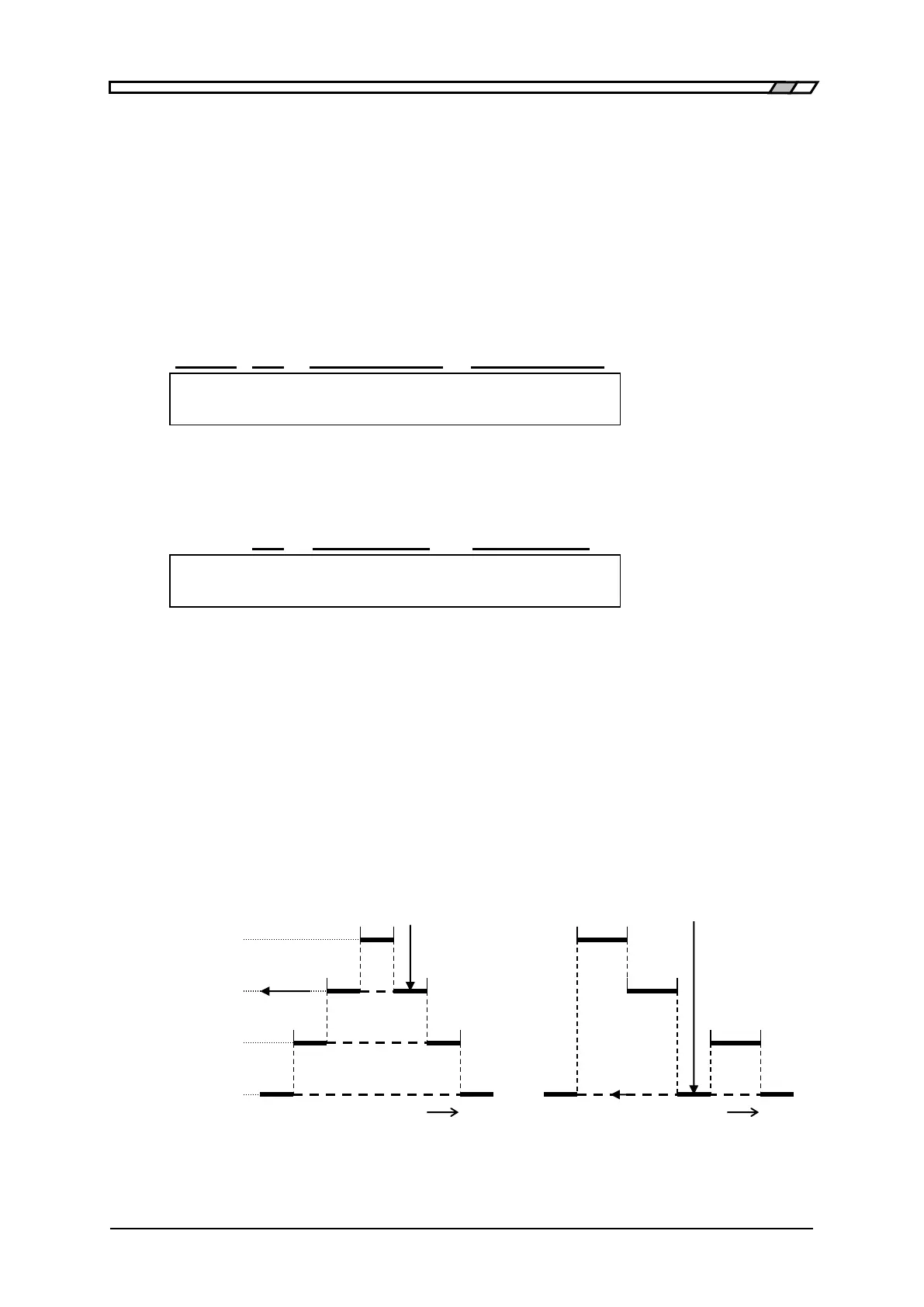
To sort DUTs into plural bins, set the upper/lower limit values for each bin for sorting. The
DUT is sorted in order from the smaller number of bin. Therefore, if the range of each bin is
overlapped, the DUT is sorted into the bin of the smallest number. If the DUT does not fall
in any bin range, it is sorted as "OUT OF BINS”.
Measured value Measured value
BIN1
BIN2
BIN3
OUT OF BINS
Small Large Small Large
(a) When overlapped (b) When there is a clearance
Figure 4–2 Range setting and comparison when sorting into bins



 To Next Page