163
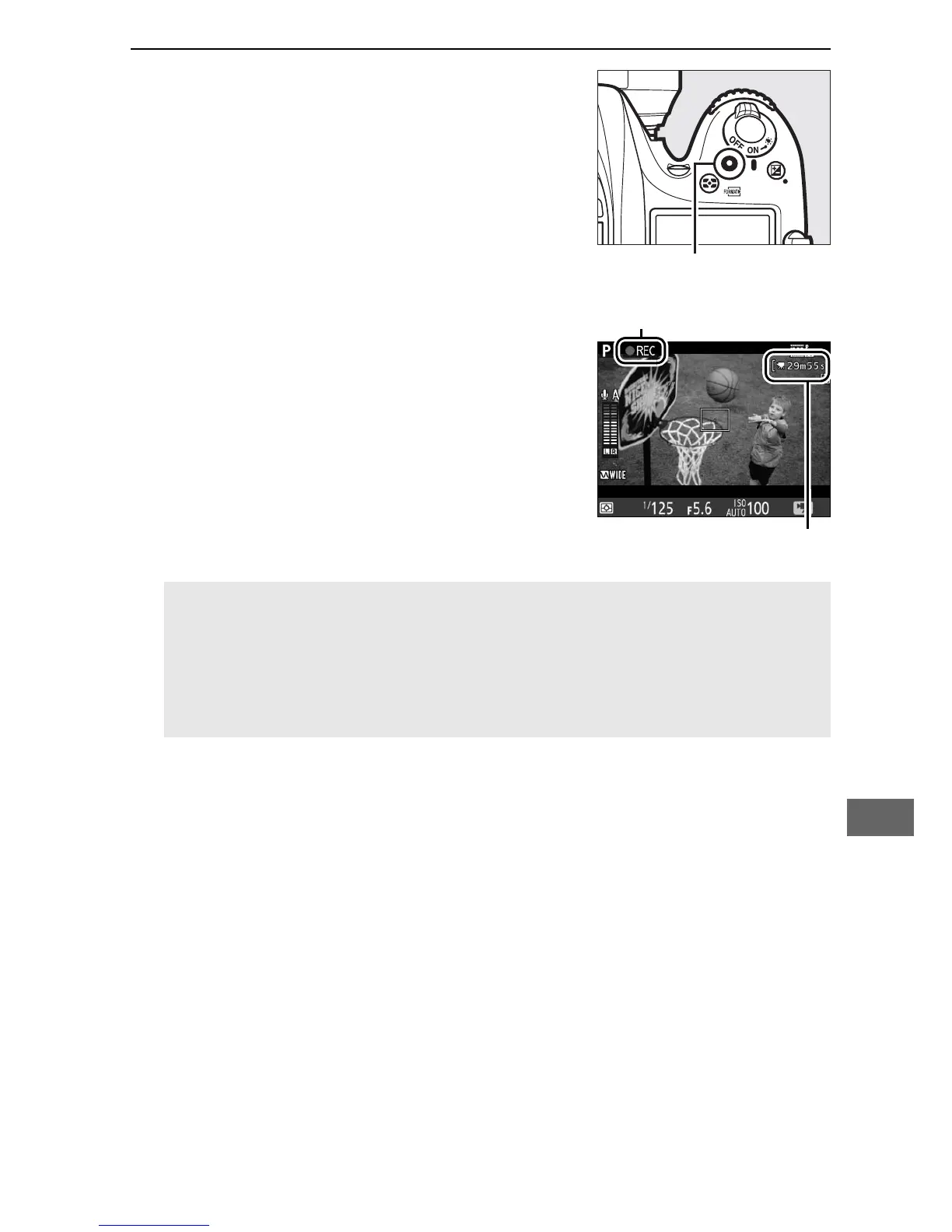
4 Start recording.
Press the movie-record button to start
recording.
A recording indicator and
the time available are displayed in the
monitor.
Exposure can be locked by
pressing the A AE-L/AF-L button
(0 107) or altered by up to ±3 EV in
steps of
1
/
3 EV using exposure
compensation (0 109).
In autofocus
mode, the camera can be refocused
by pressing the shutter-release button
halfway.
A Audio
The camera can record both video and sound; do not cover the
microphone on the front of the camera during movie recording
(0 1).
Note that the built-in microphone may record sounds made
by the camera or lens during autofocus or vibration reduction.



 To Next Page