116
OVERVIEW
> Can only switching when Dive Main screens are displayed.
> Cannot Switch Gas or TMTs on surface.
> Cannot Switch Gas or TMTs during alarms.
> All NORM dives begin with Gas 1.
> NORM mode defaults to Gas 1 after 10 minutes on the
surface.
> Switching Gas also switches TMTs, if available.
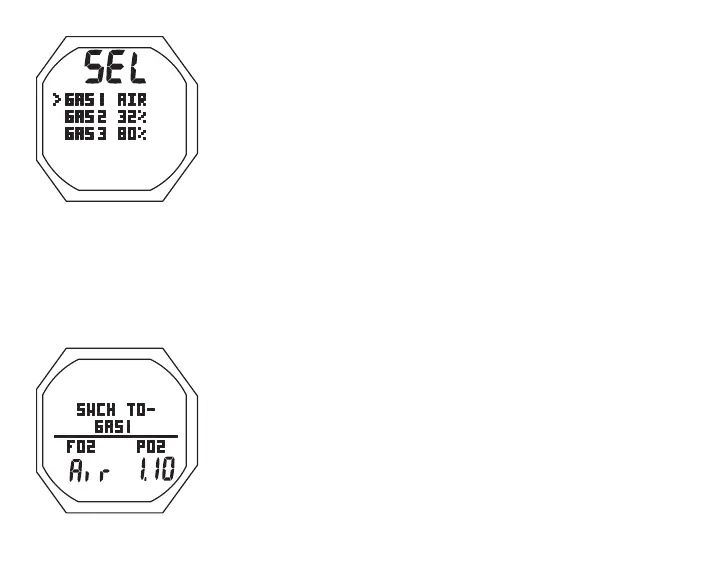
NORM GAS/BUD Menu, information includes (Fig. 108):
M (2 sec) while a NORM Dive Main is displayed - to access the
Menu (Select) screen.
> Graphic SEL
> Graphic selections GAS1, GAS2 (or BUD1); GAS3 (or
BUD2); with FO2 setting (or graphic PRESS, if BUD)
A (< 2 sec) - to step down (forward) through selections
M (< 2 sec) - to step up (back) through selections
S (< 2 sec) - to access selection indicated by Arrow icon ( > )
Gas 1 Switch To, information includes (Fig. 109):
> Graphics SWCH TO** - GAS1
> Graphic FO2 with Set Point
> Graphic PO2 with value for Gas 1 FO2
> Nx icon, if Nitrox
Fig.108-NORMGAS
SWITCHMENU
Fig.109-GAS1SWCHTO



 To Next Page