118
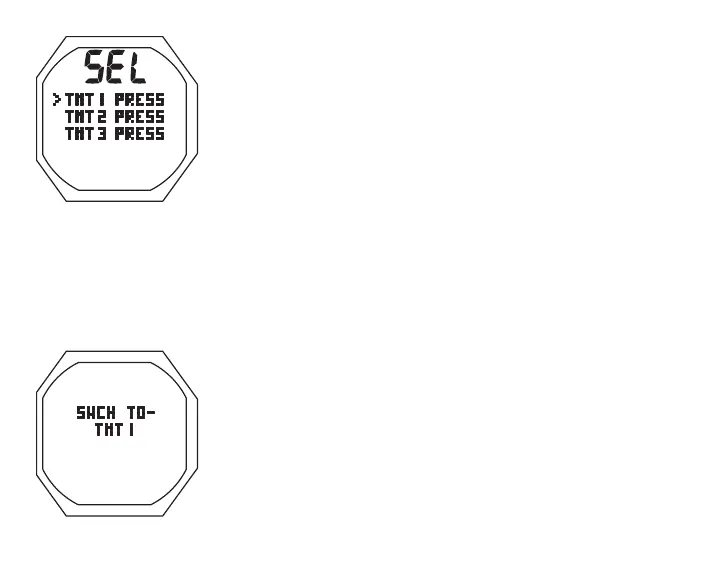
GAUG TMT/BUD Menu, information includes (Fig. 112):
M (2 sec) while a GAUG Dive Main is displayed - to access the
Menu (Select) screen.
> Graphic SEL
> Graphic selections TMT1, TMT2 (or BUD1); TMT3 (or
BUD2); with graphic PRESS
A (< 2 sec) to step down (forward) through selections
M (< 2 sec) to step up (back) through selections
S (< 2 sec) to access selection indicated by Arrow icon ( > )
TMT 1 Switch To, information includes (Fig. 113):
> Graphics SWCH TO - TMT1
• S (< 2 sec) to Switch from TMT in use to TMT 1,
> display a Search for TMT screen for 10 sec,
> then revert to Main with TMT 1 selected
TMT 2 and/or TMT 3 Switch To are similar, if use is set for SELF.
If Use is set for BUD, operation moves direct from the Menu to
the BUD Search screen for 10 sec, then a BUD Status (Press)
screen for 5 sec.
Fig.113-TMT1SWCHTO
Fig.112-GAUGTMT
SWITCHMENU



 To Next Page