14
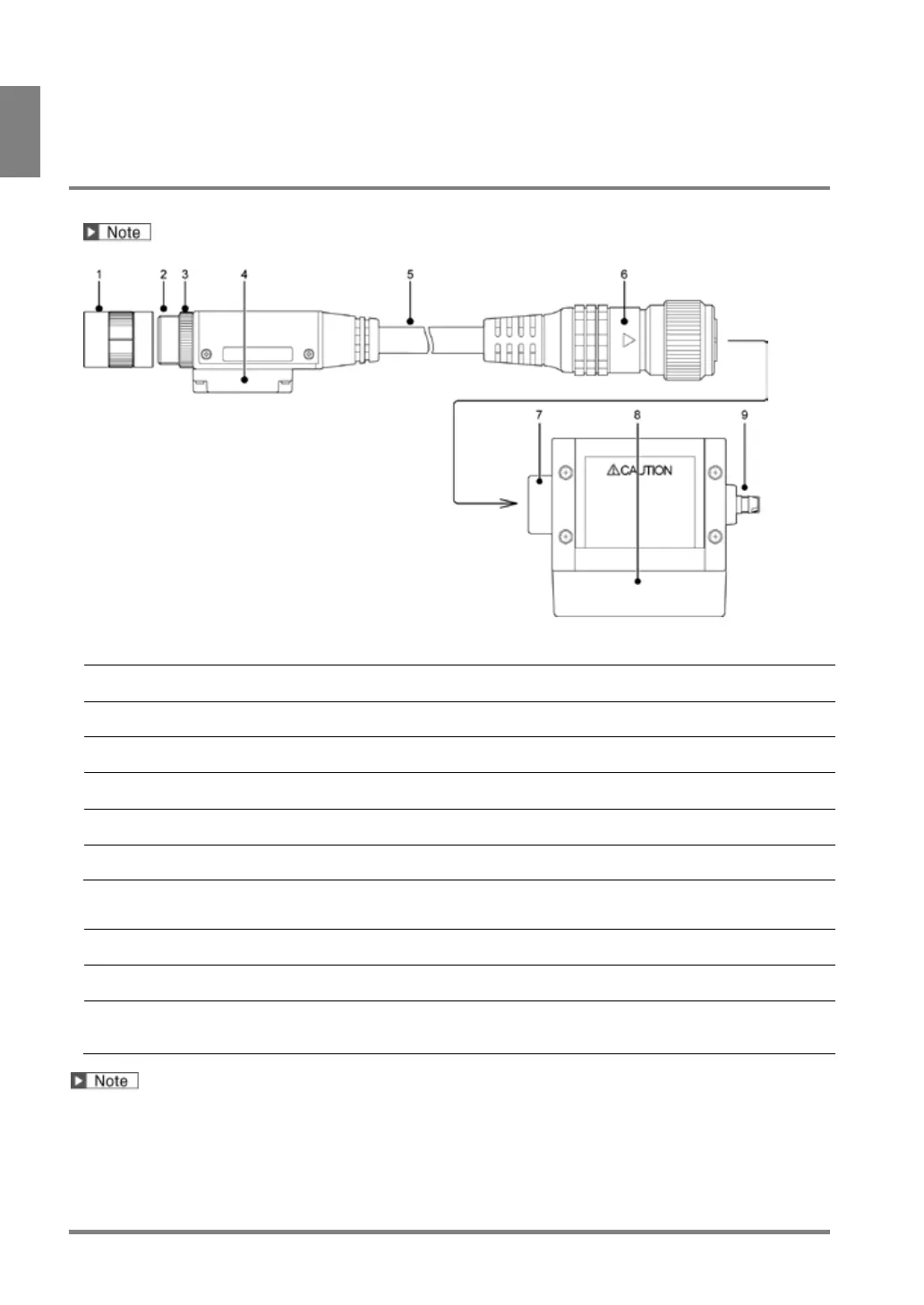
1.2.3 Ultra Compact Double Speed Digital Camera
Product No.: ANPVC1021
This product was discontinued as of the end of August 2011.
Camera Head
Attach an exclusive lens for Ultra compact camera.
Special mounting fixture.
A ring to secure the lens to the camera.
Use it to fix the lens at the close position to the edge of the camera.
Mounted directly to the camera. It cannot be removed.
Connects to Camera Control Unit (CCU).
Camera Control Unit (hereinafter called “CCU”)
Connects the cable of the camera head.
Connect the connector labeled the product number of the cable to a
This manual describes the camera as follow.
• Ultra Compact Double Speed Digital Camera = Ultra compact camera



 To Next Page