22
2.2.2 Note on Mounting
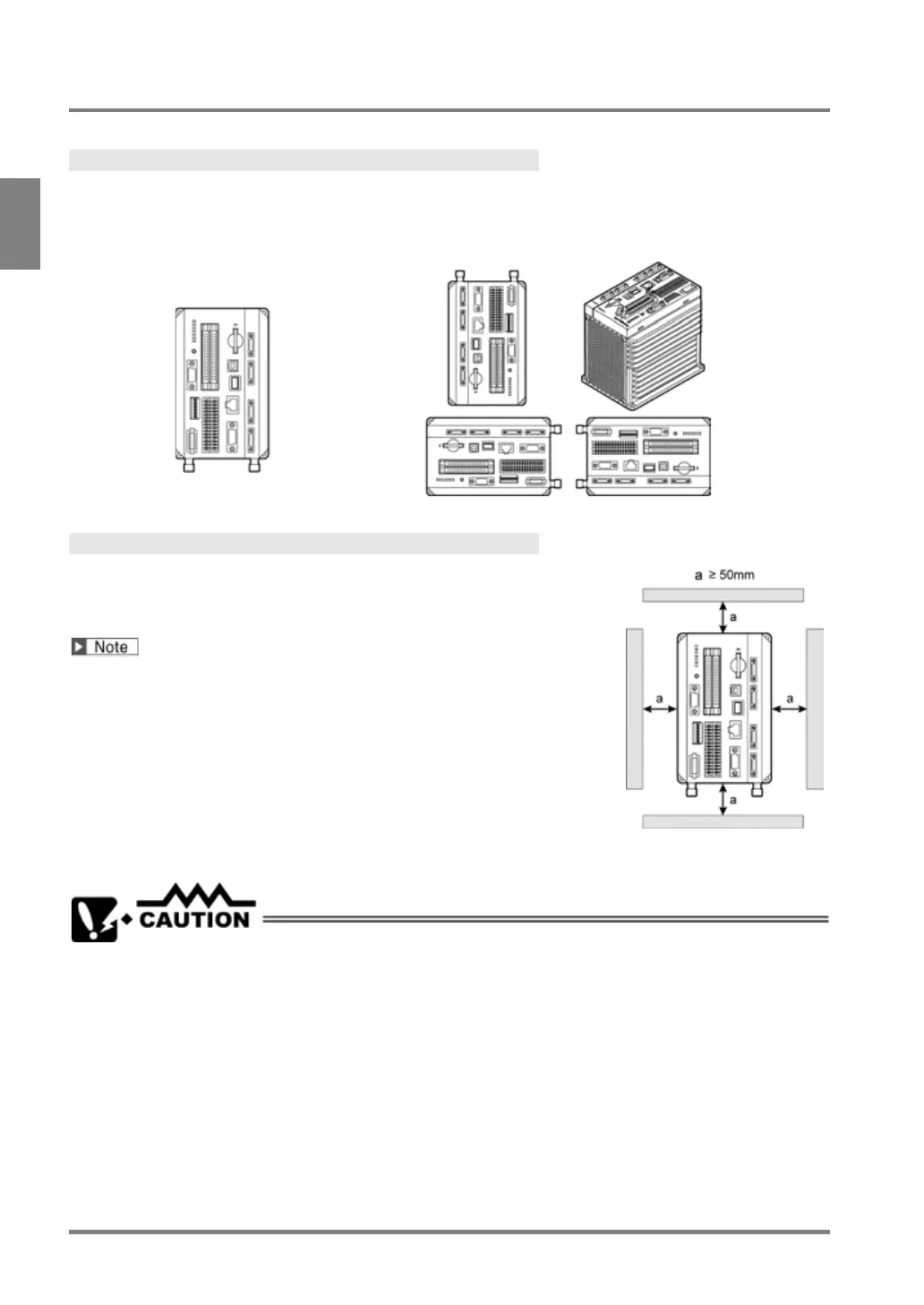
Mounting Direction
Install PV500 in the correct direction (see the figures below) for heat radiation. Do not mount it sideways or
upside down.
Correct Wrong
About Mounting Space
Keep more than 50 mm of space around PV500 for ventilation. In
addition, to wire cables safely, keep more than 100 mm of space in front
of PV500.
When installing another PV500 next to it, keep more than 50mm of
space between PV500s.
• Do not block the ventilators on the top and bottom of the unit. It might lead to a malfunction due to
the internal heat retaining.
• When installing PV500 on a control board, take some measures such as attaching a cooling system
(a fan motor, etc.) to lower the operation ambient temperature into the specified range; 4-camera
type: 0 - 40 °C, 2-camera type: 0 - 45 °C.



 To Next Page