17
1.3 Keypad
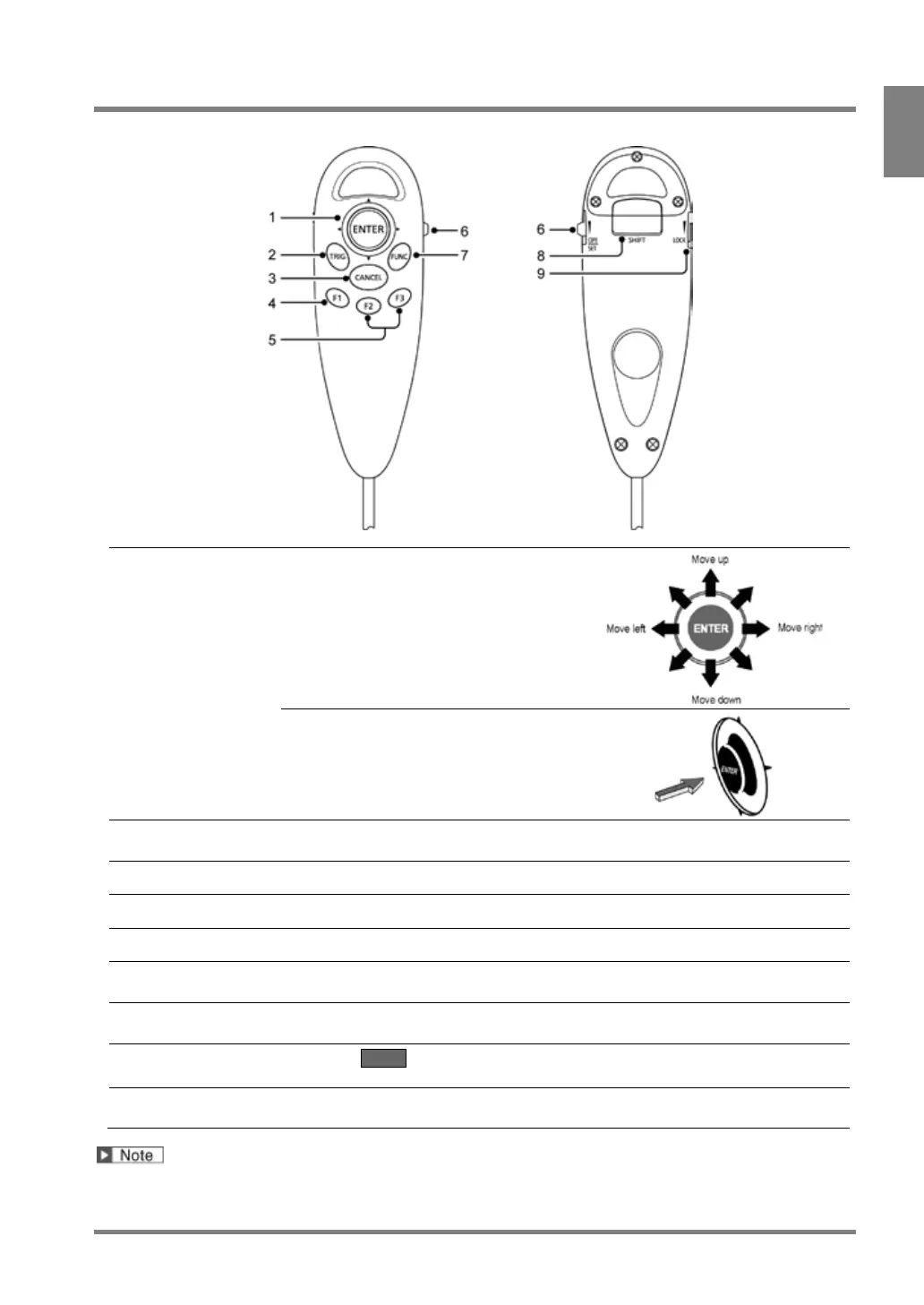
Typical operations of the keypad are described below.
To select the menu, input letters and
move the start and end points of areas.
To determine the settings or select menu.
To start an inspection or run a test.
To return to the previous window or operation while setting.
To display the image menu.
Use these keys when key guide is displayed in the bottom of the window.
To switch windows between SETUP menu and RUN menu.
This is a snap type switch and the window switches every time you snap it.
To display pop-up menu.
Pressing the key two seconds or more captures the screen. (Print Screen)
Use when SHIFT sign is shown on the screen.
Mainly, to make the cursor move faster combining with cursor operation.
To lock or disable the 1 - 8 keys by setting in “LOCK” side.
The switch prevents undesired operation of the keys by mistake.
The operation from the keypad may be off on the PV500. Refer to page 334 for details.



 To Next Page