28
2.3.3 Note on Mounting
Mounting a Camera
• Use the mounting plate (insulation type) initially attached on the camera to mount it in an electrically
insulated way.
Without insulation, the internal circuit might be damaged because the camera case connects GND of the
internal circuit if the electric potentials of the mounting point and the camera case are different.
• When you directly screw the camera without a mounting plate, do not screw into the bottom of the camera
over 3 mm for 2 Mega and Quad-speed, and 1.5 mm for Ultra Compact camera.
• The side of the mounting plate mounted is the bottom of capturing images displayed on the screen.
Regarding to Quad-speed camera and 2 Mega-pixel camera, it is the side of the face where the plate is
initially attached. .
Camera cables
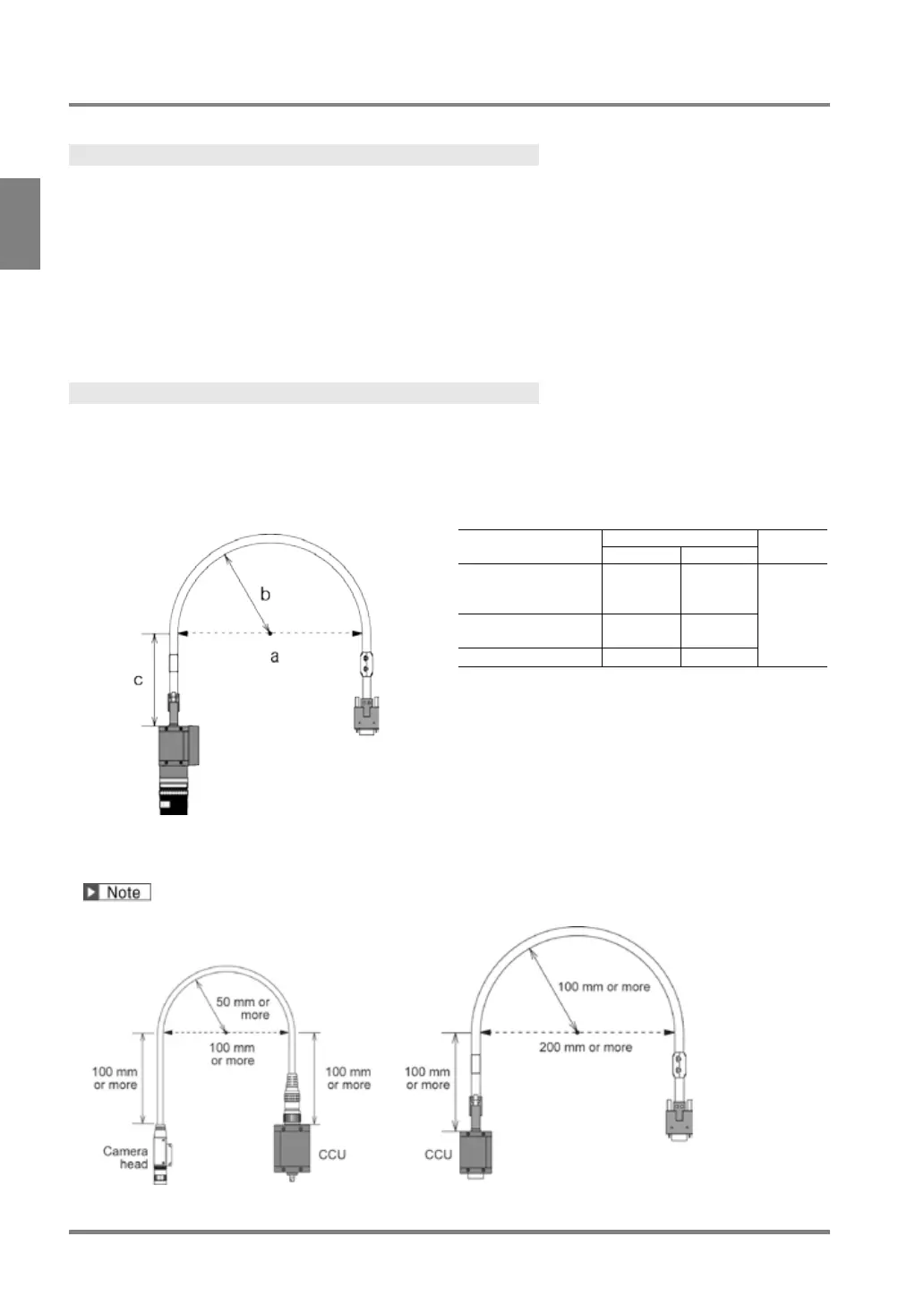
• To prevent loading the cable, support the cable around the camera attachment and around the connector.
• Note on the followings when bending the cable.
- Do not bend at least 100-mm part of the cable from the base of the connector of the camera.
- The bend radius should be as below.
For Quad-speed, 2 Mega camera, 0.3-Mega compact gray camera
ANPVC81**R
100mm 200mm
100mm
or
more
57mm 114mm
For Ultra Compact camera
This product was discontinued as of the end of August 2011.



 To Next Page