31
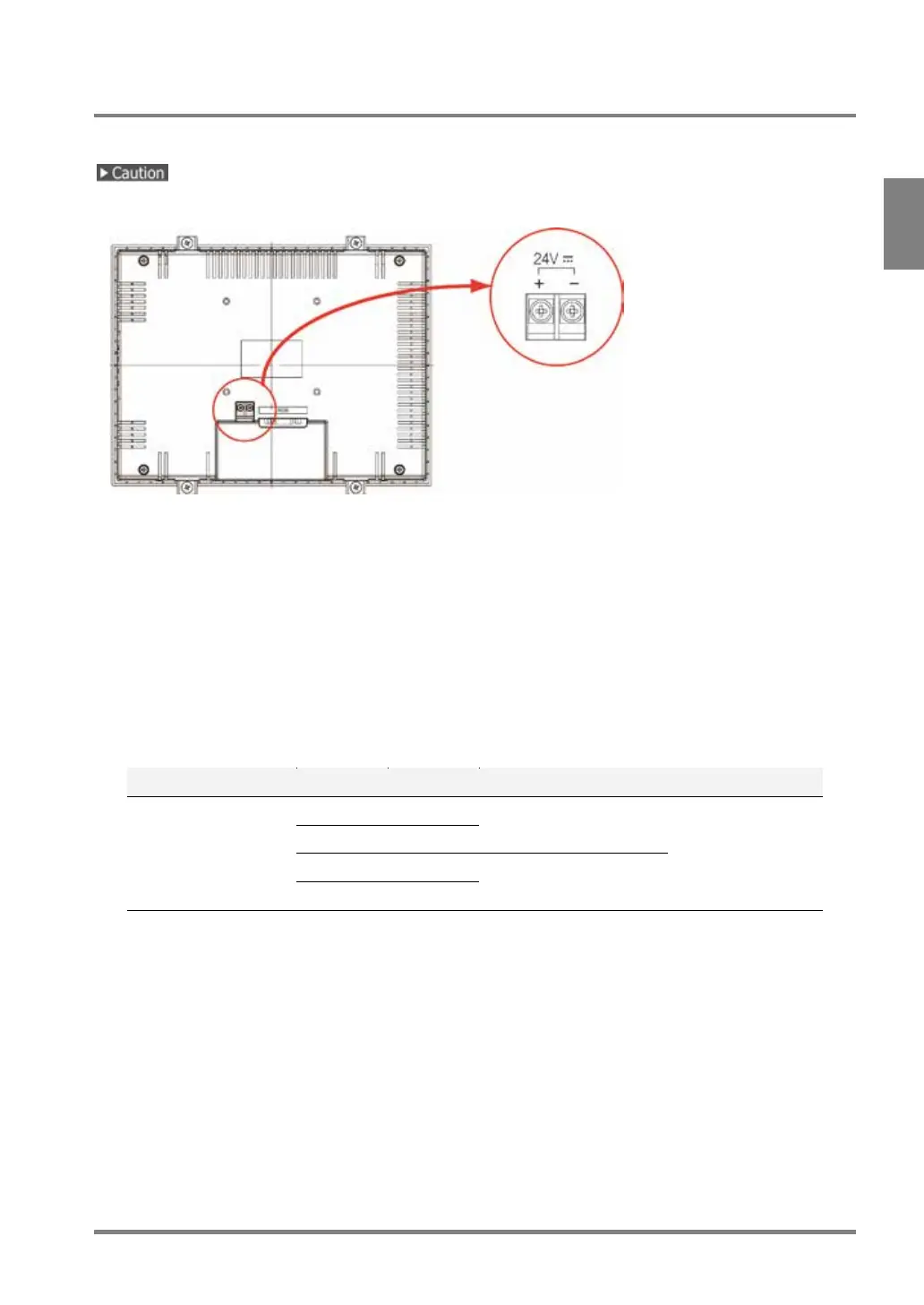
2.5.2 Connecting Power to XGA Monitor
Connect the power of 24 V DC to the terminal on the back side.
Use an insulated power supply with a built-in protection circuit as a power supply device to supply 24 V DC.
Rated voltage: 24 V DC
Operating voltage range: 21.6 to 26.4 V DC
Power consumption: 1A or less
Applicable Solderless Terminal
• Terminal screws are M3.
• Screw the terminal block with tightening torque of 0.8 Nm.
Failure to do so might damage to the product.
• It is advisable to use solderless terminals to wire.
Use wires of 0.5 mm
2
to 1.25 mm
2
diameter if you do not use a solderless terminal.
Manufacturer Shape Model No. Applicable wire Tightening torque
JST Mfg. Co., Ltd.
R-type 1.25-MS3 0.25 mm
2
to 1.65 mm
2
0.5 to 0.6 N/m
A-type 1.25-B3A
R-type 2-MS3 1.04 to 2.63 mm
2
A-type 2-N3A



 To Next Page