346
7.2.2 Changing Network Setting
Set a device name and make TCP/IP setting which is necessary to perform Ethernet communication.
The port number of PV500 depends on type of communication data.
• General output: 8601
• Image output: 8602
• Command* communication: 8604 (*See page 396.)
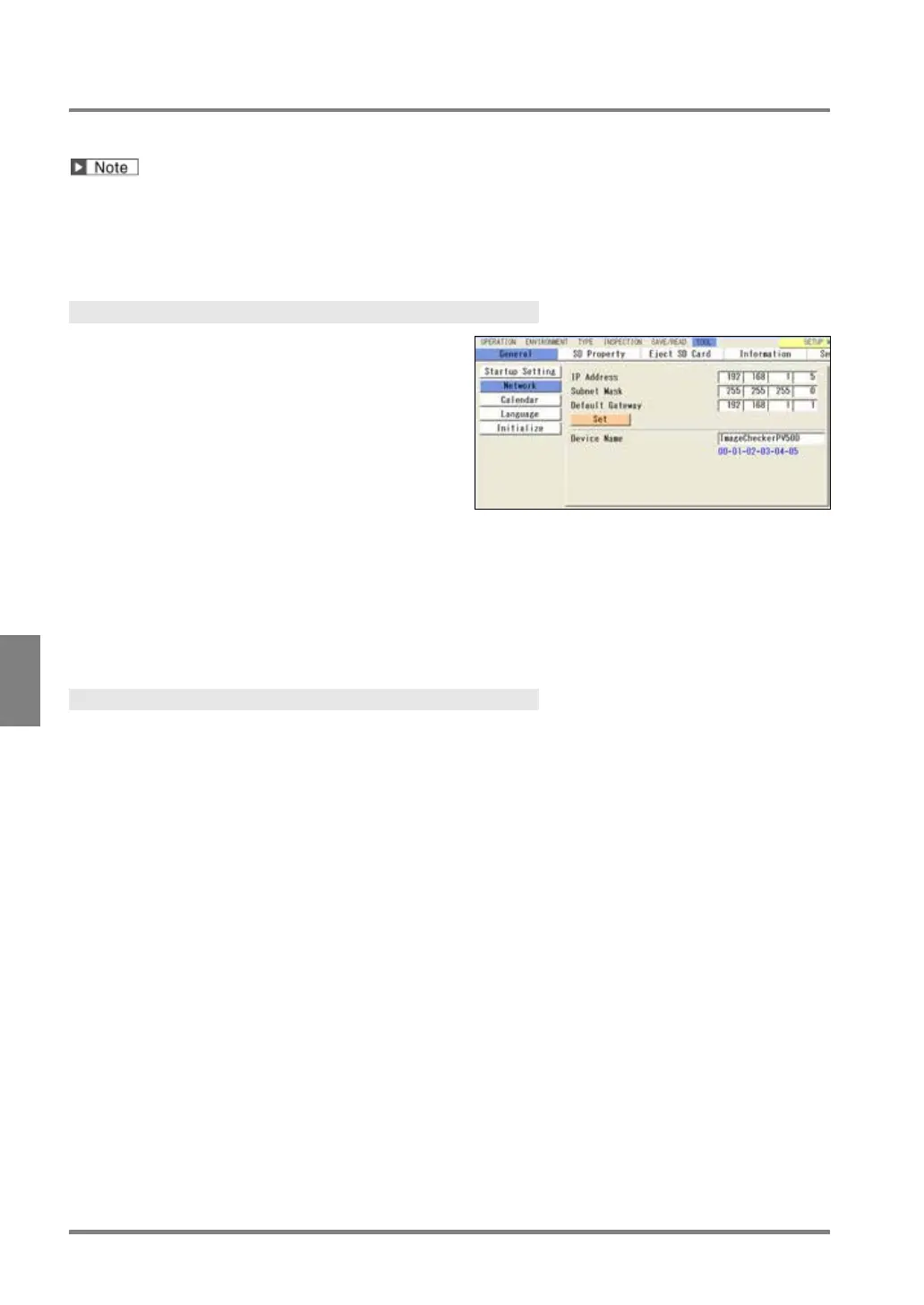
Changing IP address
1.
Select "TOOL” > “General” from the menu bar.
2.
Select "Network".
3
. Change "IP Address”.
Change the subnet mask and default gateway as
IP Address: 192. 168. 1. 5
Subnet Mask: 255. 255. 255. 0
Default Gateway: 192. 168. 1. 1
4.
After setting is completed, press “Set” button.
Pressing the CANCEL key before the “Set” button clears the change.
Changing Device Name
1
. Select “Device Name” in “Network” setting window.
2
. Enter a device name with the software keyboard.
3.
After inputting is completed, select the ENTER on the keyboard.
The entered name is displayed.
4.
Press the CANCEL key to close the “General” setting window.
You do not need to press the “Set” button.



 To Next Page