27
2.3.2 Mounting a Camera
1.
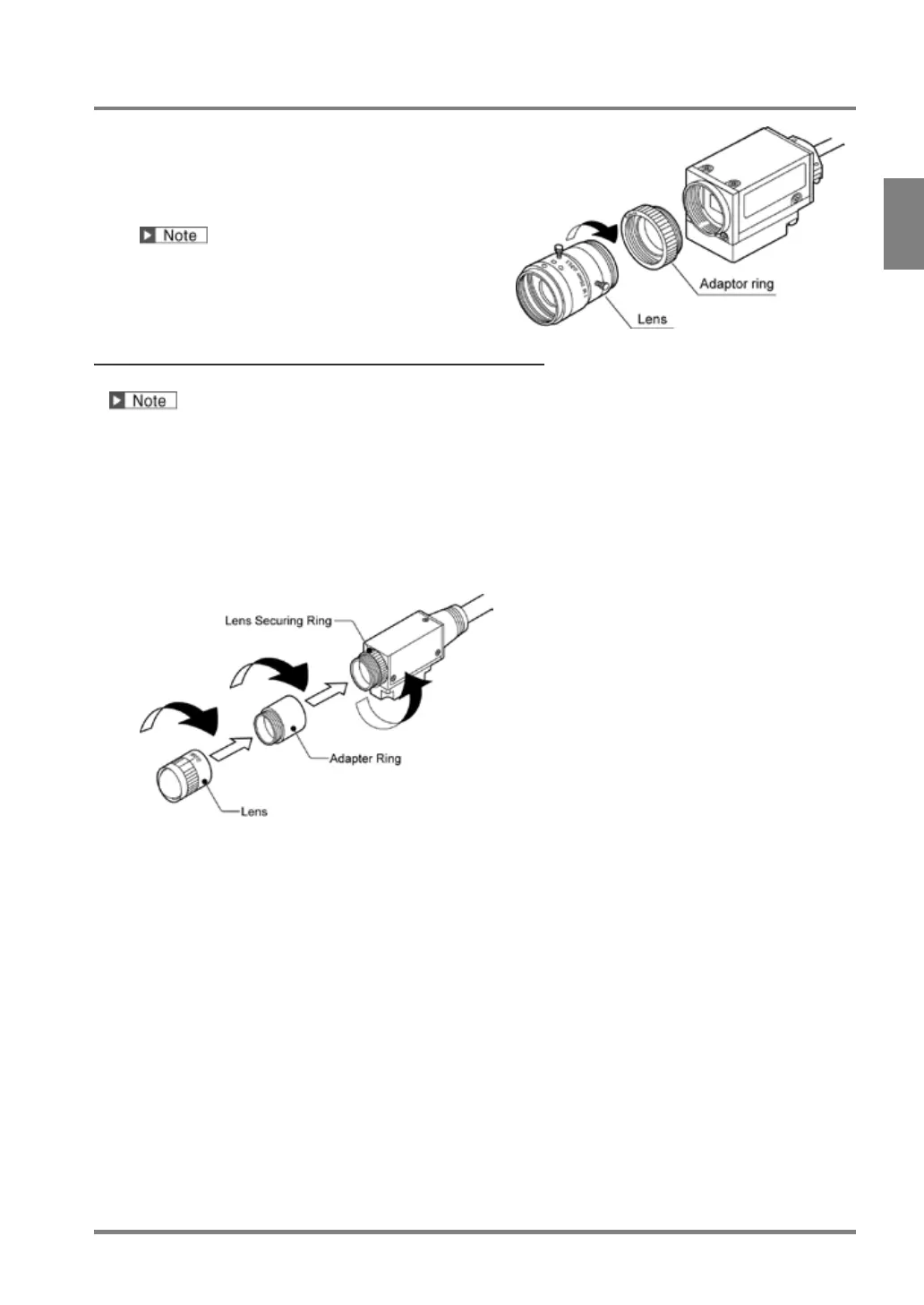
Attach a lens to a camera.
Remove the camera cap and attach the selected
lens.
Protect the CCD (image sensor) from dust. And do
not touch the glass surface of CCD image sensor.
Fixing a Lens of Ultra Compact Camera
This product was discontinued as of the end of August 2011.
1. Rotate a lens securing ring, which fixes a lens to a camera, and place it at the appropriate position.
2. Screw the lens into it.
When you use adaptor rings, fix them to the lens before attaching the camera.
3. Rotate the lens securing ring to fix the lens.
Adjust the gap between the lens securing ring and the camera to be the size confirmed in the view range
table.
2.
Use the mounting plate (insulation type) screwed to the camera to fixate the camera to the
installation point.



 To Next Page