351
7.4 Setting Help
This function supports to make setting of optical parts of PV500, to confirm the communication, and its
adjustment for introduction.
• Focus Adjustment:
To adjust focus of the lens. Rotate the focus ring of the lens following the
• Aperture Adjustment:
To adjust aperture of the lens. Rotate the aperture ring (iris ring) of the lens
following the displayed message.
• Gray Data Analysis:
To display the grayscale level of the image in the linear area in graph form.
• Capture Delay Control:
To decide optimum capture conditions by capturing and displaying images
while changing the condition for each camera.
• I/O Test:
To check the connections of I/O connector and I/O terminal block with the
• Communication Test:
To test the communication with the external devices connected to COM.0 port
7.4.1 Adjustment of Focus and Aperture
This feature makes it easy to properly adjust the focus and the aperture of the lens.
Focus and aperture can be adjusted by the same procedure.
1.
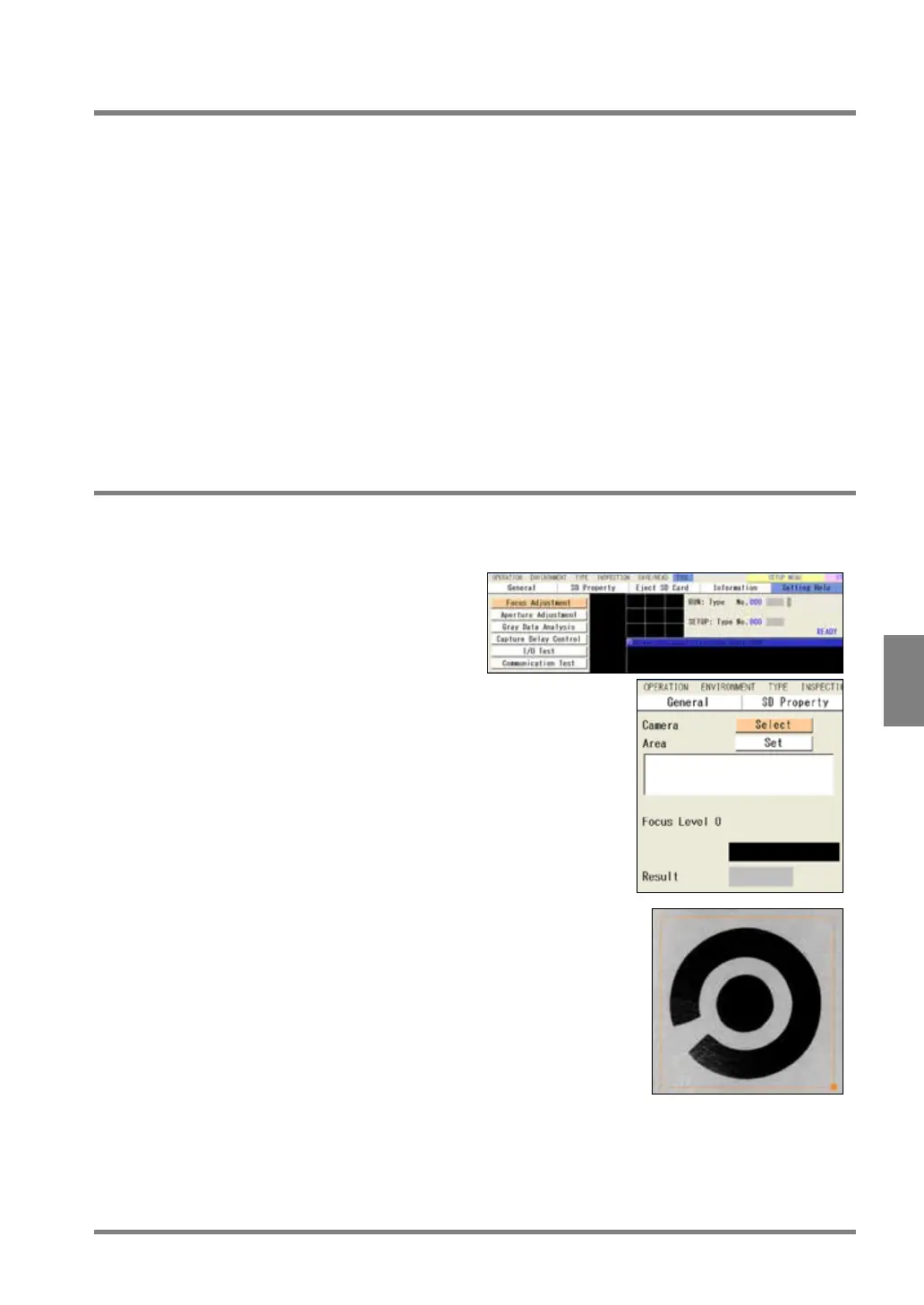
Adjust the position of the camera to display
the inspection object or the object with
feature on the monitor screen.
2.
Select “TOOL” > "Setting Help".
The Setting Help menu appears.
3.
Select “Focus Adjustment” or “Aperture
Adjustment”.
The window for focus adjustment (or aperture
4
. From “Camera”, select a camera image to
adjust focus or aperture.
5
. Select “Area” and set an inspection area on
a captured object or a position where feature
of the object exists.
The place where the feature of the object exists
is the position where the difference of
brightness is observed.



 To Next Page