30
2.5 Connecting Cables
2.5.1 Connecting Peripherals
Be sure to turn off the power source for PV500 before connecting peripherals.
1.
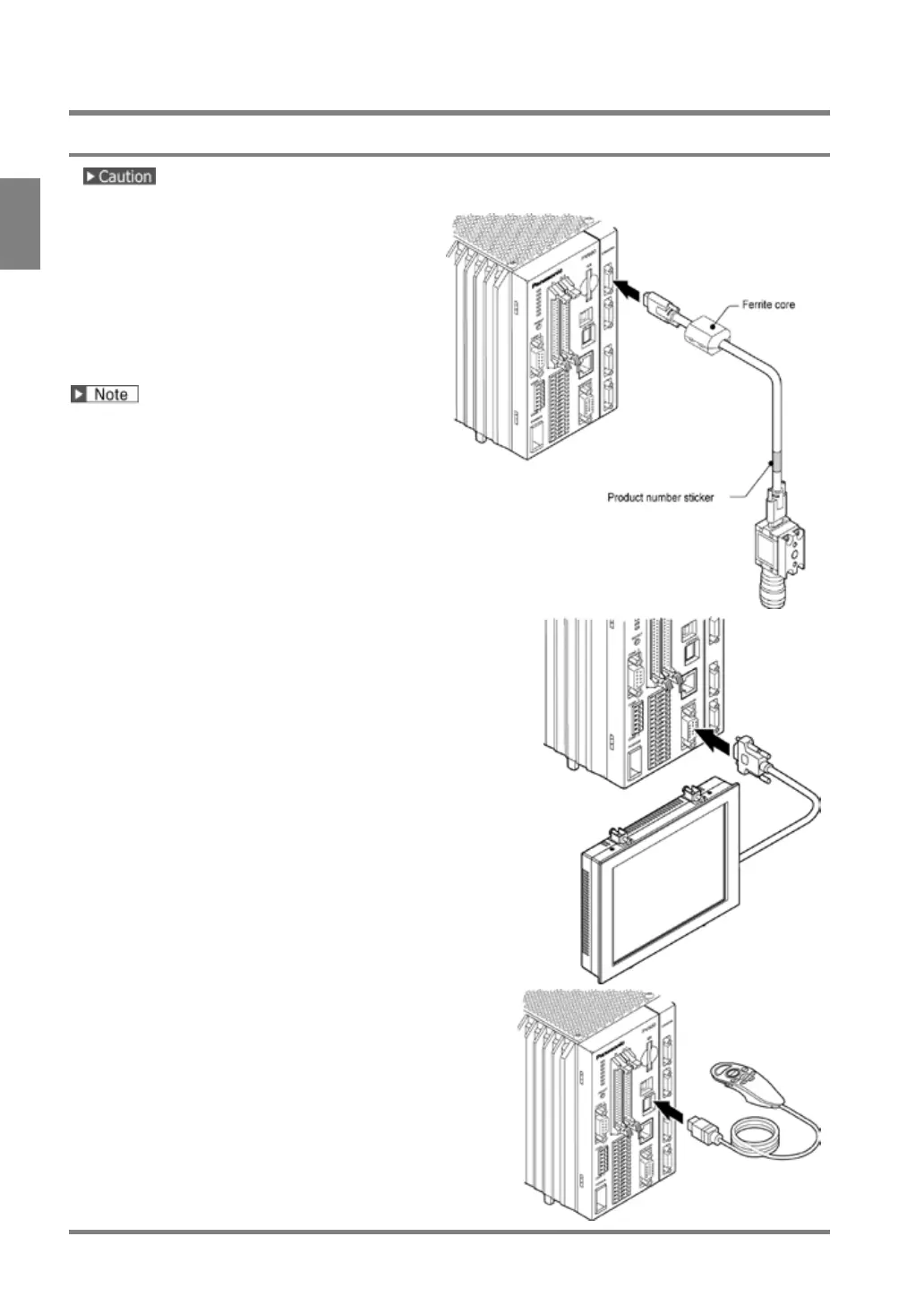
Connect a camera to PV500.
Connect a camera cable with a camera
connector.
The camera cable has polarity. Connect the
cable at the end with a product number
sticker to the camera, and the end with a
ferrite core to the PV500.
• When you use just one camera, be sure
to connect it to "CAMERA 0".
• Keep the camera cable more than 100
mm away from a power cable and a
power source cable.
• No ferrite core is attached to the
camera cable for the 0.3-Mega
Compact Camera (ANPVC5030)
2.
Connect a monitor to PV500.
Connect a monitor cable to “MONITOR” connector.
3.
Connect a keypad.
Connect the designated keypad to “KEYPAD”
connector.



 To Next Page