54
Setting Inspection Conditions
4.1 Procedure for Setting Inspection
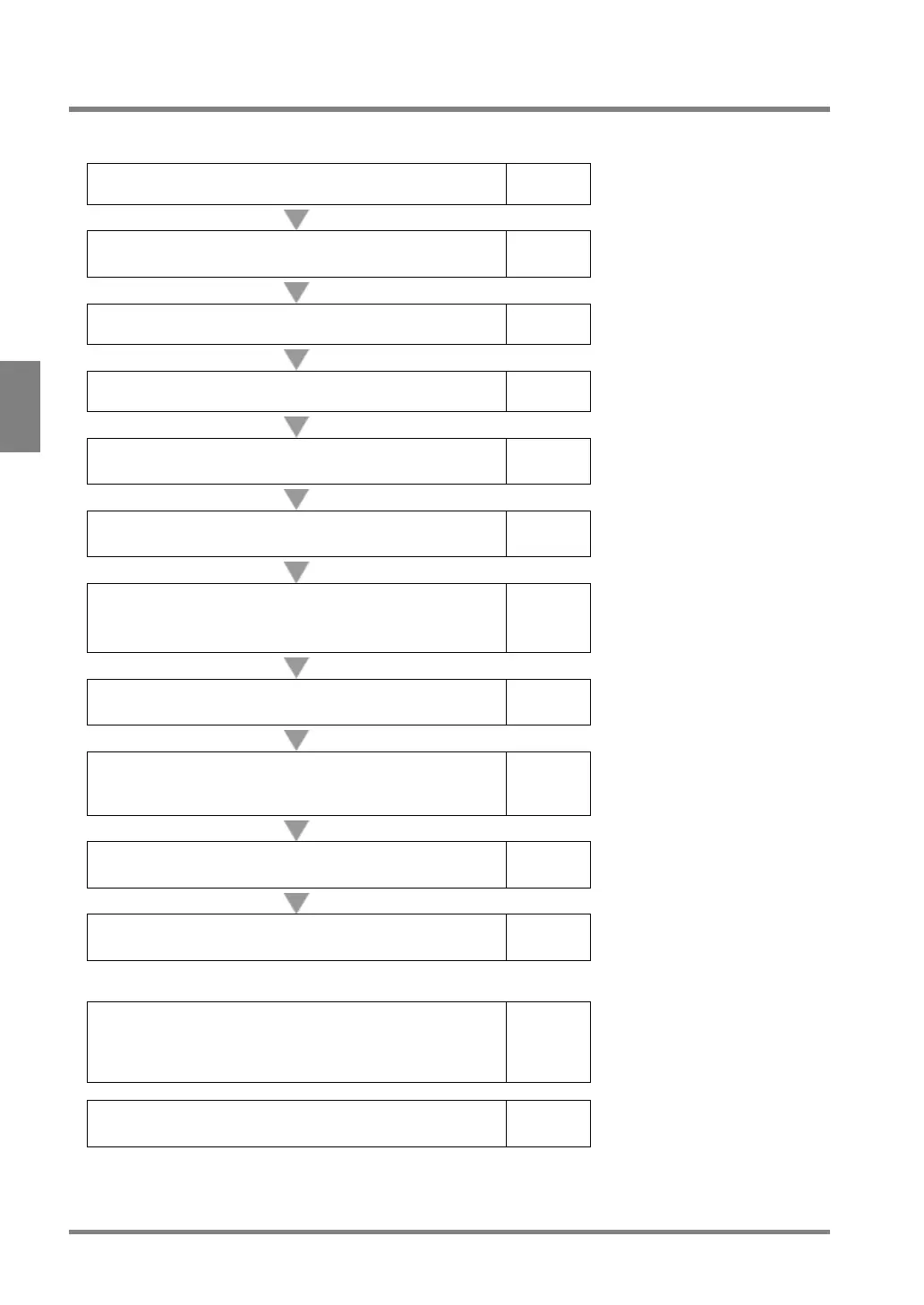
Set the inspection conditions in SETUP menu in the following order.
Select a product type No. (Type Switch)
page 55
Set camera type and capturing conditions
(ENVIRONMENT > Camera, TYPE > Type Setting)
page 58
Select Execution Mode condition
page 74
Capture an image
page 79
Preprocess the image to be appropriate for inspection
page 80
Set an inspection
Checker, Position Adjustment, Area Size Adjustment
page 89
Calculate the measured data
- Geometry Calculation
page 211
Total Judgement
page 238
Display detection results with figures or characters on
the screen window
page 253
Output Settings
Output judgements, calculated data, and images
page 270
Save settings (Save, Read)
Save in the save memory of PV or a SD memory card
page 289
Set as necessary.
Display inspection results during inspections and
change the setting values* (Data R/W)
(* The settings of checkers, numerical calculations, and
page 292
Display a fixed shape on the screen window
page 310



 To Next Page