18
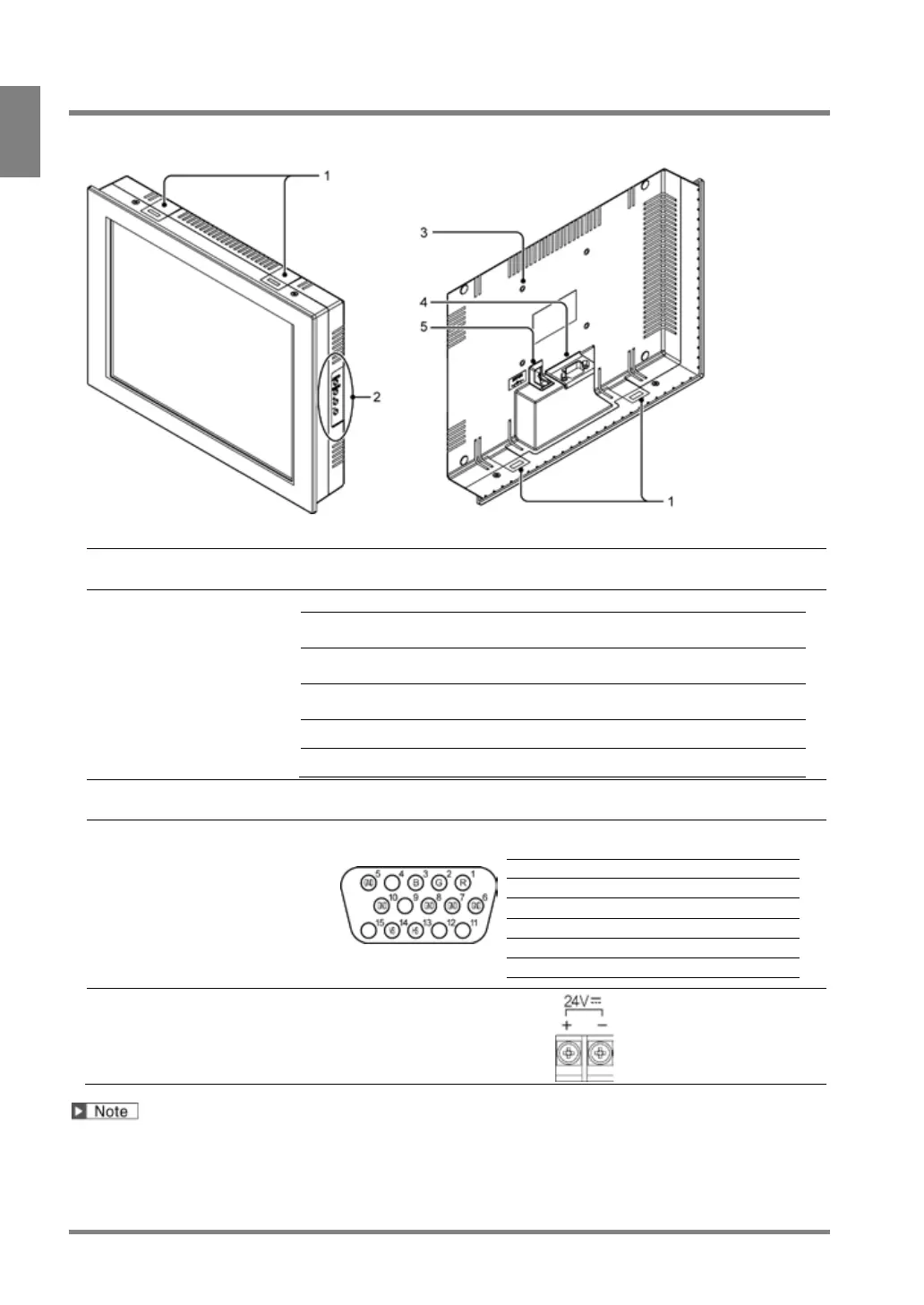
1.4 XGA Monitor
Product No.: ANPVM11021
Mounting hole
for mounting bracket
Attach the included mounting brackets.
The following adjustments are available.
Adjusts the brightness.
(Brightness: approx. 20 to 100%)
Adjusts the screen vertical position (in
16 lines).
Adjusts the screen horizontal position
(in 16 pixels).
Adjusts the screen flickering.
4-M4 (depth: 7mm), 75 x 75 mm
A connector for RGB signal input. To connect to the monitor with the VGA monitor
cable -ANMX8331X. (Connector: Mini D-sub, 15 pins, female)
Horizontal synchronizing signal
Vertical synchronizing signal
Acceptable input voltage: 24V DC
For the information of 15-inch monitor: ANPVM21522, refer to the instruction manual included with the product.



 To Next Page