426
Control with Communication Port
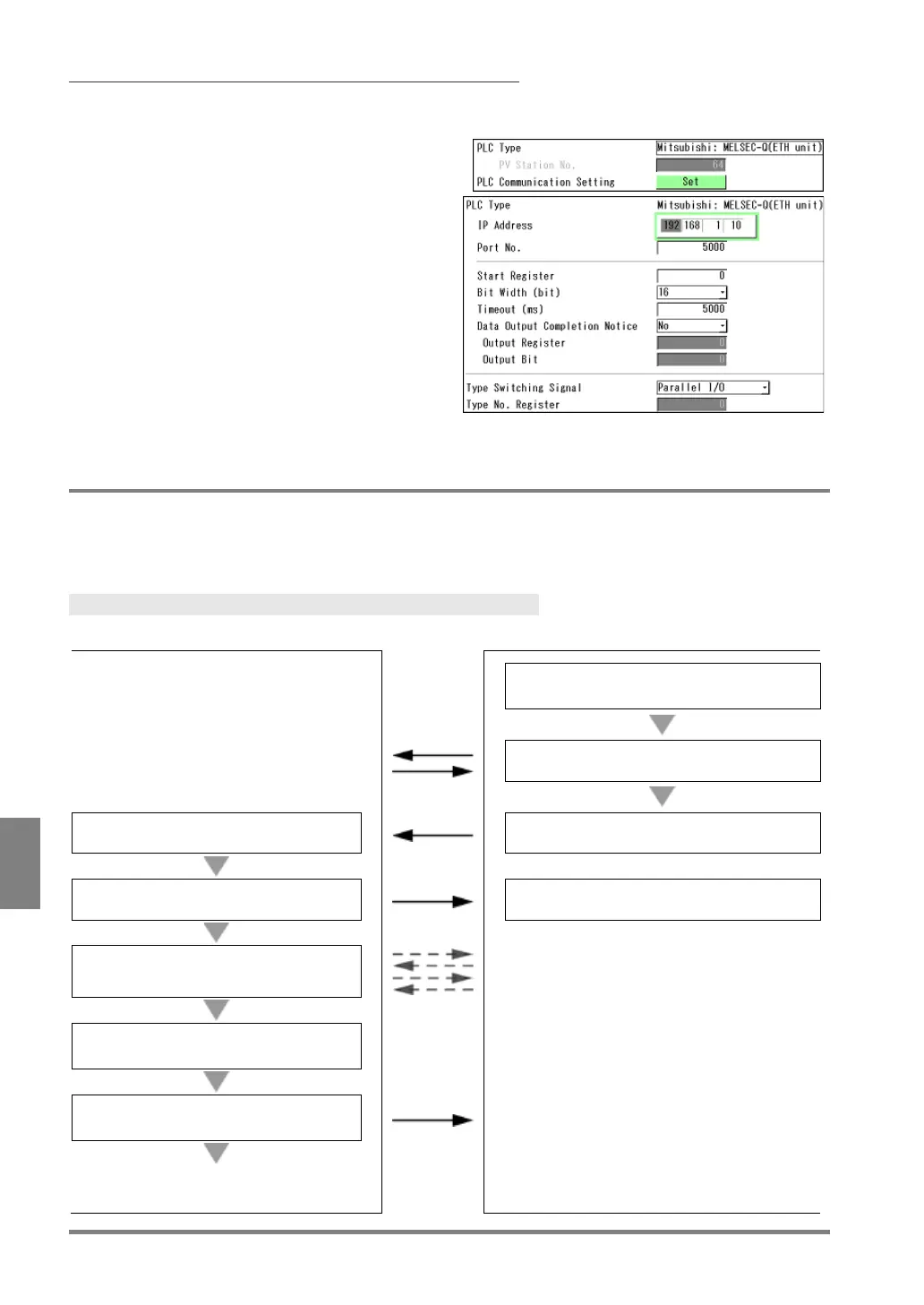
When PLC Type is Mitsubishi: MELSEC-Q (Ethernet unit)
Set to communicate with Ethernet unit QJ71E71-100.
1.
After selecting the PLC type, press “Set”
button of “PLC Communication Setting”.
The setting window is displayed.
2.
Assign the IP address to the PLC.
3.
Specify the port number of the PLC.
Default: 5000
Input the same number as the port number set
on the PLC to communicate.
Available port No. on PV500: 1 to 65534 (except
8600 to 8699 and 9090)
9.3.3 Switching Types by PLC Communication
When outputting data through PLC communication, you can specify the product type to be switched by using
the protocol of PLC communication. For the timing of switching, it is necessary to turn on/off the TYPE signal by
parallel input.
Type Switching Flow
Stores a Type No. to switch to in specified
Verifies ACCEPT signal is on.
Receives TYPE signal.
Outputs TYPE signal which switches types.
Turns off ACCEPT signal.
Turns off TYPE signal.
Checks the value stored in the specified
address.
Switches to the Type of the stored
Turns on ACCEPT signal.
Outputs an inspection start signal or another
Waits for the next signal.



 To Next Page