15
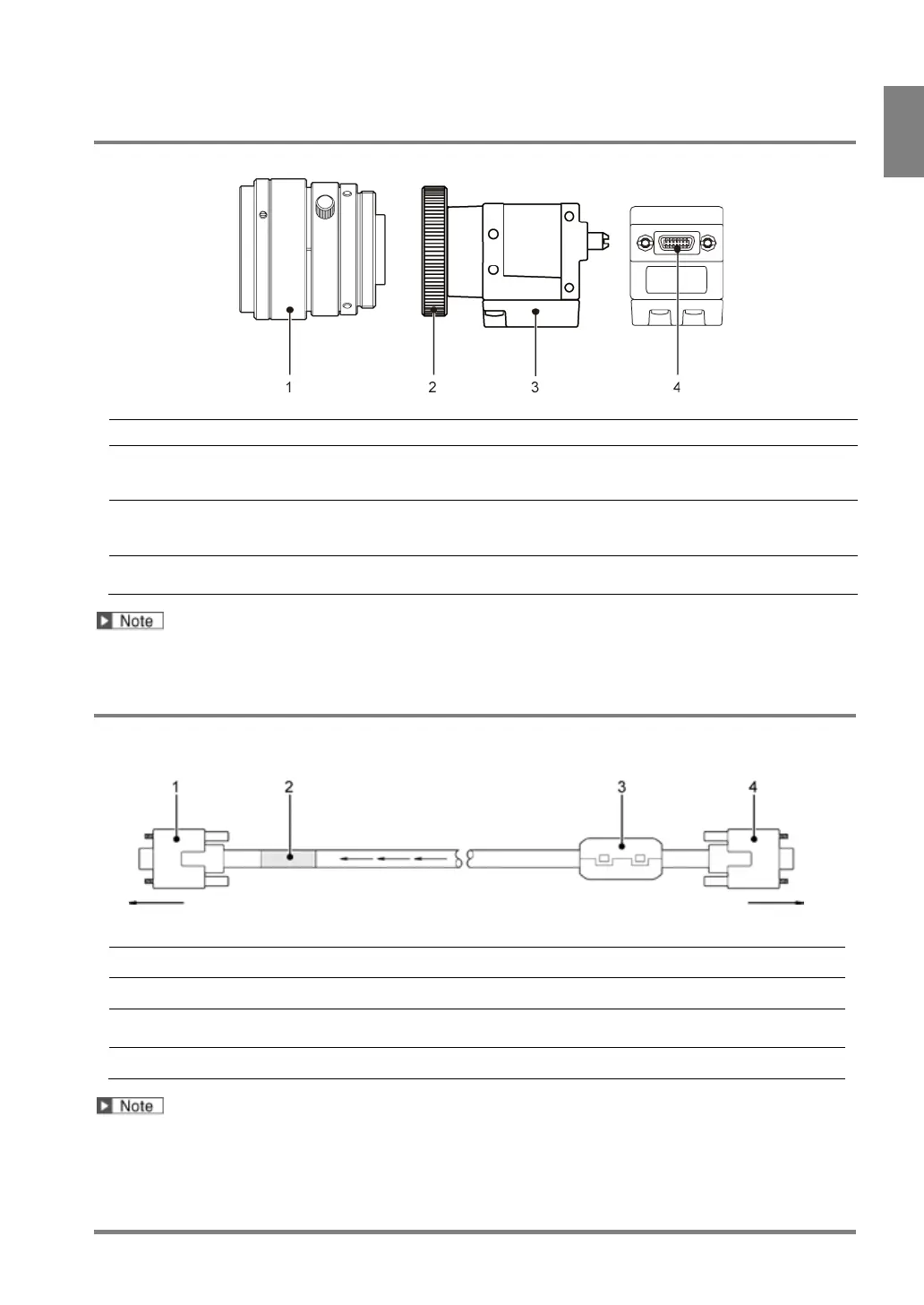
1.2.4 0.3-Mega Compact Gray Camera
Product No.:ANPVC5030
Attach a C-mount lens with adapter rings as necessary.
It becomes NF-mount when removing the C-mount adapter, and the C-mount
Insulation type plate. The plate can be attached to four sides of a camera.
(The positions to screw the plate differ between the lateral, bottom and top
Connects a camera cable.
Connect the connector labeled the product number of the cable to a camera.
• This product is supported in Ver.2.40.
1.2.5 Camera Cable
Product No.: ANPVC81XX, ANPVC81XXR (XX=03, 05, 10)
The label indicates product number of the camera cable.
Attach this whenever you use the product. (ZCAT2035-0930A produced by
TDK)
Connect the CAMERA connector of PV500.
• The camera cable has directionality. Be sure to connect the cable at the connector with a product
number sticker to the camera, and the connector with a ferrite core to the PV500.
• 0.3-Mega Compact Gray Camera (ANPVC5030) cannot be used.



 To Next Page