241
Setting Inspection Conditions
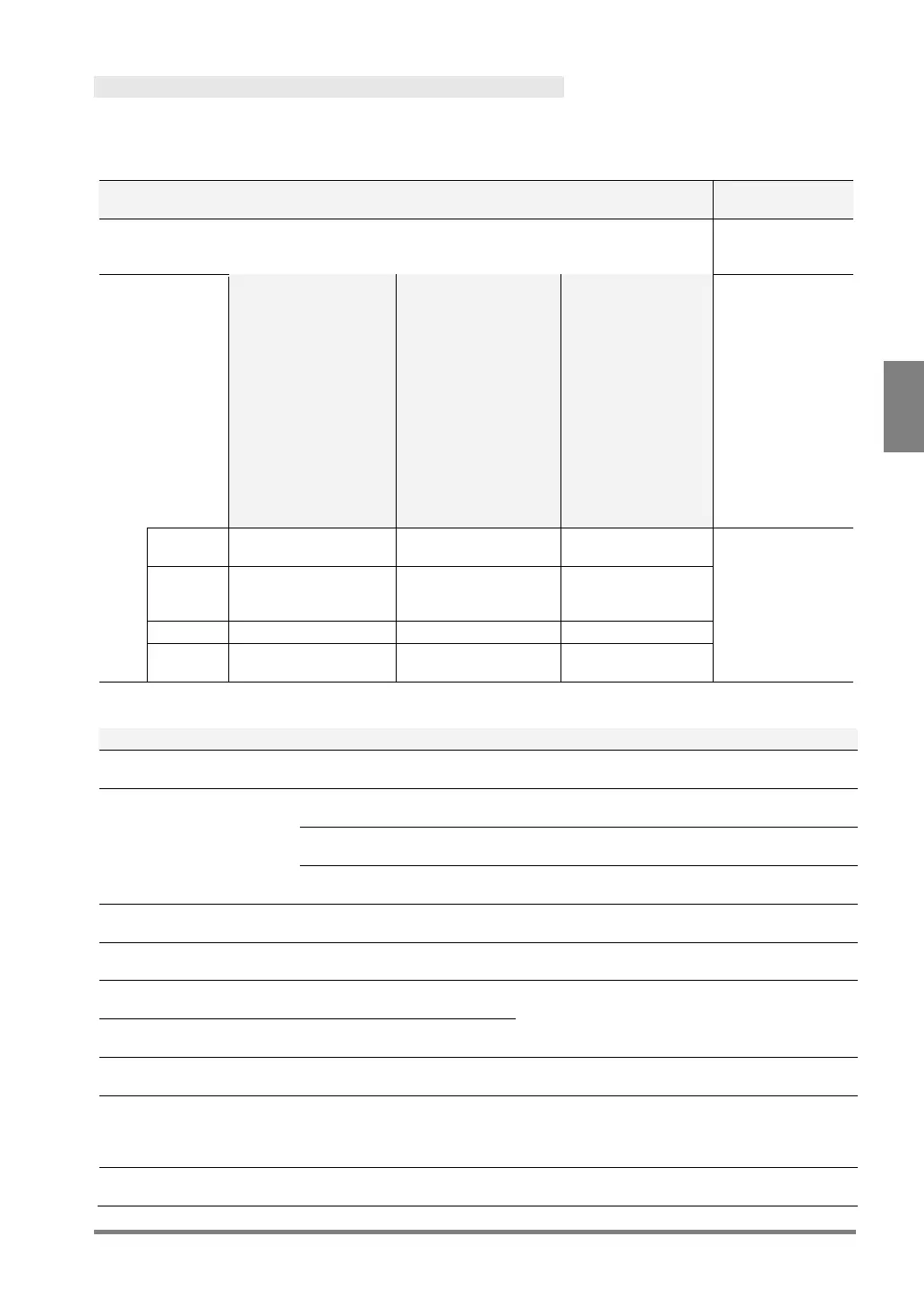
Data That Can Be Used in Judgement
The data described below is that can be used in judgement expression. The symbols in parentheses are
displayed in operation expressions.
Checker - Position Adjustment (PAC) No.0-999
Condition for OK
judgement
(JUDGE)
object or edge is
(BJUDGE)
• Binary Edge
• Gray Edge
• Feature
Extraction
• Matching
• Smart Edge
(Circle)
Position Rotation
Adjustment:
• Feature
Extraction
(Principal Axis
Angle)
• 360-degree
Adjustment
• Feature
Extraction
(2 checkers)
• Matching
(2 checkers)
Rotation Adjustment
all
Horizontal Base
Checker 0
can detect the
specified object or
edge.
Checker 1
(Center Detection)
Vertical Base Checker 3
(Center Detection)
Base Checker 3
(Center Detection)
Others
Condition for OK judgement
Checker - Area Size
Adjustment (AUC) No.0-999
The specified object or edge is detected.
No.0-999
Pixel judgement and Object judgement are both
OK.
The number of pixels is within the Judgement
limits.
Object judgement (LJUDGE)
The number of objects is within the Judgement
limits.
Checker - Binary
Window(BWC) No.0-999
Area value is within the OK Judgement limits.
Checker- Gray
Window(GWC) No.0-999
Gray Average is within the OK Judgement limits.
Checker - Binary
Edge(BEC) No.0-999
The number of detected edges is within the OK
Judgement limits.
Checker - Gray Edge(GEC)
No.0-999
Checker- Feature Extraction
(FEC) No.0-999
The number of detected objects is within the OK
Judgement limits.
Matching(SMC) No.0-999
The number of detected objects at the last phase
is equal to the maximum limitation of the number
of detected objects that was set at the last phase
Checker - Flaw
Detection(FWC) No.0-999
The number of detected flaws is within the OK
Judgement limits.


 To Next Page